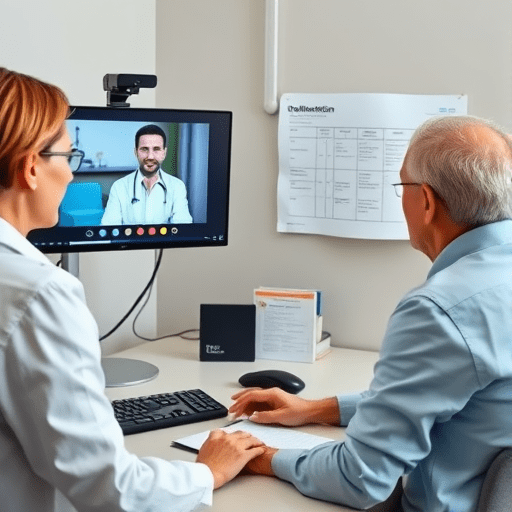
A patient schedules a telehealth visit, logs on, connects, and then the screen freezes. Two minutes later, they are gone. For the clinician, this is a frustrating interruption. For the revenue cycle team, it is far worse: it is a claim denial waiting to happen. The connection between telehealth drop-offs and denied claims is not always obvious, but Medicare documentation requirements are strict. If a session is cut short by a technical glitch and the note does not reflect exactly what happened, the claim is at risk. This step-by-step guide explains how to fix telehealth drop-offs to stop claim denials by aligning your UX design and clinical workflows with the documentation Medicare expects for full reimbursement.
Why Telehealth Drop-Offs Are a Revenue Cycle Problem
When a patient disconnects early, the clinical record is incomplete. But the billing system still sees a code. Medicare reviewers do not see the dropped call; they see a claim with a modifier, a time unit, and a note that may not fully explain why the service was shorter than expected. That mismatch is a leading cause of review flags, audit requests, and denials.
Medicare requires that all telehealth services be medically necessary, provided in real time, and documented with the patient’s actual session information. When a drop-off happens, you lose the ability to demonstrate that the service was completed as billed. Without explicit documentation of the interruption, the claim may be denied as a service not rendered, not medically reasonable, or insufficiently documented.
The fix is not just better software. It is a workflow that turns every friction point into a data point—and every data point into a compliant note.
Mapping UX Friction Points to Medicare Documentation Requirements
To fix telehealth drop-offs effectively, you need to understand which UX issues are not just annoying but also claim-threatening. Medicare’s key requirement is “interactive audio/video communication,” which means the service must be a two-way, real-time encounter. If a technical failure eliminates that interactivity, you must document the specific circumstances. Below are three common drop-off patterns and the documentation they demand.
Friction Point 1: Patient Can’t Complete Video Login
The UX problem: Patients fail during the pre-visit technical check because the camera is not recognized, the browser is not supported, or the link is broken. They never reach the clinician and may not reschedule.
The Medicare documentation requirement: If the patient is unable to connect and you provide a service by telephone instead, Medicare generally requires you to use the appropriate audio-only code (such as phone-based E/M codes) and document why video was not used. If the visit never happens, there is no billable service—but if you can provide a brief telephone assessment and the service qualifies, you must note the patient’s location, the reason video failed, and patient consent for the audio-only modality.
Friction Point 2: Mid-Session Video Drops and Audio-Only Fallback
The UX problem: The session is going well, then the video freezes. The patient switches to phone audio to finish the conversation. Both the clinician and the patient continue, but the billing record still reflects a video visit.
The Medicare documentation requirement: Medicare’s “interactive communication” standard requires synchronized, real-time video for many telehealth codes. If video becomes unavailable and the conversation continues by audio only, your note must state the time the video failed, how the service was completed, and why the audio-only continuation was necessary. For certain services, particularly mental health, audio-only can be reimbursed—but only if you include modifier 95 (for interactive telehealth) or the appropriate place of service code, and only if the note records that the patient was located at home and did not have the ability to use video. Without those details, the claim may be denied for “missing modifier” or “service not provided via interactive telecommunication system.”
Friction Point 3: Patient Hangs Up Early Due to Exhaustion or Confusion
The UX problem: The patient is not technically stuck but is overwhelmed by the interface—waiting too long, finding the controls unclear, or feeling frustrated. They end the call before the clinician can finish the assessment.
The Medicare documentation requirement: Time-based codes are validated by the total visit time that you document. If you bill a 30-minute code but the actual encounter was 10 minutes, the claim may be denied for “documentation of time inconsistent with service.” Your note must include the session start and end time, the total time spent with the patient, and a brief explanation of why the visit was shorter than the level billed (for example, “patient ended the session early after experiencing difficulty using the camera control on their mobile device”). This may seem penalizing, but it is the only way to keep the claim honest and auditable.
Step-by-Step Workflow to Capture Drop-Off Documentation
The next step is to embed the right documentation capture directly into your telehealth platform and clinical templates. You do not need to add more work for the clinician—you need to make the work appear at the moment it matters.
Step 1: Log the Pre-Visit Technical Environment
Before the patient enters the virtual waiting room, gather background data in the background: device type, browser version, connection stability, and whether the camera and microphone were accessible. Store this session telemetry in the encounter record. This becomes your first line of evidence if a claim is audited.
Step 2: Trigger a “Drop-Off Payload” During the Visit
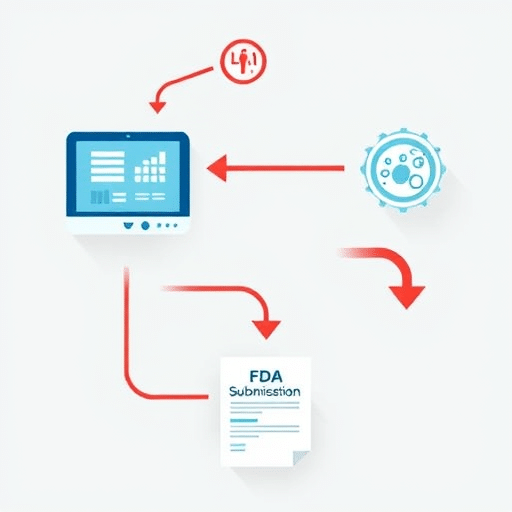
Your telehealth platform should automatically detect a disconnection event and log three things: the timestamp, whether it was patient-initiated or a network failure, and the reconnection attempt count. This payload should feed directly into the note’s “event log” section. The clinician can then add one short phrase—such as “video froze, patient reconnected by phone at 2:15 PM”—without having to remember the details later.
Step 3: Autopopulate the Medicare Compliance Fields
After the encounter, your note template should show pre-filled fields for the elements Medicare reviewers look for: patient consent for telehealth, the patient’s physical location, the clinician’s distant-site address, the modality (video, audio-only, or a combination), and the total time of the visit. If the drop-off payload identifies a video failure, the template should require a free-text explanation before the claim can be marked “clean.” This step prevents silent claim errors and helps clinicians understand exactly what needs to be written down.
Common Denial Codes and the Documentation That Prevents Them
Understanding the denial codes can help you debug your workflows faster. Here are the most frequent Medicare telehealth denial reasons and the documentation that resolves each one:
- CO-244 (Modifier missing/invalid): Add modifier 95 for interactive video-based telehealth or the appropriate modifier for audio-only services, and document the modality in the note.
- CO-18 (Duplicate service): If a patient drops off and you deliver a follow-up later that day, make sure each claim reflects a unique service with separate time spans and clinical content.
- PR-1 (Patient liability not payable): This often occurs when the service does not meet Medicare’s telehealth benefit criteria. Verify that the patient’s location is an eligible site, that the service is in the approved telehealth list, and that your note explicitly confirms real-time interactivity.
- N430 (Date of service missing or invalid): This is a simple but common issue when a drop-off causes the technical system to record the wrong time or date. Use the platform event log to verify the actual date and time at the start and end of the session.
What’s Ahead: Smarter Documentation in the Next Compliance Cycle
As telehealth platforms evolve, the newest compliance focus is on automated session intelligence. Instead of relying on the clinician to remember every technical failure, modern systems are beginning to generate structured documentation in real time—time-stamped reconnection events, audio-only transition flags, and patient frustration signals. When these telemetry feeds are mapped to Medicare’s required fields, the claim becomes stronger and the drop-off becomes less damaging.
This shift is important because Medicare’s audit logic is becoming more advanced. Reviewers are looking for consistency between the patient’s experience and the clinical note. A patient who disconnected six times and then reconnected is not the same as a patient who stayed on a stable video link for 20 minutes. The documentation must tell that story, or the reimbursement risk remains.
Conclusion
Fixing telehealth drop-offs is not just a user experience project—it is a reimbursement compliance strategy. By mapping each UX friction point to the specific Medicare documentation requirement, you can turn a silent claim risk into a visible, controlled process. The key is to make documentation automatic, contextual, and truthful. When your telehealth platform and clinical notes work together, the disrupted session can still result in a clean claim and a satisfied patient, even when the video freezes for a few seconds.