The gaming storage landscape changed the moment DirectStorage moved from a promise to a deliverable. By 2026, most new titles no longer just recommend an NVMe SSD — they expect it. But with that expectation comes something less talked about: endurance. If you want to keep your SSD alive through this generation of games, you need to understand TBW and pick a durable TLC drive from the start. This is about more than avoiding a Steam library re-download; it’s about making sure your drive doesn’t become the bottleneck, or worse, a dead component in the middle of a play session.
What DirectStorage Actually Changes for Your SSD
DirectStorage isn’t just a loading-time shortcut. It fundamentally shifts how much data moves between the SSD and the GPU. In older games, the CPU would request a compressed chunk of data from the SSD, decompress it in RAM, then send it to the GPU. DirectStorage eliminates most of that CPU involvement, letting the SSD speak more directly to the graphics card through the PCIe bus. For that to work, the GPU has to issue requests that the SSD must answer at near-maximum speed — which means the drive is doing far more random reads, more frequently, than ever before.
In practice, this means textures, geometry, and streaming assets are now pulled directly from storage in tiny bursts rather than large sequential blocks. It’s a demanding workload that exposes weak SSD architectures quickly. This is why the durable TLC drive recommendation has grown louder among storage experts in 2026: TLC handles these erratic read/write patterns far better than QLC.
TBW: The Number That Predicts Your SSD’s Lifespan
TBW — terabytes written — is the drive’s endurance rating. It’s the amount of data you can write to the SSD before the NAND flash cells become unreliable. Every new SSD ships with a TBW rating, and once you hit it, the drive isn’t guaranteed to fail, but the manufacturer won’t honor the warranty if it does. Tracking your TBW usage is the single best way to know how much life your drive actually has left.
How to Track TBW on Windows
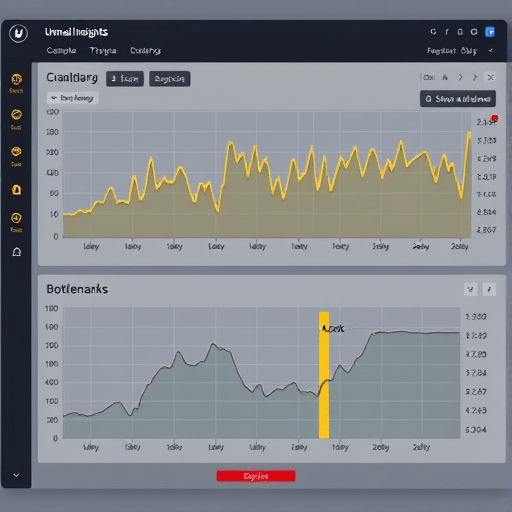
The easiest free tool for this is CrystalDiskInfo. It reads the drive’s SMART data and displays the total NAND writes, usually as a “Total Host Writes” or “TBW” field. If you’re using a broader tool like HWiNFO, look for the “Total NAND Writes” attribute under each NVMe drive. Checking once a week is enough to build a mental model of your monthly write rate.
For a more automated approach, you can use SSD Dashboard tools from vendors like Samsung or Crucial. These also show remaining endurance as a percentage, which is arguably more useful than a raw terabyte figure. Make it a habit to check after a big gaming weekend — that’s when your drive sees the most writes.
How Much TBW Do You Actually Need for Gaming?
Here’s the reality: pure gaming is a mostly read-heavy activity. A standard 2 TB Gen4 SSD with a 1200 TBW rating can theoretically last well over a decade for the average player who writes maybe 50–100 GB per day. But DirectStorage changes that equation. Games that use GPU-based decompression and asset streaming can generate write bursts, shader cache updates, and texture recompilations that add up faster than traditional game installs.
A useful real-world benchmark: if you play DirectStorage-heavy titles daily, you might write 1–2 TB per month. That’s 12–24 TB per year, which still puts you far below the endurance ceiling of most TLC drives. But QLC drives — typically rated at half or even a quarter of TLC endurance — shrink that margin significantly. This is why TBW tracking matters most if you’re running a budget QLC drive.
Why TLC Is the Right Choice for DirectStorage-Heavy Gaming
Not all NAND flash is created equal. TLC (triple-level cell) stores three bits per cell, while QLC (quad-level cell) stores four. QLC can be cheaper and denser, but it comes with a durability penalty. For DirectStorage, the bigger problem isn’t just endurance; it’s speed consistency.
The QLC Cache Saturation Problem
QLC drives typically use a small SLC cache to mask their slow native write speed. When you’re copying a 50 GB game folder, the cache absorbs it fine at first. But DirectStorage doesn’t generate predictable long writes — it produces constant mixed read/write bursts. Once the SLC cache fills with shader compilation or streaming data, the drive drops to its slow QLC write speed, causing game hitches and long texture pop-in. In demanding 2026 titles, this is noticeable almost immediately.
TLC drives, by contrast, have a much smaller difference between cached and uncached write speeds. Their sustained write performance and random read IOPS remain high even under sustained load. That makes a durable TLC drive not just a longevity pick but a performance pick.
What About TLC vs MLC?
MLC (two bits per cell) is technically more durable, but it’s mostly been relegated to enterprise drives. For gaming, TLC strikes the sweet spot between cost, capacity, and endurance. A high-quality TLC drive with a good controller and DRAM cache will outlast your system’s relevance in most real-world scenarios.
How to Pick a DirectStorage-Ready SSD in 2026
Now that you know to keep your SSD alive by tracking TBW and choosing TLC, let’s talk concrete specs. The key isn’t chasing the fastest sequential read speed on the box. It’s about understanding the endurance and sustained performance characteristics.
Two Numbers on the Spec Sheet That Matter Most
First, look at the endurance rating expressed in TBW for the specific capacity you’re buying. A responsible 1 TB drive should offer at least 600 TBW; a 2 TB drive should offer 1,200 TBW or higher. Second, look at the NAND type. If the spec sheet doesn’t explicitly say “TLC,” it’s almost certainly QLC. Search for the model’s review on reputable tech sites if the listing is vague.
Also pay attention to whether the drive uses a DRAM cache. DRAM-less designs offload mapping tables to system memory via HMB, which is fine for casual gaming, but for DirectStorage, a dedicated DRAM cache helps maintain consistent random read performance during heavy asset streaming.
Gen4 vs Gen5: What Actually Matters
Gen5 NVMe drives can reach stunning sequential speeds, but DirectStorage doesn’t hammer on sequential speed as much as it does on random read IOPS and queue depth handling. Gen4 drives like the WD Black SN850X or Samsung 990 Pro remain excellent choices for the current DirectStorage generation because their random read performance is more than sufficient for modern APIs. Gen5 drives add headroom but also require more cooling; without a heatsink, they can throttle under sustained load. If you’re building new, a Gen5 TLC drive with a high TBW rating is a safe future-proof pick, but Gen4 still holds its own.
Simple Habits That Prolong SSD Life
To keep your SSD alive for the long run, combine good hardware with smart software habits.
- Enable TRIM. Check that TRIM is active in your OS. On Windows, open the command prompt as admin and type
fsutil behavior query DisableDeleteNotify. If it returns 0, TRIM is enabled. This helps maintain free-block performance over time. - Don’t fill the drive past 80%. Near-full SSDs trigger heavier garbage collection and write amplification, which inflates actual NAND writes. DirectStorage games also allocate more temporary cache space when the drive is nearly full.
- Keep defragmentation schedules clean. Windows doesn’t defrag SSDs in the modern sense, but check that your optimization schedule is set to “trimming” only, especially if you have a third-party disk utility installed.
- Move shader caches to a secondary drive. Games build shader caches on the install drive. If you have an older HDD or a second SSD, directing the D3DSCache folder to a lower-end drive keeps your main drive free for game assets.
- Keep firmware updated. SSD vendors frequently release firmware that improves endurance reporting and garbage collection efficiency. Use the vendor’s update tool twice a year.
Conclusion
DirectStorage games have made SSD endurance a real conversation for gamers, but the tools to stay safe are already in your hands. Tracking TBW gives you a clear picture of your drive’s health, and a durable TLC drive with sufficient endurance and a DRAM cache ensures your storage subsystem can handle relentless GPU-focused reads without breaking a sweat. In 2026, the question isn’t whether you need an SSD for gaming — it’s whether your SSD can outlive your playtime.