You bought a 120Hz or even 144Hz VR headset, convinced that the silky-smooth refresh rate would finally end your queasiness. Yet after twenty minutes of play, your stomach is churning. The uncomfortable truth is that high-refresh VR headsets still cause motion sickness for millions of users, and the problem has little to do with how many frames per second the display can push. The real culprits are far more subtle: physical IPD mismatch, the artificial frames generated by motion smoothing, and a cascade of hidden latencies that no spec sheet will ever show you. Understanding these invisible fault lines is the first step toward genuinely nausea-free play.
Refresh Rate Is a Red Herring in 2026
Let’s be clear: refresh rate matters, but it is not the cure-all that marketing departments pretend it is. A 120Hz panel renders a new frame every 8.3 milliseconds, which is fast enough to fool the eye into perceiving smooth motion. However, the human vestibular system operates on a completely different track. It detects physical acceleration through the inner ear, and when that data conflicts with what your eyes are seeing, nausea follows within minutes.
High refresh rates reduce one specific type of visual temporal artifact: flicker-induced judder. They do nothing to address the geometric distortions, tracking inaccuracies, and synthetic frame manipulations that create a visceral sense of “wrongness” in your brain’s spatial map. In fact, some headsets with extremely high refresh rates actually make sickness worse, because they encourage developers to disable certain reprojection safeguards, leaving raw sensor noise and optical aberrations more visible.
IPD Mismatch: The Silent Geometric Latency
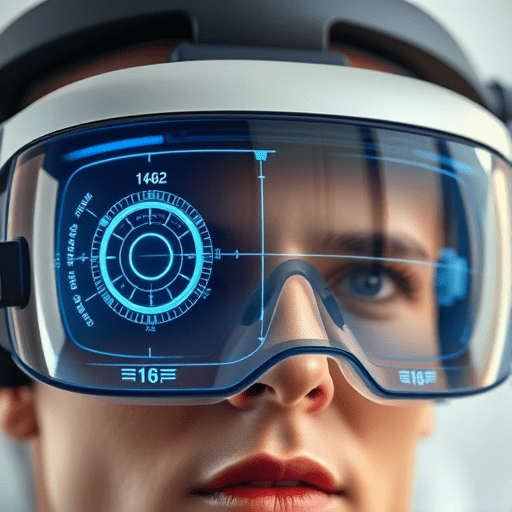
Your eyes are not simply two cameras mounted in a rigid frame. Their separation, known as interpupillary distance or IPD, varies from person to person — typically between 54 and 74 millimeters. Every VR headset has a physical or software-based adjustment to match this distance, but here is the problem: most users never measure their IPD accurately, and many headsets advertise a fixed IPD range that does not actually align the lenses with the optical center of your pupils.
The Anatomy of an IPD Error
When the IPD is set incorrectly, the rendered world is essentially offset relative to your eyes. This produces a constant but subtle parallax error: objects appear to be at slightly different distances and angles than they should be. Your brain, which has spent a lifetime calibrating depth perception based on the exact distance between your eyes, notices this mismatch instantly. It sends a discordant signal to the vestibular system, asking why the world is not aligning with the expected focal plane.
This is why many users experience fatigue and blurred vision even when the image itself looks sharp. The lenses have optical centers, and when your pupils are not centered on those optics, you also introduce chromatic aberration and barrel distortion. These geometric aberrations effectively create spatial latency — the image is present on time, but it is warped at the edges of your peripheral vision in a way that mimics the subtle shift of motion sickness triggers.
Calibrating IPD for Nausea-Free Play
Do not rely on memory or a friend’s estimate. Use a millimeter ruler, a mirror-based app, or the headset’s built-in measurement tool, but verify the result three times. Modern headsets in 2026 increasingly offer automatic IPD tracking via eye-tracking cameras, but these systems are not always accurate mid-session, particularly if you adjust the headset strap after starting a game. Develop a habit of rechecking IPD whenever you swap between players, and remember that a difference of less than 2 millimeters can be the difference between a comfortable session and a violent headache.
Motion Smoothing: The Artificial Frame Problem
Motion smoothing — also known as reprojection, asynchronous spacewarp, or frame interpolation — was designed to do one thing: maintain frame rate when the GPU cannot keep up with the headset’s refresh rate. The headset renders a frame, then algorithmically generates a fake frame in between, interleaving real and synthetic images. On paper, this sounds brilliant. In practice, it introduces a new form of hidden latency that many users describe as a “phantom smear” across the view.
Why Interpolation Tricks the Brain the Wrong Way
Your brain is exceptionally good at detecting biologically plausible motion. A real frame contains accurate light, shadow, and occlusion information. A motion-smoothed frame contains estimates — best guesses about where objects should be, calculated from the previous frame and the current head movement. These estimates are usually good, but they are not perfect. When the synthetic frame is even slightly off in terms of object boundaries or background occlusion, your visual cortex registers it as a freeze, a jump, or a ghosting artifact.
Worse, motion smoothing often operates on a per-frame basis, which means the latency of the synthetic frame is lower than the latency of the real frame. This creates an alternating rhythm: real frame at 20 milliseconds of latency, synthetic frame at 8 milliseconds, then real at 20 again. Your eyes perceive a flickering depth cue, and your inner ear, which has no frame delay, becomes confused by the inconsistent relationship between head movement and visual feedback.
Diagnosing Motion Smoothing Nausea
A simple test: turn off motion smoothing completely and set the refresh rate to half the native maximum. If your nausea disappears, you have identified the culprit. Many gamers prefer a rock-solid 60Hz with no interpolation over a fake 120Hz that produces occasional artifacts. The trade-off is worth it for comfort. In 2026, several PC VR platforms now allow per-application reprojection profiles, so you can keep motion smoothing enabled for slow-paced puzzle games but disable it entirely for fast-paced shooters.
The Hidden Latency Stack: More Than Just Milliseconds
Even with perfect IPD and reprojection disabled, several other latency sources remain. Photon-to-motion latency is the full delay from when you physically move your head to when the resulting image reaches your retina. This includes sensor polling rate, IMU filtering, tracking prediction, CPU rendering time, GPU frame time, display refresh, and the persistence of the pixels themselves. A single component can be fast, but the sum of all components determines your discomfort.
For example, a headset might advertise a 2ms sensor response, but if the GPU frame time spikes to 25 milliseconds during a busy scene, the overall latency becomes unpredictable. Variable latency is more nauseating than constant latency because your brain never gets a chance to adapt. This is why a title that runs at a stable 90Hz on low settings often feels more comfortable than the same title at a fluctuating 120Hz with motion smoothing enabled.
Another overlooked contributor is audio latency. Human balance relies heavily on auditory cues for spatial awareness. If the headphone output is delayed relative to the visual feed — even by as little as 20 milliseconds — the mismatch can amplify motion sickness. Some high-end headsets now offer low-latency audio mode, but it is often disabled by default to preserve battery life.
Practical Diagnostic Steps for a Nausea-Free Experience
If you are still struggling with motion sickness on a high-refresh headset, do not buy a new device yet. Instead, walk through this systematic troubleshooting list:
- Measure your IPD accurately using a physical ruler and a mirror, or use the headset’s built-in calibration and then verify the number with an external smartphone app designed for this purpose.
- Center the headset vertically as well as horizontally. A tilted HMD causes vertical IPD error, which is often worse than horizontal mismatch.
- Disable motion smoothing with a game-specific profile and observe the difference over five minutes before concluding it is not the issue.
- Force a fixed refresh rate that your graphics card can maintain consistently — do not rely on dynamic resolution features that fluctuate frame time.
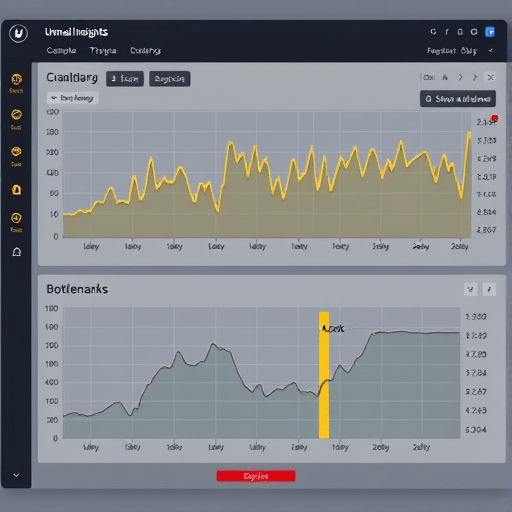
- Monitor the GPU frame-time graph using a performance overlay. Look for sporadic spikes that correlate with nausea onset.
- Use headphones with shorter cables or Bluetooth low-latency audio to minimize auditory delays.
- Take breaks every 15 minutes during your first week of using a new headset — adaptation does not happen overnight, but your brain can build tolerance to low levels of visual-vestibular conflict over several sessions.
What the Next Wave of VR Comfort Looks Like
The industry is slowly pivoting from raw refresh rate toward holistic latency tracking. In 2026, the most promising advances include dynamic foveated rendering driven by eye-tracking that actually adjusts to your IPD in real time, and optical waveguide designs that eliminate lens-distortion artifacts altogether. We are also seeing more developers embrace a “comfort first” rendering pipeline that prioritizes consistent 70-millisecond end-to-end latency over raw pixel count. The future of nausea-free play is not a higher number on the display box; it is a system that respects the intricate relationship between your eyes, your inner ear, and your brain’s expectation of a stable physical world.
Before you invest in another headset, invest twenty minutes in understanding the diagnostics outlined above. Measure your IPD precisely, experiment with reprojection settings, and track your own frame-time consistency. You may discover that your current headset can already provide a comfortable, nausea-free experience — once you stop trusting the refresh rate marketing and start rooting out the hidden latency where it actually lives.