If you have ever submitted a FHIR search that looked flawless on paper but came back with an empty bundle or, worse, a pile of duplicate patients, the problem may not be your query syntax. The problem may be the resource you are querying. The line between FHIR Person and Patient is easy to blur, and that blur is the most common reason demographic queries fail across EMR systems. In this tutorial, I will walk through what each resource actually represents, why mixing them up breaks your results, and a simple workflow for linking demographics correctly.
The Short Version: Patient Is Local, Person Is Universal
In FHIR, a Patient resource describes a person as a patient inside a single healthcare delivery context. It carries identifiers, names, birth date, address, and all the clinical context that a specific EMR assigns to that person. A Person resource, on the other hand, is the FHIR representation of the underlying human being who may appear as a different Patient in two, five, or twenty different systems. It does not replace Patient records; it references them.
- Patient lives inside one EMR and is scoped to one medical record number.
- Person is the cross-system link layer; it references multiple Patient resources through its
linkelement. - A Person can also link to Practitioner and RelatedPerson resources, making it the go-to resource for identity resolution.
- Person is not a read-only convenience. It is the FHIR-native analogue of an enterprise master patient index (EMPI).
Why Query Results Fail: Three Beginner Traps
You cannot debug a bad demographic query until you know which resource is the right target. These three mistakes cause most failures.
Trap 1 — Querying Patient When You Mean Person
Every EMR returns a different Patient resource for the same human. If you search Patient by name and birth date on ten endpoints, each endpoint may gracefully return its own local record — and miss every record that lives in another system. Your query did not fail technically; it failed semantically. There is no global Patient index. The global index is Person.
Trap 2 — Ignoring the Person.link Relationships
Even when a Person resource exists, some developers look at its name and birth date and never expand its link targets. A Person without context is just another demographic snapshot. The valuable data is in the links to Patient resources. If you do not follow the links, you are back to querying in the dark.
Trap 3 — Treating Demographics as Identity
Matching on name, sex, and birth date feels like linking demographics, but demographics are a suggestion, not an identifier. Two people can share a name; one person can legally change a name; addresses and phone numbers migrate. The FHIR Person resource encodes a maintained linkage decision, often backed by an EMPI, which is far more reliable than running your own fuzzy string matching on every query.
A Simple Workflow for Linking Demographics Across EMRs
Here is a repeatable pattern that solves the problem rather than patching it.
Step 1 — Resolve the Person First
Send your demographic search to the endpoint that owns the Person resource — often a master patient index, integration engine, or health information exchange layer. Use a search like this:
GET [base]/Person?family=Sample&birthdate=1974-02-15Collect the matching Person resources and their id values.
Step 2 — Expand the Links
For each Person, retrieve the full resource to inspect the contained references in the link element:
GET [base]/Person/[id]Then read each link of type patient to obtain the targeted Patient references. You now have a list of local Patient records spread across different EMR systems.
Step 3 — Fetch Each Patient from Its Source System
For each target reference, issue a Patient read directly against the corresponding EMR endpoint:
GET [emr-a]/Patient/[patient-id]Repeat for every linked resource. This gives you the full demographic and clinical context from each source, without forcing every EMR to expose a shared global record.
Step 4 — Merge in Your Application, Not in the Database
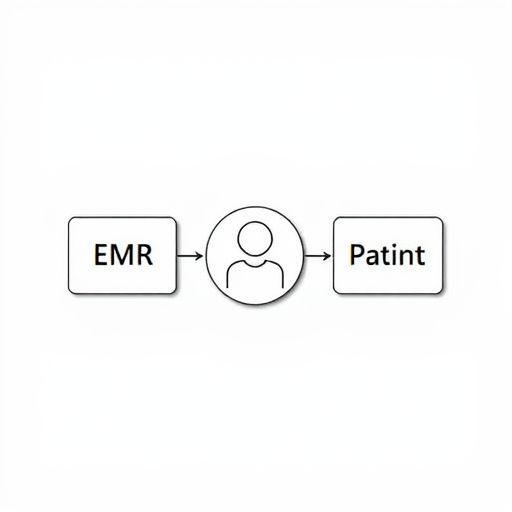
Combine the demographics in your own response layer. Build a unified patient card with the Person as the hub and each Patient as a spoke. Do not try to copy demographics back into the source EMR; you will create sync loops and violate source-of-truth rules.
A Practical Example: Same Last Name, Two Systems
A patient named Sam Ortega has a record at both University Hospital and an affiliated clinic network. The clinic network’s Patient resource is urn:clinic-8841, and the hospital’s is urn:hospital-5523. In a proper FHIR deployment, a Person resource exists whose link element lists both target references. When your query for family=Ortega runs against the Person endpoint, it returns one Person, and expanding its links reveals both Patient resources — even though the names, addresses, and MRNs in those two systems differ dramatically. This is how demographic queries across EMRs are supposed to work.
What Changes in 2026: Identity Is the New Interoperability
The conversation around FHIR Person has shifted from nice-to-have to compliance necessity. Frameworks such as TEFCA and the growing reach of Qualified Health Information Networks (QHINs) require reliable patient identity resolution across legal entities. Regulators, auditors, and even app developers increasingly expect queries to traverse multiple networks without returning fragmented results. At the same time, more healthcare APIs are exposing Person as a first-class search target rather than an internal integration detail. If you are building on FHIR R5 or planning ahead, the Person resource is maturing with better support for link lifecycle and endpoint awareness. The practical takeaway: learn the pattern now, because your next audit will likely ask why demographic queries across your connected systems return inconsistent results.
Patient vs Person at a Glance
- Scope: Patient is local to a single EMR; Person is global across the enterprise or health network.
- Identity: Patient uses a local MRN; Person aggregates identities from many systems.
- Links: Patient stands alone; Person uses the
linkelement to reference Patient, Practitioner, and RelatedPerson. - Best use in queries: Search Person for demographics, then follow links to Patient for per-system details.
Quick Mental Check Before You Query
Ask yourself: am I looking for charts inside one EMR, or am I looking for a human being across many EMRs? The first answer is a Patient query. The second is a Person query. Answering that question up front prevents the most common bug in FHIR demographic integration.
The FHIR Person vs Patient distinction is not an academic nuance — it is the difference between a query that silently returns partial data and one that resolves a real human across every system they have touched. Start with Person as the hub, link Patient resources as spokes, and your demographic queries will finally match what you expect: one person, complete and consistent, no matter how many EMRs hold fragments of their record.