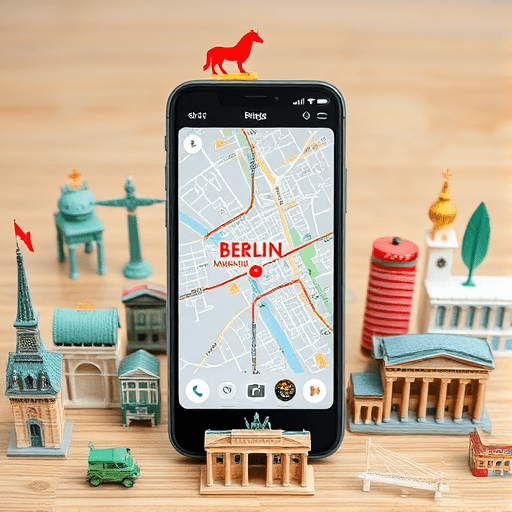
If you’re a fast‑paced traveler with only a few hours to spare, a 3‑hour guided app is your ticket to experiencing Berlin’s most iconic museums without the overwhelm. By mapping museum highlights and curating a precise itinerary, the app turns a chaotic museum crawl into a streamlined, memorable adventure. Whether you’re a history buff, art enthusiast, or simply a curious tourist, the app’s real‑time navigation, personalized recommendations, and offline mode let you hit every must‑see spot in record time.
Why a 3‑Hour Guided App Works for Busy Berlin Travelers
Berlin’s museum landscape is dense: the Museum Island quartet, the Neue Nationalgalerie, the Jewish Museum, and the German Historical Museum all sit within walking distance of one another. Yet, navigating their individual entrances, ticket counters, and exhibitions can still feel like a logistical nightmare. A 3‑hour guided app addresses this by:
- Curating a tight schedule: It suggests which rooms or halls to prioritize based on your interests and the time you have.
- Providing real‑time guidance: GPS and indoor positioning help you avoid dead‑ends and queues.
- Offering offline access: Pre‑downloaded maps and audio tours keep you on track even if Wi‑Fi drops.
In short, the app eliminates the guesswork, letting you dive straight into Berlin’s cultural treasures.
Top City Tour Apps for Mapping Berlin Museum Highlights
Several apps stand out for Berlin’s museum tours. Below, we compare the best options for a 3‑hour itinerary, focusing on user experience, coverage, and customization.
1. Visit Berlin – Museum Island Guide
This official app is a must‑have. It features:
- Audio guides in 14 languages.
- Interactive maps that layer exhibits with the optimal route.
- Real‑time queue alerts and ticket booking options.
Its “Quick Tour” mode lets you pick a 3‑hour window and automatically locks in the best path.
2. Detour – Berlin Museum Trail
Detour’s GPS‑driven stories bring exhibits to life through narrative podcasts. The app’s strengths include:
- Immersive storytelling that blends history and personal anecdotes.
- Turn‑by‑turn walking directions with voice prompts.
- Cross‑app integration (maps, calendars, etc.) for a seamless experience.
Detour’s curated “Berlin Museum Highlights” playlist is perfect for a rapid but deep dive.
3. Google Maps + Custom KML Layers
For those who prefer flexibility, Google Maps allows you to upload KML files that plot museum highlights and recommended stops. Combine this with the “Explore” feature for real‑time insights on crowd levels and opening hours.
Crafting Your 3‑Hour Itinerary with the App
Here’s a step‑by‑step guide to turning the app’s recommendations into a flawless trip:
- Set Your Interests: In the app’s settings, choose categories (art, history, architecture). The algorithm will prioritize exhibits that match your profile.
- Select a Start Time: Input your arrival time. The app will account for opening hours and anticipated wait times.
- Choose a Route: The “3‑Hour Quick Tour” will display a heat‑map of must‑see locations and a step‑by‑step plan.
- Download Offline Resources: Before you leave, download the map and audio files so the app stays functional even if you lose signal.
- Check for Real‑Time Alerts: During the tour, the app will update you on any changes (e.g., temporary closures, pop‑up exhibitions).
- Capture Your Experience: Most apps allow photo and note integration, letting you save your favorite moments for later.
Maximizing Efficiency: Insider Tips for a Rapid Museum Crawl
Even with a perfect app‑guided route, a few extra tactics can shave minutes off your journey:
- Pre‑Purchase Tickets: Skip the ticket queue by buying online and using a QR code at the entrance.
- Wear Comfortable Shoes: You’ll be walking around 4–5 km in a day. Shoes with good arch support are a game‑changer.
- Use the App’s “Skip List”: Some exhibitions may be too time‑intensive for a 3‑hour window. The app lets you flag these and move on.
- Take Breaks Strategically: Use the app’s “Pause” feature to mark a quick coffee break at the museum café before resuming the route.
- Leverage Multi‑Museum Passes: If your itinerary includes several museums, look for a Berlin Museum Pass to save time and money.
Real‑World Example: A 3‑Hour Berlin Museum Sprint
Meet Maya, a business traveler flying into Berlin for a conference. With only two hours between her meetings, she wanted a “quick museum experience.” Using the Visit Berlin app, Maya’s itinerary looked like this:
- Start at the Pergamon Museum – 30‑minute audio tour of the Alhambra and the Ishtar Gate.
- Walk 10 minutes to Neues Museum – focus on the bust of Nefertiti.
- Short hop to the Altes Museum for a 15‑minute overview of Greek and Roman artifacts.
- Finish at the Neue Nationalgalerie for a rapid tour of Picasso’s Blue Period paintings.
The entire trip lasted 2 hours 45 minutes, leaving Maya with a sense of achievement and a deeper appreciation for Berlin’s museum culture.
Future Trends: AI‑Powered Museum Guidance in 2026
As we move deeper into 2026, AI is poised to transform how apps curate museum itineraries. Predictive algorithms will anticipate visitor preferences based on past visits, weather, and crowd density. Expect features like:
- Dynamic Path Adjustment: Real‑time rerouting if an exhibit is unexpectedly crowded.
- Personalized Narrative Layers: Voice‑assistant guided storytelling tailored to your interests.
- Emotion‑Based Recommendations: Adjust pacing and highlight choice based on your current mood.
These advancements will make the 3‑hour guided app not just a tool but a personal cultural concierge.
Conclusion
A 3‑hour guided app is the ultimate ally for busy travelers seeking to experience Berlin’s museum highlights efficiently. By combining curated itineraries, real‑time navigation, and offline capabilities, the app turns a brief window into an immersive cultural sprint. Embrace the technology, pack light, and let Berlin’s museums unfold in the time you have.