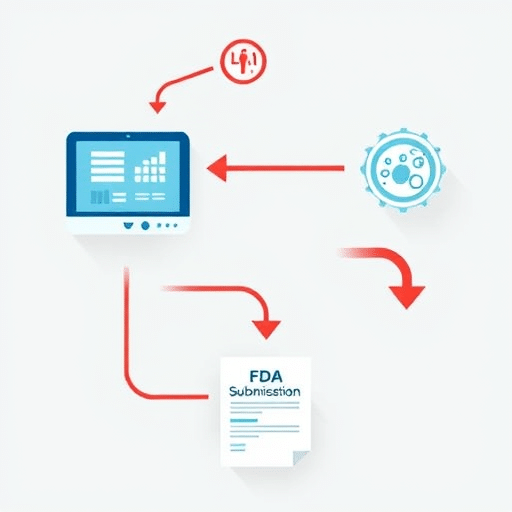
Before regulators or compliance auditors flag your app, you need to know exactly what your third-party SDKs are doing with user health data. Auditing health app SDKs for hidden data sharing often feels like chasing ghosts: SDKs update silently, permissions overlap, and data moves through layers of subprocessors you never approved. The cost of missing a leak, however, keeps climbing—reputational damage, HIPAA and GDPR fines, and app store removal. This guide offers a concrete, repeatable checklist to uncover and cut hidden data sharing before your next compliance review.
Why Hidden Data Sharing Has Become the Industry’s Blind Spot
Health apps rely on SDKs for analytics, crash reporting, ad attribution, and even basic UI components. Each integration looks harmless in isolation. But in aggregate, these SDKs can reconstruct behavioral and biometric profiles from seemingly innocuous signals: screen time, typing cadence, motion sensor data, or heart-rate variability. In the last year, regulators have started treating SDKs as data processors in their own right. That means the responsibility for every byte they receive rests on your shoulders, not the SDK vendor’s.
Step 1: Build Your SDK Inventory Before Anything Else
You cannot audit what you don’t know exists. Most developers are surprised to find more than twice as many SDKs in their production builds than they remember integrating. Start with a complete inventory.
- Run a dependency analysis on your codebase using tools like
gradle dependencies,swift package show-dependencies, or Deps.dev. - Compare the lockfile against the list of SDKs you intentionally integrated.
- Include transitive dependencies, not just direct ones.
- Document each SDK’s vendor, version, and stated purpose.
Create a living spreadsheet or use a software asset management tool to keep this inventory current. Your goal is a single source of truth that ties every SDK to a justifying feature.
Step 2: Map Data Flows, Not Just Permissions
SDK permissions often reveal less than they hide. A weather SDK requesting location access sounds suspicious, but a meditation SDK requesting microphone access while claiming not to record audio is equally dangerous. You need to map what each SDK can theoretically touch and when.
- Document the type of data each SDK can access.
- Identify whether the SDK runs in the same process as your app or in a separate one.
- Check if the SDK initializes at app launch or only after specific user actions.
- Look for SDKs requesting sensitive health permissions (health records, fitness activity, heart rate) even though your app never directly uses those features.
The true data flow is often obscured by obfuscated code, so move to static analysis next.
Step 3: Static Analysis for Hidden Permissions and Endpoints
Static analysis scans your binary without running it. This technique helps uncover hardcoded endpoints, unexpected class references, and behaviors that the SDK’s documentation never mentions.
- Decompile the app package (APK, AAB, IPA) and inspect the manifest for permission declarations.
- Search for known ad-tracker and data-broker domains in the strings table.
- Look for identifiers such as IDFA, IDFV, advertising IDs, or fingerprinting hashes stored in user defaults.
- Check for embedded certificate-pinning libraries that bypass your own network security configuration.
Tools like jadx, Ghidra, and MobSF can accelerate this process. However, static analysis alone cannot show you what the SDKs actually transmit at runtime.
Step 4: Runtime Traffic Inspection Reveals the Truth
The only way to confirm hidden data sharing is to observe the traffic leaving your device. Configure a proxy and run your app in a controlled environment with a dedicated test profile.
- Use an HTTP debugging proxy (Charles, mitmproxy, or Proxyman) with SSL pinning bypassed only in your test build.
- Log every request the app sends, including background and launch-time requests.
- Inspect request bodies for health-related fields, timestamps, and unique identifiers.
- Note requests that fire without explicit user interaction, especially during first launch.
Pay special attention to endpoints that don’t match the SDK’s primary service. A crash reporter that sends heart-rate data is not really a crash reporter anymore—it’s a health data exporter.
Step 5: Audit SDK Vendor Certifications and Sub-Processors
An SDK may be benign by itself but share data with third-party subprocessors. Privacy policies often hide these relationships in vague language. Dig into the vendor’s compliance posture.
- Read each SDK’s privacy policy and data processor list.
- Check whether the vendor holds certifications such as SOC 2, ISO 27001, or HIPAA compliance.
- Verify whether the SDK offers on-device processing instead of external transmission.
- Review the SDK changelog for recent changes in data retention, sharing terms, or third-party integrations.
If a vendor alters its data-sharing agreements, your compliance posture changes with it, whether you were notified or not.
Step 6: Cut the Leaks
Once you have identified hidden data sharing, you need to act decisively. Cutting a leak doesn’t always mean removing the SDK entirely; it means containing the damage and rewriting the default behavior.
- Disable every SDK feature you don’t explicitly need.
- Move health-related processing to on-device models so data never leaves the device.
- Wrap SDK integrations behind a dedicated proxy layer so you can audit and block outgoing requests without reverse engineering the SDK.
- Delay non-essential SDK initialization until after the user grants consent.
- Enforce a runtime network security policy that blocks domains tied to known data brokers.
For SDKs you cannot properly audit or contain, replace them with privacy-respecting alternatives or vendor-neutral implementations.
Step 7: Build a Continuous Audit Loop
A one-time audit is not enough. SDKs update frequently, and their runtime behavior can change with a single version bump. Treat this as an ongoing engineering practice.
- Schedule audits at every release cycle, not just before compliance reviews.
- Set up automated dependency scanning in your CI/CD pipeline.
- Monitor SDK changelogs and privacy policy updates manually or through alerting tools.
- Maintain an internal privacy changelog for stakeholders and auditors.
When audits become routine, hidden data sharing has nowhere to hide.
Common Hidden Data Sharing Patterns to Watch For
During your audit, recognize these red flags:
- SDKs with name-mangled classes or native libraries that send data to unfamiliar domains.
- Analytics SDKs collecting health metrics even though your app has no explicit health tracking feature.
- Ad attribution SDKs merging identifiers across apps and devices to build cross-platform profiles.
- SDKs that request broad permissions while declaring narrow purposes in their manifest or privacy policy.
Compliance Audits Are Changing, and So Should You
Regulators now expect developers to exercise due diligence over every third-party component. An “I didn’t know” defense will not hold up. The good news is that a straightforward audit framework turns hidden data sharing into documented, manageable data flows.
Auditing health app SDKs for hidden data sharing does not require a dedicated privacy team. It requires a methodical process, the right tools, and a willingness to question what is actually inside your own build. Follow this checklist, and you will enter your next compliance audit armed with evidence, not excuses.