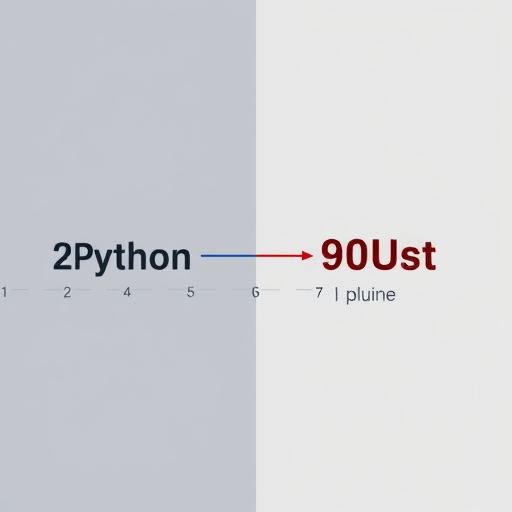
For studios running heavy DCC pipelines, the distance between “asset ready” and “asset exported” is often measured in coffee breaks. In our case, that distance was a Python bridge performing cut processing on geometry, and it took 20 minutes per asset. After building a Rust plugin to speed up DCC asset exports, the exact same operation dropped to 90 seconds—a 13x improvement that changed how our artists schedule their day. This article breaks down the plugin’s architecture, the decisions that made the speedup possible, and the implementation details you can steal for your own pipeline.
Where the 20-Minute Python Bridge Became the Bottleneck
Our original pipeline was familiar to anyone working in Maya, Houdini, or Blender: a Python script loaded in the DCC’s interpreter, pulling geometry data from the scene, mutating it through a series of cut-plane operations, then writing the result to an export format. At first, the script was fine. Then the asset complexity grew—more polygon density, more UV layers, more cuts—and the run time ballooned.
Profiling revealed the usual suspects. Python’s per-vertex loops over hundreds of thousands of triangles were slow. The math module operations were individually cheap, but multiplied by millions of calls they became a drag. Worse, the export format required reordering and deduplicating indices, which meant building and discarding several intermediate Python lists. The 20 minutes weren’t caused by one catastrophic function; they were the accumulated cost of an interpreted language working against, not with, the hardware.
We briefly considered rewriting the entire pipeline in C++, but that would have meant maintaining a compiled extension for every DCC we support. Instead, we chose Rust.
Why Rust Is the Right Tool for DCC Plugin Work
Rust has matured into a serious player for DCC plugin development. The compelling combination for us was:
- Performance without a garbage collector: Rust’s zero-cost abstractions and predictable memory usage make it ideal for processing large geometry buffers in a tight loop.
- FFI compatibility: Rust exports a stable C ABI, which every DCC can call into. We didn’t need to rewrite the entire exporter—just the hot path.
- PyO3 for Python interop: PyO3 lets Rust functions be called directly from the DCC’s Python interpreter, so the plugin feels native to the existing script.
- Memory safety: Our previous Python bridge occasionally corrupted scene data through out-of-bounds list access. Rust eliminated that entire class of bugs at compile time.
- Modern crate ecosystem: Libraries like
rayonfor data parallelism,serdefor serialization, andglamfor math are production-ready and actively maintained.
Designing the Rust Plugin: A Hybrid Bridge Architecture
The key insight was that we didn’t need to remove Python from the equation. We only needed to remove it from the hot path. The result is a hybrid architecture that keeps the DCC’s Python environment as the control layer while delegating all heavy lifting to Rust.
Keeping Python in the Driver’s Seat
Artists and pipeline tools love Python. It is the glue language of every DCC, and rewriting a toolset means retraining a whole team. So the Rust plugin is packaged as a .so (Linux), .dylib (macOS), or .pyd (Windows) module that the existing Python scripts import. The Python code still handles the user-facing logic—what assets to export, which cut list to apply, what output format to use—but the moment it needs to process geometry, it calls a single process_cuts() function implemented in Rust.
The Rust Core: Processing Geometry and Cut Lists
Inside the Rust core, geometry is represented as flat arrays: vertices as an f32 slice of x/y/z triples, triangles as a u32 index buffer, and cut planes as a small vector of structs containing the plane normal and distance. This layout is not only cache-friendly, but it matches exactly what the GPU and most export formats expect.
The cut processing itself follows three stages:
- Plane classification: Each vertex is classified as inside or outside each cut plane, using SIMD-friendly vector math provided by the
glamcrate. - Edge splitting: For every triangle that crosses a boundary, new vertices are created at the intersection points. Rust’s
Vecmanagement lets us preallocate based on the worst-case triangle count, avoiding reallocation stalls. - Index rebuilding: The resulting triangle soup is deduplicated using a hash map keyed by the quantized vertex positions. In the old Python bridge, this step alone accounted for roughly 8 minutes of the 20-minute runtime.
Passing Data Across the Boundary
The most delicate part of any hybrid plugin is the data transfer. Our first prototype naively converted numpy arrays to Python lists and back, which negated all the Rust speedup. The fix was to use pyo3’s Bound<PyArray> integration with numpy, allowing us to share the underlying memory buffer without copying. If a DCC doesn’t have numpy, we fall back to a zero-copy bytes buffer via PyBytes. The result is that the cost of moving a 500 MB mesh across the boundary is under 50 milliseconds.
Implementation Roadmap and Pitfalls
If you decide to follow a similar path, here is the roadmap that worked for us, along with a few traps to avoid.
Starting with PyO3
pyo3 has excellent documentation and a maturin build tool that handles packaging for multiple Python versions. We started with a single function that took three lists and returned one, just to validate the build chain. That minimal test also gave us a baseline benchmark.
Parallelizing the Right Way
Our first attempt applied rayon to every stage of the cut process. It worked, but the synchronization overhead of the index rebuilding stage actually made things slower. The lesson: only parallelize the plane classification and edge splitting, where each triangle is independent. The final deduplication is inherently sequential and better done on a single thread with a fast hash map.
Benchmarking from Day One
We used a fixed test asset with 2.3 million triangles and three cut planes. After every change, we measured both CPU time and wall-clock time from inside the DCC. Early on, we discovered that the DCC’s Python garbage collector was occasionally triggering during the entire operation, so we explicitly disabled GC in the Python wrapper during the Rust call. That small change yielded a 4% speedup.
Results: From 20 Minutes to 90 Seconds
After two weeks of integration work, the numbers were striking:
- Total cut processing time: 20 minutes → 90 seconds (a 13.3x speedup).
- Size of the processed mesh: 2.3 million triangles per asset, unchanged.
- Memory usage: 1.1 GB in Python vs. 0.8 GB with Rust, because we avoided duplicate intermediate arrays.
- Code maintainability: the Rust core is ~1,200 lines, compared to ~900 lines of Python it replaced, but the Rust code is far easier to reason about for performance.
Artists didn’t need to change their workflow. The button in the DCC UI still says “Export Asset.” It just stops spinning after a minute and a half instead of after lunch.
Lessons for Builders in the Current Pipeline Era
The success of this plugin has shifted our team’s default approach. We now ask, before any new encoding or processing step, whether it should live in Rust. Python remains the right choice for orchestration, UI, and quick iteration. But when a task is a loop over a large buffer, Rust is hard to beat. The build tooling has matured to the point where packaging a Rust plugin for a DCC is no harder than packaging a pure-Python module.
For studios evaluating similar changes, start by profiling your own bridge code. Look for the top three hot loops and ask what the cost of moving them to Rust would be. With PyO3, the integration effort is often a week or less. In our case, that week bought back hundreds of artist-hours per month.
Building a Rust plugin to speed up DCC asset exports is not just a performance hack. It is a strategic way to extend the life of your existing pipeline while making it substantially more responsive. The cut processing is faster, the memory footprint is lower, and the artists are no longer waiting on a timer. That is the kind of improvement that pays for itself immediately.
If your Python bridge is the slowest part of the export, Rust may be the fastest fix you haven’t tried yet.