Setting your bootstrapped SaaS at $29 per month has become a sweet spot for indie founders who want recurring revenue without enterprise sales cycles. The trick is positioning $29 as the obvious choice rather than the cheapest afterthought. This guide breaks down how to price a bootstrapped SaaS at $29/mo without leaving money on the table, using value-based pricing psychology, plan architecture, and conversion tactics that work in 2026.
Why the $29 Benchmark Still Works for Early-Stage SaaS
The psychology of “$29/month” feels like a recurring subscription most solo operators can justify on a personal credit card. That mental permission is what makes the price point so powerful: it removes the procurement friction that blocks $99 or $199 plans. Yet many founders treat $29 as a ceiling rather than a floor for a curated offer.
Indie tools like Notion, Linear, and a wave of micro-SaaS launches over the past two years have trained buyers to expect serious capability below $30. That shifts your job from justifying the price to articulating the value wedge. When you compete in this tier, you are not selling features; you are selling “the cheapest place to solve one painful problem.”
Anchor $29 Against a Premium Plan (Not a Free Plan)
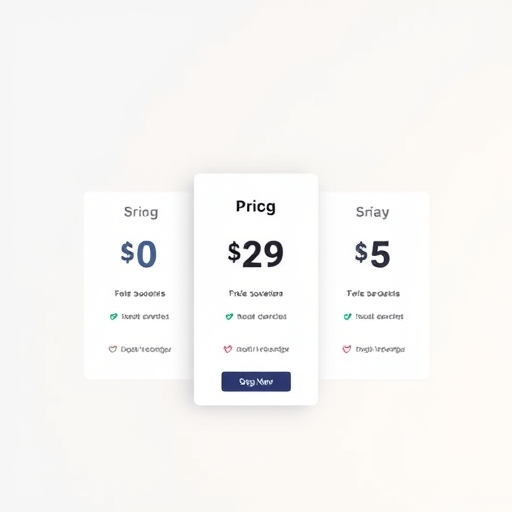
Most bootstrapped SaaS pricing pages anchor $29 next to a “Free” tier. That is a missed revenue opportunity. Instead, anchor $29 against a Pro or Business plan priced at $79, $99, or $129. When buyers compare $29 to $99, your base tier suddenly looks like a deal, even when it is the only plan most people ever choose.
For example:
- Starter – $29/mo: Core workflow, single workspace, email support.
- Pro – $79/mo: Automation, integrations, priority support, usage multipliers.
- Scale – $149/mo: Team collaboration, SSO, audit logs, custom roles.
Most customers still pick $29, but the presence of a clearly more expensive option validates the value of what they are buying. This is the decoy effect applied to SaaS pricing without ever needing to manipulate anyone.
Value-Based Pricing for a $29 SaaS
Value-based pricing does not require enterprise contracts. It requires that you know what one outcome is worth to your buyer. Ask three questions:
- What time, money, or stress does the product save the user?
- What alternative costs exist (hiring, manual work, competitor tools)?
- What is the smallest price at which the buyer feels ROI is obvious?
If your product saves a freelancer two hours of invoicing per month, $29 is trivially justifiable because the hourly value is already over $100. If it saves an agency from a single missed deadline penalty, your $29 plan pays for itself in one avoided slip. Frame the savings explicitly on the pricing page and inside the onboarding flow. Buyers who can quantify value within 10 seconds rarely haggle about $10.
Make $29 Feel Lower Without Actually Lowering It
Perceived price is different from sticker price. Three techniques work exceptionally well at the $29 band.
1. Position Monthly Pricing Over Annual
Switching your default display from “$290/year” to “$29/month” makes the offer feel 10x cheaper at a glance. You can still nudge toward annual with a visible “save 20% when billed yearly” note. Most SaaS conversion lifts in this tier come from monthly-first display, not from discounting the plan.
2. Use Usage Caps Generously
Cap usage in a way that lets a normal user stay comfortably under the limit for 3 to 6 months. A pricing page that says “Up to 1,000 contacts / 5,000 events / 3 projects” feels generous when competitors bury their caps behind a calculator. Generous caps reduce churn, which is where bootstrapped SaaS quietly bleeds revenue.
3. Add One “Surprise Premium” Touch
Bundle a single high-status feature into $29 that competitors lock behind their $79 plan. A weekly export, a custom domain, a basic API call, or a small AI credit allowance can shift perception dramatically. Pick something visible on day one so the buyer feels they received a $79 plan at a $29 price.
Tier Architecture That Avoids Cannibalization
If your top plan is $59 and your middle is $29, you risk customers self-selecting downward and never upgrading. Build logical walls between tiers instead of nudging people with “usage limits.”
A useful framework is the Jobs-to-be-Done split. Each tier should match a different job. $29 is for “individual operator doing one task.” $79 is for “team running a workflow.” $149 is for “business with governance needs.” Once tiers map to distinct jobs, upgrades happen organically as the user’s role grows.
Feature Allocation Cheat Sheet
- Tier 1 ($29): Core loop, single user, essential integrations, email support, generous base quota.
- Tier 2 ($79): Multi-user, automation rules, webhooks, priority support, expanded quota.
- Tier 3 ($149+): Roles and permissions, SSO, audit logs, custom branding, SLA.
Monetization Beyond the Subscription
Even at $29, you can layer revenue streams that do not cannibalize your subscription.
- One-time setup or migration fees for buyers who want help onboarding.
- Annual add-ons like branded reports, AI credits, or compliance packs.
- Usage-based surcharges for API calls or storage once quota is exceeded.
- Marketplace revenue share if you allow integrations or templates.
Keep these as opt-in extensions rather than gating core features. The principle: never make $29 feel like a trap. Always show a clean upgrade path to a real next step.
Testing and Adjusting Pricing Without Churn Shock
You will eventually want to raise prices. The simplest 2026 method is grandfathering: new buyers see $39 or $49, existing buyers stay on $29 for 12 months in exchange for an annual commit. Done correctly, this can boost MRR by 15 to 30 percent with negligible churn because the original price is honored on the timeline the buyer signed up for.
Another lever is the feature price map. Run a quarterly review of which features at $29 trigger the most support tickets or usage limits. Those are your candidates to push up into a new $39 tier. Pricing is a product decision, not a marketing asset, and it should evolve with the user behavior inside the app.
Common Pricing Mistakes Bootstrappers Make at $29
Avoid these pitfalls that quietly cap growth at the $29 level.
- Charging per seat when the product is single-user friendly. Buyers resent seat fees for tools they use alone.
- Burying limits behind login walls. Display them on the pricing page to build trust.
- Offering a free tier that competes with $29. A free tier should complement, not duplicate, the paid value.
- Pricing annually only. You will lose impulse-driven conversions from the indie audience.
Pricing a bootstrapped SaaS at $29/mo without leaving money on the table is not about discounting or upselling aggressively. It is about designing the offer so $29 represents a specific, valuable job, surrounded by a logical plan architecture, transparent limits, and visible upgrade paths. When your pricing page answers “what is this worth to me” faster than your competitors, the price stops being an obstacle and starts being a competitive moat.