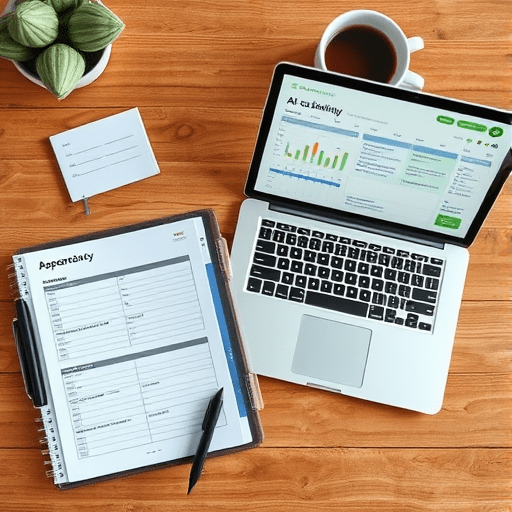
For three decades I lived by one rule: if it wasn’t in my paper planner, it didn’t exist. Then 2026 arrived, my planner was missing for the third time in a month, and I decided to run a real experiment — AI scheduling assistants versus my old calendar habits across thirty consecutive working days. What followed was less about robots replacing humans and more about how fragile the rituals we trust really are.
Why I Finally Cracked Open an AI Scheduler
The tipping point was absurd. I had double-booked a client call because I’d written 2pm in Monday’s square and Tuesday’s square on the same page. Rather than buy a bigger planner, I installed three popular AI scheduling tools and committed to using one of them every day for a month. The others stayed as backups when the primary tool annoyed me.
The assistant I leaned on most was an agent-style scheduler that could read my email, parse meeting requests, suggest time blocks, and rearrange my day when something ran long. The others specialized in task batching and inbox triage. None of them were perfect. All of them changed how I thought about time.
The Baseline: My Old Calendar Habits
To compare fairly, I needed to remember what my “old way” actually looked like. It wasn’t disciplined. It was a stitched-together mess of:
- A paper planner with weekly spreads
- Outlook calendar for shared work meetings
- Sticky notes for calls I didn’t want in the official record
- Phone reminders set the night before, often forgotten the next morning
- A mental list of “things I should probably do today”
This system had survived for years because nothing ever truly broke. Meetings happened, deadlines were met, and I went home on time more often than not. The cracks were subtle: the recurring low-level anxiety that I was forgetting something, the 20 minutes every morning spent figuring out what to do first, and the quiet dread of Sunday evenings spent rebuilding next week’s plan.
How the AI Assistant Changed My Day
On Day 1, the AI scheduler imported my calendar, read my email, and produced a draft plan by 7:12am. It flagged a meeting I had forgotten entirely, suggested moving two low-priority blocks to protect a focused writing window, and warned me that Thursday was going to be overloaded.
That last point mattered most. The assistant didn’t just react to my day — it predicted the shape of my week. By Day 5, I had stopped fighting it. Here’s what shifted:
Morning Routine Got Shorter
Instead of triaging my planner and inbox for 25 minutes, I spent five. The assistant presented the day as a series of blocks with clear labels: deep work, meetings, admin, recovery. I approved, edited, or rejected the plan with two clicks.
Tasks Stopped Disappearing
Anything mentioned in email — even casually, like “let’s touch base next week” — was captured. The old me would have written this on a sticky note and lost it. The new system logged it as a tentative block and pinged me the day before to confirm.
Meetings Rescheduled Themselves
When a Tuesday call ran twenty minutes long, the assistant didn’t just notify the next attendee. It proposed a new start time, drafted the message, and waited for my thumbs-up. I sent one approval and moved on.
The Surprising Struggles
Anyone selling AI scheduling tools will tell you the future is frictionless. The reality of week two was messier. The assistant misjudged travel time twice, confidently placed me in two cities at once, and once scheduled a “focus block” right over a child’s school pickup. It also had opinions I didn’t always share — pushing meetings to early mornings when I work best after 10am.
I learned three things quickly:
- AI scheduling assistants are best treated as junior chiefs of staff, not autonomous managers.
- The quality of your inputs shapes everything. Vague tasks produced vague blocks.
- The tool never truly understood that some “appointments” were actually excuses to think, walk, or recover.
I started adding small annotations: “this is real focus time,” “no interruptions,” “protect this.” The assistant learned. By week three, it was predicting these notes before I typed them.
What My Old Calendar Habits Still Did Better
I expected the AI to win every category. It didn’t. The paper planner offered something the screen never replicated — a tactile boundary. When the planner was closed, work was closed. The phone-based AI assistant quietly suggested tasks at 9pm on a Saturday because someone had emailed. I turned off after-hours notifications, but the option itself felt like a pressure valve I hadn’t asked for.
The paper planner also resisted scope creep. It couldn’t suddenly suggest reorganizing my whole week based on a new email. It did what it said, and nothing more. That simplicity has real value in a year when every app wants to optimize another part of your life.
The Numbers After 30 Days
I tracked four metrics honestly, even when the results were unflattering:
- Missed or rescheduled meetings: Down 70% compared to the previous month.
- Time spent planning each morning: Down from ~25 minutes to ~6 minutes.
- Tasks completed on the intended day: Up by roughly 40%.
- Evenings and weekends feeling “on call”: Up noticeably, until I added guardrails.
The biggest productivity gain came from the reduction in decision fatigue. I no longer spent mental energy deciding what to do next — the plan was already there. The biggest productivity loss was creeping availability, which I had to actively defend.
What I’d Tell Someone Considering the Switch in 2026
If your current system basically works but feels heavy, an AI scheduling assistant can lift real weight. Start small. Pick one tool. Run it for two weeks without abandoning your existing calendar entirely. Use the assistant to suggest plans rather than dictate them, especially in the first month. Be explicit about boundaries: working hours, protected time, recovery blocks. The more context you give, the more useful the suggestions become.
If your current system is already digital and you rarely miss meetings, the gains will be smaller. You may benefit most from a lightweight AI task-batcher rather than a full scheduling agent. The point isn’t to chase the most powerful tool. The point is to remove the friction between intention and action.
The Hybrid System I’m Keeping
I didn’t abandon paper. I didn’t surrender fully to AI either. The system that survived the 30-day test is a hybrid: the AI assistant plans the week and manages shared meetings, while a small paper notebook holds the thinking, sketching, and weekly intentions that don’t belong in any app. Meetings and commitments live in the AI. Ideas and reflections live in ink.
After thirty days, the question isn’t really AI versus old habits. It’s whether we’re willing to design a system that respects how we actually think, not how software assumes we should. My old calendar habits weren’t broken. They were just incomplete. The AI didn’t replace them — it finished the sentence.