
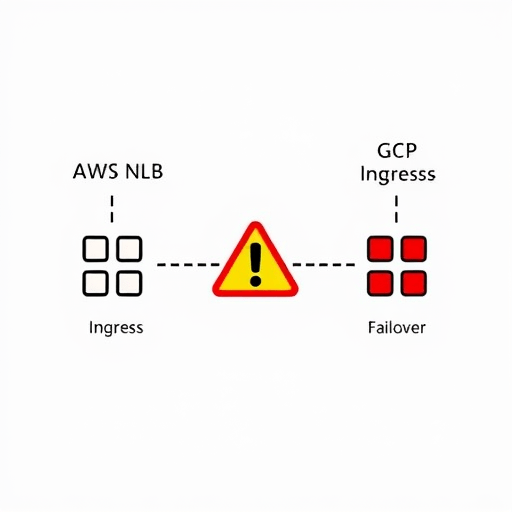
Kubernetes multi-cloud networking is no longer a lab experiment. By the current generation of Kubernetes and Gateway API, teams routinely run control planes that stretch across AWS and GCP, expecting the same service address to survive an outage in one cloud. That expectation is reasonable, but it hides a layer of traffic engineering that behaves differently on each side. The most visible failures happen when an AWS NLB fails over to a GCP ingress. In that moment, traffic routing pitfalls emerge from health check semantics, DNS caching, Gateway API boundaries, connection draining, and source IP preservation. This article looks at five of them and how to recognize them before they become an incident.
1. Health Check Semantics Are Not Interchangeable
The first place AWS and GCP disagree is the health check. An AWS NLB target group may use a TCP health check that only verifies that the port is open. A GCP HTTP(S) load balancer, on the other hand, expects a health check that returns an HTTP status code. That small difference creates a false sense of availability in a hybrid cluster. A service can be receiving connections on the AWS side while the same pod is failing an HTTP health check on the GCP side.
During a failover, the traffic router searches for healthy endpoints. If AWS is considered healthy because TCP is open, and GCP is considered unhealthy because the HTTP path returns 503, the global load balancer will not fail over to GCP as expected. The failover target is already out of rotation, and you only discover this after the primary endpoint is gone.
- A GCP ingress can mark an endpoint unhealthy because the health check path returns 500, while the AWS target group still shows the same endpoint healthy because TCP connections are accepted.
- Updating a health check path in one cloud controller does not automatically update the other. If you move the health check from
/healthzto/readyzin AWS and forget GCP, the metadata becomes stale. - Cloud controllers also have different default intervals, timeouts, and unhealthy thresholds. A GCP backend may fail over after a few seconds, while an AWS target group waits through several check failures.
To avoid this pitfall, define the same health check path, port, accepted status codes, and threshold values in infrastructure-as-code for both cloud load balancers. The health check should verify application readiness, not just process liveness.
2. DNS Failover Has a Memory Problem
Route 53 and Cloud DNS both look like DNS, but failover behavior differs in how quickly clients accept change. Even when you set a low TTL, recursive resolvers, application-side caches, and sidecar DNS caches can keep answering with the old IP address. In an AWS-GCP hybrid cluster, DNS failover often becomes a split-brain problem: some clients resolve the AWS IP, others resolve the GCP IP, and neither side has the full view of the service state.
The issue is amplified when the failover path depends on health checks from a single cloud. If Route 53 marks the AWS endpoint unhealthy and flips to GCP, the GCP health checks may still be in a different state. Cloud DNS has its own health check semantics, its own probing frequency, and its own view of the network path. A client on a resolver that already cached the AWS IP may keep sending traffic to a dead endpoint until the cache expires.
- Set public DNS TTLs to 30 seconds or lower for failover-critical records, but remember that many recursive resolvers ignore TTL for negative caching at their own risk.
- Test from outside both clouds. Health checks from one cloud provider do not always observe the same internet path or reachability as your actual clients.
- Use a global load balancer as the front door instead of relying on DNS failover alone. It can combine health checks from multiple regions and return one consistent endpoint.
DNS failover is not a traffic routing mechanism. It is a last-resort signal that has a memory problem. In a hybrid cluster, the cloud providers will not agree on that signal unless you explicitly align TTLs and health check probes.
3. Gateway API Routes Stop at the Cluster Boundary
The Gateway API makes in-cluster routing look consistent across clouds. That consistency stops at the cluster boundary. An HTTPRoute in an AWS cluster cannot automatically discover or route to a Service running in a GCP cluster unless you have a multi-cluster service controller in place. Without explicit service export and import, the GCP gateway will not know that a backend exists in the other cloud, and the route may report BackendNotFound or return a 404.
Many teams assume that Gateway API is a global routing API. It is not. The API is designed to be implemented by controllers inside a cluster, and a controller in one cluster has no built-in knowledge of Services in another cluster. You can use the Kubernetes Multi-Cluster Services API, a service mesh with cross-cluster endpoint discovery, or a dedicated multi-cluster gateway controller. The critical thing is to verify that the route’s status conditions are observed in the cluster that owns the traffic.
A common failure pattern is a hybrid deployment where the AWS cluster’s gateway can route to local pods but not to the GCP cluster. In a failover, traffic continues flowing to the AWS cluster even after it becomes degraded, because the GCP cluster is never perceived as a valid backend. Watch the route status conditions, not just the YAML, when you apply a cross-cluster route.
4. Draining and Grace Periods Are Set on Different Timelines
When a failover starts, both cloud load balancers stop sending new connections to the unhealthy side. Existing connections, however, are treated according to provider-specific draining rules. An AWS NLB deregistration delay defaults to 300 seconds. A GCP backend service connection draining timeout defaults to 30 seconds. In a hybrid cluster, the same in-flight request can live for five minutes on the AWS side and only seconds on the GCP side.
This mismatch becomes dangerous during rolling updates and failover tests. If a pod is terminated at the same time the load balancer is drained, the shorter timeout can kill requests that should have completed. Conversely, if the pod termination grace period is too long, the old endpoint lingers in the load balancer and keeps receiving traffic after it has stopped accepting new connections.
- Set the same connection draining timeout on both sides of the hybrid cluster, or at least align them to your longest reasonable request duration.
- Configure
terminationGracePeriodSecondsto account for both the cloud load balancer draining time and the time required for in-flight requests to finish. - Add a
preStophook that sleeps briefly so the load balancer can update its endpoint list before the pod is killed.
Do not test draining independently in each cloud. A request that starts in AWS and continues into GCP will experience both draining mechanisms in sequence. The only reliable test is a failover drill that spans both clusters and measures complete request latencies, including connection termination.
5. Source IP Addresses Do Not Travel Across Clouds
One of the least obvious Kubernetes multi-cloud networking pitfalls is source IP loss. In a hybrid setup, a GCP HTTP(S) load balancer may send traffic to an AWS NLB through a hybrid endpoint group. The original client IP is hidden. What the AWS NLB sees is the GCP proxy IP range, not the actual user. If your AWS security groups or Network Policies rely on client IP addresses, they will suddenly reject traffic that looks like it comes from GCP.
The reverse direction is equally problematic. If an AWS NLB forwards traffic to a GCP service, the GCP ingress receives traffic from an AWS node IP or AWS NAT address. Any GCP Cloud Armor policy or firewall rule that expects a client IP will not behave as intended. X-Forwarded-For can help, but only if you verify it and strip any external headers at the edge. Otherwise clients can spoof the header and bypass IP-based security rules.
- Enable ProxyProtocol on the AWS NLB if it terminates traffic for a backend in GCP, and propagate the original client IP through an HTTP header.
- Use a consistent identity mechanism, such as a service mesh with SPIFFE/SPIRE, rather than relying on source IP for authorization across cloud boundaries.
- Test failover with identical IP-based policies in both clouds. If the rule is “only allow corporate IP range,” make sure it works whether the ingress is AWS or GCP.
Source IP preservation is often an afterthought in hybrid clusters. It becomes critical only when the failover actually happens and your security policy starts blocking the load balancer itself. Treat source IP as a data element that must be explicitly forwarded and validated at every hop, not as something that survives the journey naturally.
Conclusion
These five pitfalls have a common pattern: they hide in the gap between two cloud providers’ implementations and only appear during failover. Health check semantics, DNS caches, Gateway API route boundaries, draining timeouts, and source IP propagation all look harmless when both clouds are healthy. By aligning health checks, forcing short TTLs, defining multi-cluster routes explicitly, coordinating draining behaviors, and propagating client identity, you can make Kubernetes multi-cloud networking predictable across AWS and GCP.


