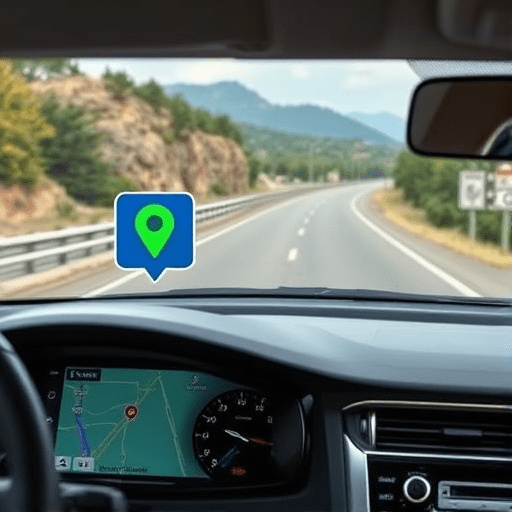
When you map out a road trip, the default choice is usually the fastest route. But in 2026, the most responsible choice is becoming the most intelligent one. Google Maps eco-routing is the eco-route option to save fuel and emissions, and it’s now mature enough to turn any long drive into a genuinely greener journey. Instead of simply shaving minutes off your arrival time, this feature analyzes a surprisingly deep set of variables to propose a route that burns less energy — whether you drive a hybrid, a gasoline car, or a fully electric vehicle. The result is not just a smaller carbon footprint; it’s also lower fuel costs, less frequent charging stops, and a smoother overall driving experience.
What Makes a Route “Eco” in Google Maps?
Eco-routing isn’t just a clever name. Google Maps calculates fuel and energy efficiency by combining live traffic data with road characteristics like grade, curvature, speed limits, and surface conditions. The algorithm then models how much fuel a typical vehicle would consume on each available path. It’s a fundamentally different approach from the classic “fastest route,” which treats time as the only variable that matters.
One critical factor is stop-and-go traffic. Accelerating from a standstill is one of the most fuel-hungry things any vehicle does. An eco-route might keep you on slower but steadier roads, avoiding highways at rush hour or city blocks with congestion. It also weighs rolling resistance, which explains why a flat back road can beat a shorter but hillier highway segment. For hybrid and plug-in hybrid drivers, the algorithm accounts for regenerative braking opportunities, meaning a route with gradual slopes and controlled deceleration can actually recharge your battery as you drive.
Why the Eco-Route Isn’t Always the Shortest or Fastest
It’s tempting to assume that fewer miles always means less fuel. Real-world driving proves otherwise. A 20-mile route at a consistent 50 mph will usually use less fuel than a 15-mile route full of traffic lights, stop signs, and speed limit swings. Google Maps eco-routing captures that nuance. You might see a suggestion that adds a few minutes to your estimated arrival time but saves 8% of your fuel — a trade-off that becomes significant over a 400-mile trip.
There’s also the psychological shift. Many drivers still feel anxious when an app recommends a road they don’t recognize. The eco-route isn’t about scenic detours; it’s about understanding that the “beating heart” of fuel consumption is not distance, but energy lost to braking and idling. Once you internalize that, the green route becomes easier to accept.
How to Turn On Eco-Routing for Your Next Trip
Enabling the eco-route option in Google Maps only takes a few taps, but you need to know where to look. In 2026, the setting is tucked into navigation preferences, not buried in a hidden menu. Here’s how it works on both Android and iOS:
- Open Google Maps and set your destination as usual.
- Tap the three-dot menu (or your profile icon, depending on the latest app version) and open Settings.
- Select Navigation settings.
- Under the Route options section, toggle on Prefer fuel-efficient routes.
- If you drive an EV, also select your vehicle type in Vehicle settings and enter your battery range so the eco-route algorithm can model charging needs.
Once enabled, Google Maps will automatically compare your trip against an eco-friendly alternative. You’ll see a small leaf icon next to the recommended green route. You can still preview all other options, but the fuel-efficient one is now the default candidate.
Eco-Routing for Electric Vehicles: Beyond Range Anxiety
For EV owners, eco-routing is a game changer. In earlier years, most navigation apps only calculated the fastest path with charging stops bolted on as an afterthought. Google Maps now integrates eco-efficiency directly into the charging plan. The algorithm considers your battery’s state of charge, elevation changes, wind direction, temperature, and even the efficiency of different charging stations along the way. It might recommend stopping at a slower charger for 20 minutes because the route to a faster one would drain your battery more quickly — and the net trip time ends up shorter.
Another subtle feature is “battery preconditioning.” Some modern EVs can warm up or cool down the battery en route to match the next charging station’s optimal temperature. Google Maps can trigger that preconditioning automatically when an eco-route includes a DC fast-charger stop. This cuts charging time and reduces energy waste — a perfect example of how the eco-route option isn’t just about navigation; it’s about coordinating every part of the drive.
Real-World Impact: What the Data Says
Google’s internal tests and independent studies have consistently shown that fuel-efficient routing can reduce gasoline consumption by 10% to 30% on mixed trips. The exact savings depend on your vehicle, driving style, and the terrain of your route. For a trip from, say, Portland to Boise, that could translate to over a gallon of gasoline saved on each one-way leg. Multiply that across millions of drivers, and the carbon dioxide reduction becomes staggering. Even a modest 15% average improvement would remove millions of metric tons of emissions annually — without forcing anyone to drive slower or buy a new car.
For EVs, the savings come in a different form: energy consumption per mile. Because eco-routing helps you avoid aggressive Highway speeds and continuous steep climbs, you’ll reach your destination with more battery reserve than you would on a “fastest” route. That extra range reduces the frequency of charging stops, adds convenience, and extends the life of your battery by reducing stress from frequent rapid charges.
Practical Tips to Get the Most Out of Eco-Routing
Enabling the eco-route is only the first step. To maximize fuel and emissions savings on your next road trip, combine it with a few simple driving habits:
- Maintain steady throttle. The eco-route already avoids stop-and-go, but your right foot still matters. Gentle acceleration and early, gradual braking amplify the benefits.
- Check your tire pressure. Under-inflated tires increase rolling resistance. Eco-routing assumes a normally inflated vehicle, so a quick check before departure ensures the app’s estimates hold true.
- Remove roof-mounted cargo boxes. They add aerodynamic drag, which dramatically reduces fuel efficiency at highway speeds. If you can pack inside the car, do it.
- Use cruise control on eco-route segments. Modern adaptive cruise control handles rolling hills better than most human drivers, especially when the route is designed to avoid sharp changes in elevation.
- Combine eco-routing with live traffic updates. The eco-route isn’t static. If a sudden jam appears on your green road, Google Maps will recalculate and preserve the eco-option. Trust that recalculation.
Also, don’t forget that eco-routing works offline too. You can download a map region in advance, and the settings remain available for turn-by-turn directions without a cellular connection. A greener road trip should be possible even in remote areas with no signal.
Embracing the Green Route as the Human Choice
Technology has finally caught up with the reality that “fastest” and “most efficient” are not synonyms. Google Maps eco-routing puts that distinction right at your fingertips, turning a routine navigation tool into a small but meaningful climate action. For your next road trip, make the simple change to enable the eco-route option to save fuel and emissions. You’ll likely arrive only a few minutes later, with less money spent on gas, lower wear on your brakes, and the quiet satisfaction of having Left the planet in slightly better shape than you found it.