The average remote employee now juggles more than a dozen work applications on a typical day. Each switch between tabs, chats, and dashboards costs a fragment of focus, and by mid-afternoon the team is running on fumes. The antidote isn’t another piece of software. It’s a deliberate decision to cut remote team tool fatigue using a 7-app stack — a lean collection of tools, each with one clear job, that eliminates the ambient noise of app sprawl.
Why Remote Teams Are Hitting a Tool Ceiling
Remote work promised a simpler digital life. Instead, many teams now live inside a sprawling ecosystem of overlapping tools: instant messaging, project boards, document collaboration, video calls, cloud storage, and a handful of niche utilities that only a few people actually use. Every tool was added to solve a real problem. But together, they create a new one: tool fatigue.
The symptoms are familiar. Employees miss a critical comment because it landed in a rarely-opened thread. They duplicate a status report in two systems. They spend ten minutes hunting for a file that should be one click away. These micro-failures add up, silently draining energy from every project and pushing teams toward burnout.
The Hidden Cost of App Sprawl
When too many apps compete for attention, people improvise. They message a coworker to ask where a document lives, or they stop using one tool altogether because nobody else updates it. The result is a fragmented digital workspace where the actual work becomes harder to see, and the mental overhead of remembering where everything is becomes a daily tax on productivity.
The 7-App Stack Audit Framework
Cutting tools is uncomfortable. No one wants to be the person who removes an app a teammate relies on. That’s why the audit framework is designed to be transparent and data-driven, not whimsical. It has three steps.
Step 1: Inventory Every Tool with a “Last Used” Date
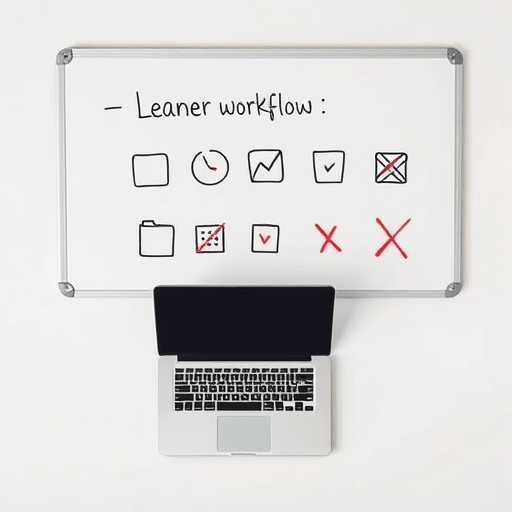
Create a simple spreadsheet. List every application the team has access to, then ask each member to paste the date they last used it. Tools that haven’t been opened in 30 days are marked for review. You’ll likely discover that about a third of your app stack is used by only one or two people — or by no one at all.
Step 2: Map Each App to One Core Job
Write down the single core job each tool does best. Be honest. If your project management tool is where decisions are actually documented, say so. If your messaging app is where real coordination happens, name that out loud. The point is to identify redundancy — two or more apps quietly doing the same job in different corners of the company.
Step 3: Apply the 7-App Limit
Now the hard part. Rank your list by impact and choose the seven applications that cover the most ground with the least overlap. The limit forces you to make trade-offs. A team of four doesn’t need both a lightweight chat app and a full channel-based workspace. A team of forty probably doesn’t need two different file storage systems.
How to Select the 7 Core Apps
When teams struggle to pick their seven, it’s usually because they’re comparing features instead of jobs. Features create attachment, but jobs create clarity. Start from the job and choose the tool that does it without requiring a second tool to fill the gaps.
Four Job Categories to Keep in Balance
- Communication: synchronous chat or calls, where quick questions and spontaneous discussion happen.
- Coordination: project management, task tracking, and shared calendars.
- Creation: documents, spreadsheets, design files, and other artifacts the team produces.
- Connection: the wiki or intranet where knowledge is stored and discovered.
Most healthy stacks have at least one app in each category. The remaining three slots can go to specialty tools — a customer support helpdesk, a CRM, or a code repository — depending on your team’s workflow.
What a 7-App Stack Looks Like in Practice
There is no universal winner. A design agency’s seven apps will look different from a software startup’s. But the pattern is the same: one anchor app per category, with a few niche additions where they genuinely matter.
For example, a product team might choose Slack for communication, Linear for coordination, Google Docs for creation, and Notion for connection, plus Figma, GitHub, and a lightweight analytics tool as their three specialists. Another team might swap those specialties for Jira, HubSpot, and Zendesk. The names matter less than the structure: seven tools, seven jobs, zero overlap.
The Anchor App Is the Hardest Choice
The most contested decision is usually the anchor app — the one platform that sits in the center of the stack. This is often the chat tool, but it can also be a knowledge base. Whatever you choose, it must be the default place where a new team member learns how the team works. If you hold everything in a wiki and treat chat as transitory, then the wiki is the anchor, not the chat tool.
Making the Cut Without Breaking the Team
Removing tools is a change-management problem, not a technology problem. A successful transition depends on a few practical moves.
- Announce the deadline: give the team two weeks to export anything they need before a tool is decommissioned.
- Define the migration path: for each tool you remove, tell people exactly where that work now lives.
- Forbid resurrection: once a tool is removed, don’t let it sneak back in through an old bookmark or a forgotten integration.
It also helps to schedule a quarterly check-up. The 7-app stack is not a permanent list; it’s a boundary. New tools will emerge, and that’s fine — but every new tool must push something else out. Otherwise, the sprawl returns.
The Measure That Matters
Tool fatigue is easy to feel but hard to measure. A good proxy is the number of “where does this live?” questions that appear in your team chat. More than a couple per week means your stack is too fragmented. After cutting down to seven apps, most teams see those questions fade quickly, replaced by a slower rhythm of work and fewer context switches.
Another useful metric is the number of apps your employees open before noon. The fewer, the better. A concise stack lets people stay in a deep-work state longer, because they aren’t constantly re-orienting themselves in a new interface.
Beyond the App List
Cutting remote team tool fatigue isn’t just about the number seven. It’s about reclaiming attention as a team resource. When you remove nine or ten apps, you also remove the mental overhead of remembering where files live, which channel a conversation happened in, and who to mention for a system update. The 7-app stack is simply a memorable constraint to help teams make those removals together, based on a shared framework rather than individual preferences.
In the end, the goal is a digital workspace that feels calm. Teams don’t need a dozen tools to do great work; they need the right few, configured well, and trusted by everyone. A 7-app stack is a simple way to get there.