In any large game team, the difference between a smooth production day and a chaotic scramble often comes down to the asset naming conventions that save hours in large game teams. When dozens of artists, designers, and programmers share the same content browser, a poorly named asset can stall an entire sprint. It is not about being tidy for its own sake—it is about building a naming system that acts as a shared language, a validation tool, and a time machine all at once. The real challenge is not inventing rules; it is designing a convention that people actually follow without slowing down their creative flow.
Why Inconsistent Asset Names Still Break Pipelines in 2026
Even with sophisticated version control and digital content creation tools, most teams still rely on human-readable file names for search, dependency resolution, and debugging. A single asset named “final_v3_updated.fbx” can silently destroy hours of work when a lead artist discovers it is outdated. The problem is not lack of tools—it is lack of semantic meaning baked into the name itself.
Large teams multiply this issue. A texture that looks like T_Grass_01 to one artist might be called Grass-Albedo-final by another. The result is duplicated assets, broken references, and endless meetings to answer the question: “Which one is the actual source file?” A practical naming convention must treat names as data, not just labels.
Core Structure: Prefix + Category + Meaning + Variant
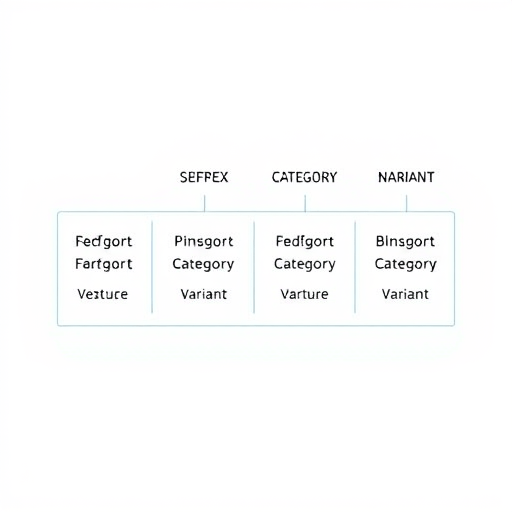
A robust asset naming convention should be compact but descriptive. The most scalable pattern we have seen in production across large game teams is:
[Prefix]_[Category]_[Meaning]_[Variant].[extension]Each segment answers a specific question. The prefix identifies the asset class—for example, M_ for materials, T_ for textures, SM_ for static meshes, SK_ for skeletal meshes, A_ for animations, FX_ for particle systems, and W_ for blueprints/widgets. This simple prefix ensures that any file can be recognized at a glance, even without a folder structure.
The category narrows the context. For a character, it could be the character’s name or archetype. For a weapon, it might be the weapon type. This avoids the common pitfall of ambiguous names like H_Texture_01 that could belong to anything.
Meaning: The Human-Readable Core
The meaning segment is where most naming conventions fail. It must be short but unambiguous. Instead of Grass_Diffuse_Albedo, use Grass_Albedo. Avoid redundant words like “diffuse” when your texture prefix already implies the channel. The goal is to make the name readable in under three seconds. If a new team member can look at T_M_Grass_Albedo_01 and instantly know it is a texture, material, grass, albedo channel, and variant 1, then the system is working.
Variant: Numbers with Meaning
The variant segment should be a zero-padded number, but it must also be paired with a status token when needed. The most effective systems we have seen use numbers for logical iterations and a separate status suffix for the asset’s production stage. For example:
T_M_Grass_Albedo_01– first art passT_M_Grass_Albedo_01_FINAL– locked and approvedT_M_Grass_Albedo_01_DEPRECATED– no longer in use
This avoids the classic “v2_final” trap because the number never goes up in a non-linear way, and the status token is automatically checked by your pipeline.
Including Provenance and Status Tokens
A 2026-ready naming convention must go beyond the file name itself. Large teams often need to know where an asset came from, who owns it, and whether it is safe to use in production. Instead of relying on metadata that only exists inside the engine, append a short provenance token to the variant:
T_M_Grass_Albedo_01_ATHere, AT might mean “approved for use,” while WIP means still in progress. The key is to define these tokens centrally and make them part of the automated validation process. When the naming convention includes provenance, an artist can spot-check an asset name and know immediately if it is safe to pull into a scene.
Status Tokens Are Not Version Numbers
Do not confuse status tokens with version numbers. Versioning should be handled by your version control system, not by the file name. The variant number is only for logical differentiation within a single artist’s working set. If your naming convention tries to solve versioning, it will collapse under its own weight. Keep it simple: the variant number changes when an asset is re-exported with a meaningful update, not every time you press save.
Enforcing Naming Conventions with Automated Tools
The best naming convention in the world is useless if people forget it. That is why large game teams are increasingly turning to automated validation at the file-system and integration level. In 2026, this is not optional—it is a requirement for any team that wants to survive a multi-year project.
Validators in CI/CD Pipelines
Most teams already use continuous integration to build the game. Add a naming validator as a pre-commit hook or a CI job. The validator checks every new asset path against your naming expression and fails the build if a file does not match. This catches errors before they enter the shared depot. A simple script using regular expressions can be configured in less than an hour, and it pays for itself the first time it prevents a broken reference from reaching fifty artists.
IDE and DCC Integration
For digital content creation tools like Maya, Blender, or Unreal Editor, write a lightweight plugin or use existing linters to enforce naming rules in real time. When an artist names a file, the plugin can auto-complete the prefix based on the export type and warn about forbidden characters. Some teams go further and automatically rename exported files before they hit disk, guaranteeing that whatever happens inside the DCC, the final file name adheres to the standard.
Making the Convention Work for Non-Technical Team Members
Naming conventions are not just for engineers. Level designers, narrative writers, and outsourcers also produce assets. A convention that requires deep technical knowledge will be ignored. Keep the rules simple enough that a junior designer can follow them after a 10-minute onboarding session.
Create a one-page reference sheet that shows examples from each asset type. Use tables and visual diagrams rather than dense documentation. Enforce only a small set of mandatory rules. For instance, always use lowercase, always use underscores instead of spaces, and never exceed three _ separators beyond the prefix. The more rules you add, the more exceptions you will need to handle—and exceptions are the enemy of automation.
A practical trick is to create template files with the correct naming pattern already embedded. If an artist starts from a template, the asset is automatically compliant. For outsourcers, include the naming convention as part of the contract and provide a simple validation script they can run before shipping files.
Migrating Legacy Assets Without Throwing Away Hours
Every large team has a mountain of legacy assets with inconsistent names. The instinct to rename everything overnight is understandable but dangerous. A mass rename can break references and cripple production for weeks. A better approach is a gradual migration:
- Start by applying the naming convention only to new assets and assets that are actively modified.
- Write a tool that flags legacy assets when they are touched by an artist, prompting them to rename according to the new system.
- Use an alias table to map old names to new names during migration, so references continue to resolve.
- Schedule a cleanup sprint for the most critical assets, such as characters, weapons, and commonly used props.
This incremental strategy avoids disruption while still moving the entire project toward a unified standard. Within six months, most active assets will be compliant, and the rest will be safely classified as deprecated or archived.
The Hidden Value: Search, Debugging, and Dependency Mapping
When a naming convention is consistent, search becomes exponentially more powerful. An artist can filter by prefix to see only materials, or use a regex query to find all assets referencing a specific character. More importantly, error logs become readable. Instead of seeing an opaque asset path with meaningless numbers, a developer can immediately tell that FX_Skill_Wave_03 is a particle effect for the “Wave” skill variant 3.
This also improves dependency mapping. A tool can parse asset names and infer relationships—if a material is named M_Char_Paladin_Armor, it is likely used by the SK_Char_Paladin_Armor mesh. Those automatic connections make it easier to refactor assets and identify orphaned files, saving hours of manual auditing.
Adapting the System for Multiplatform and Modular Content
Modern games ship on multiple platforms and support modular customization. Your naming convention should have a place for platform tags or modular slots. For example, a material might become M_Weapon_Rifle_Base_PS5 or M_Weapon_Rifle_Base_SW when platform-specific features are needed. For character customization, add a slot token: SK_Char_Cyber_Helmet_A and SK_Char_Cyber_Helmet_B for interchangeable parts.
This avoids the common scenario where artists create separate assets for “variant 1” and “variant 2” without documenting what those variants actually change. By making the slot part of the name, the purpose is self-explanatory. But do not over-engineer: only add platform or slot tags when the asset truly needs them. If a texture is identical across platforms, leave the tag out. The convention should serve production, not the other way around.
Measuring the Return on Time Investment
Teams often hesitate to adopt a naming convention because it feels bureaucratic. But the math is simple. Suppose your team has forty artists, and each artist wastes ten minutes per day searching for an asset or dealing with a duplicate. That is over six hours of daily lost productivity. A good naming convention, combined with automated validators, can reduce that waste by 80% on day one. Over a two-year production cycle, that is thousands of hours reclaimed.
More importantly, the convention reduces stress and friction. When people know exactly where to look and how to name a new asset, they feel more confident. The naming system becomes part of the team’s overall art direction—invisible to players, but deeply felt by everyone in the studio.
Conclusion
A practical asset naming convention is not a set of arbitrary rules. It is a production tool that harmonizes creativity and control. By defining a core structure, using status tokens, automating validation, and gradually migrating existing content, large game teams can turn naming from a source of frustration into a competitive advantage. In a world where pipelines grow more complex every year, the simple act of naming a file deliberately can save thousands of hours—and protect the team’s most valuable resource: their focus.