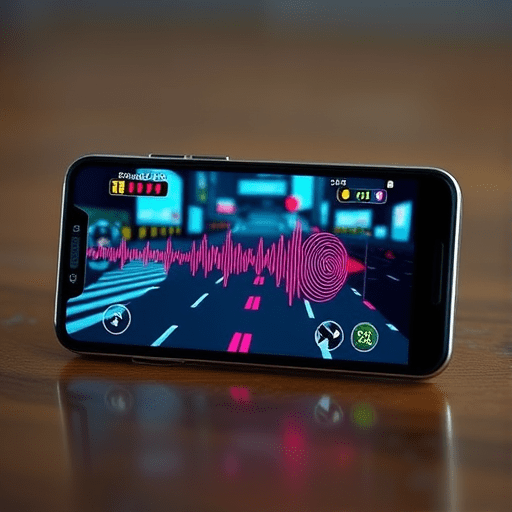
Designing haptic rumble patterns for deaf gamers is no longer a niche accessibility afterthought—it’s a creative frontier in mobile game design. As audio cues remain naturally inaccessible, developers are converting critical sound events into tactile vibration layers that deliver situational awareness through the fingertips. In 2026, the goal isn’t merely to make games playable for deaf and hard-of-hearing players, but to make them feel rich, responsive, and deeply immersive without relying on sound. This is not about substituting vibration for beeps; it’s about crafting a new sensory language that sits alongside visuals and audio, turning every pulse into meaning.
The Audio Access Gap: Why Vibrations Must Fill the Silent Void
Subtitles have long been the default accessibility solution for dialogue, but they fail abysmally when it comes to spatial and environmental audio. A footstep behind a wall, distant gunfire, an elevator arriving, or a low-health warning are all cues that subtitles cannot represent in real time. Deaf players often miss threats or gameplay opportunities because these signals are purely auditory. While visual indicators like screen flashes or subtitled sound effects help, they clutter the screen and demand constant visual attention. Haptic feedback offers a parallel channel: the skin can process vibration patterns even when the player is staring at a crowded game scene. This is where well-designed haptic rumble patterns shine, giving deaf players a private, always-on channel for situational awareness.
Building a Tactile Vocabulary: Vibration Layers as Design Elements
Just as sound designers mix music, dialogue, and effects into layers, haptic designers must create distinct vibration identities for different game events. The key is consistency. If a pulse pattern means “enemy approaching,” it must always mean that, regardless of the game context. A tactile vocabulary should be documented in a design system, much like color palettes or typography. For mobile games, the smartphone’s vibrator offers a surprisingly wide range: amplitude, duration, waveform, and pattern rhythm can be combined into dozens of discriminable signals. In 2026, modern haptic hardware on flagship devices supports fine-grained control, but designers should still plan for low-end phones that only offer simple on/off vibration. Building layers that degrade gracefully is a sign of mature haptic design.
Mapping Distance and Direction with Vibration Gradients
Distance is one of the easiest cues to encode. A soft, barely-there tickle can indicate something far away, while a strong, broad rumble signals proximity. The classic example is a “heartbeat” pattern: as a boss or enemy approaches, the interval between pulses shortens, mimicking rising tension. Direction is trickier on a single-vibration motor, but designers can use spatial metaphors across multiple pulses. A series of pulses moving from left to right on a device with a linear actuator can suggest the source moving across the screen. More realistically, different pulse shapes can signify whether a threat is ahead, behind, or to the side, based on the player’s current orientation.
Encoding Urgency and Type with Rhythm and Amplitude
Rumble patterns should not only inform but also prioritize. A rapid-fire staccato rhythm is universally perceived as urgent; think of a heart monitor going into tachycardia. Conversely, a slow sustained hum feels calm and ambient. Game designers can define three urgency tiers: chimes for positive events, mid-paced beats for warnings, and aggressive bursts for immediate danger. Type distinction matters too. A short double-pulse might mean “ammo pickup,” while a long downward sweep indicates a health loss. The goal is to create a syntax: short pulses for items, medium pulses for actions, and long pulses for environmental states. This syntax allows players to eventually “read” vibrations subconsciously, without pausing to think.
Designing Tactile Patterns for Situational Awareness
Situational awareness is the ultimate goal: a deaf player should know what is happening around them, even off-screen. These haptic layers act as a third eye. Below are three practical patterns that have shown promise in mobile prototypes and can be adapted to various genres.
The Radar Pulse: Sampling the Environmental Perimeter
This pattern mirrors sonar. A single soft ping repeats at a steady interval, like a radar spinning. As an enemy or obstacle moves closer, the ping interval shortens and the amplitude increases. This provides a continuous awareness of proximity without the player actively seeking information. For example, in a stealth game, a guard’s distance relative to the player is represented by the pulse speed. When the guard is on the verge of spotting the player, the pulses become a constant buzz. This pattern is intuitive and widely understood, making it a perfect foundation for a haptic vocabulary. It also works for objectives: a steady radar pulse speeds up when the player moves in the right direction toward a goal.
The Ramp Ladder: Tracking Progressive Steps
For state-based game mechanics, like a growing combo meter or a charging shield, a ramp pattern works beautifully. Instead of a continuous vibration, the phone emits a short discrete buzz each time the player reaches a new threshold. The pitch (simulated via frequency) or the strength of the vibration rises with each step. Imagine climbing a ladder: each rung gives a distinct tactile knock, and the height of the ladder is felt through the increasing intensity of each knock. In a racing game, this could encode gear shifts; in a battle royale, it could show the shrinking safe zone. The ramp ladder allows players to feel progress and remaining distance toward a cap, enhancing decision-making.
The Interleaved Signal: Distinguishing Multiple Sources
Real gameplay rarely has a single threat. Deaf players need to distinguish between simultaneous cues, such as an enemy attacking from the front while an objective spawns behind them. One solution is to interleave patterns in time. A simple alternating rhythm can separate two sources: a “pinch” vibration (two rapid taps) followed by a “swipe” vibration (a long low hum), repeating in a cycle. The player learns to assign each pattern to a specific in-game element. This is analogous to how audio tracks are mixed in the left and right channels, but here the separation is temporal, not spatial. To avoid cognitive overload, more than three simultaneous haptic layers is usually too much. Prioritize essential alerts and let visual cues handle the rest.
Technical Implementation: From Game Engine to Device Hardware
Mobile game developers have more haptic tools than ever in 2026. Unity offers the HapticImporter and the Android VibrationEffect API, while Unreal Engine exposes custom waveform generation on iOS via CoreHaptics. However, actual hardware varies widely. A pattern that feels clear on a new linear actuator may be muddy on a cheap eccentric rotating mass (ERM) motor. Designers should abstract haptic playback into a middleware layer that can apply adaptive scaling. Essential safeguards include respecting system-level settings for vibration and providing an in-game intensity slider, as well as a way to disable haptics entirely for players with sensory sensitivities. Another consideration is battery life: high-frequency haptics drain batteries faster, so optimization is needed.
Co-Designing with Deaf Players: The Only Valid Test
Developers cannot assume their haptic patterns are universally understood. Methods of vibration perception differ based on skin sensitivity, device placement in the hand, and even hand size. Therefore, playtesting with deaf and hard-of-hearing players is non-negotiable. During these sessions, ask targeted questions about pattern legibility, comfort, and emotional association. Let players customize vibration durations and intensities to find what works for them. A pattern that feels great to a hearing person may be painful or irritating to a deaf player who relies on it constantly. Iterative co-design also helps refine the tactile vocabulary, ensuring that the vibrations are not just accessible but actually pleasant. In 2026, leading studios are building haptic feedback personas, just like user personas, to test their designs across different sensory profiles.
Conclusion
Designing haptic rumble patterns for deaf gamers is a creative act of translation: converting sound into touch, and chaos into clarity. By treating tactile vibration layers as a first-class design system, mobile games can deliver situational awareness that is both functional and emotionally resonant. The patterns explored here—radar pulses, ramp ladders, and interleaved signals—are only the beginning. As haptic hardware advances and the gaming community becomes more inclusive, the language of touch will continue to evolve. In this silent revolution, every buzz tells a story, and every player deserves to feel it.