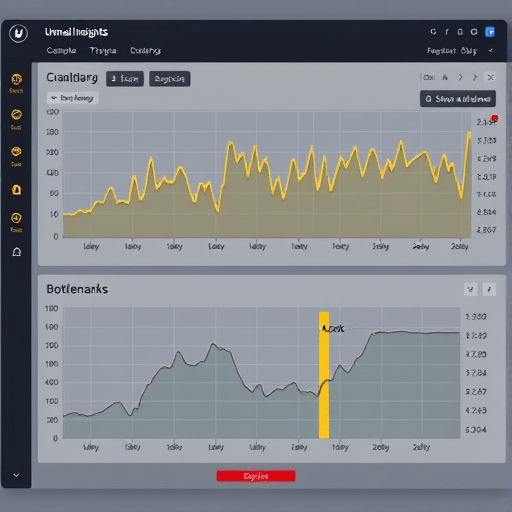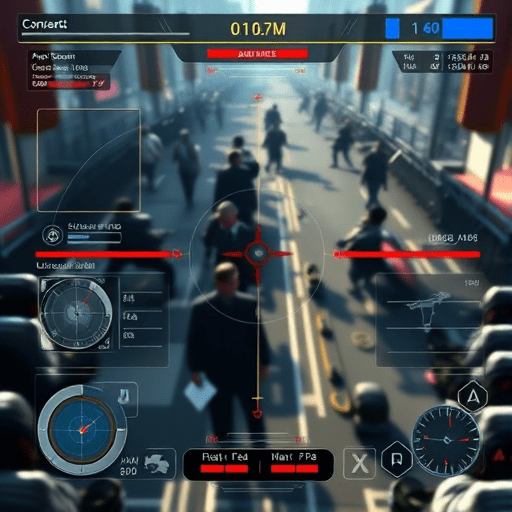
Adaptive game UI for cognitive accessibility is reshaping how AAA titles communicate information, reduce cognitive load, and support players whose attention, memory, reading, or information-processing needs vary from moment to moment. The approach moves beyond permanent difficulty settings by adjusting interface density, pacing, reminders, contrast, navigation cues, and presentation according to the current play context. Instead of asking every player to adapt to a fixed interface, the interface adapts to the player.
This matters because accessibility settings are often treated as a checklist rather than a design system. Subtitle size, text-to-speech, remapping, and high-contrast modes remain essential, but they do not address every barrier. A crowded quest tracker can still obscure important events. A rapid dialogue sequence can still overload working memory. A minimap filled with symbols can still create visual noise. Cognitive accessibility in games requires interfaces that are legible, predictable, and capable of responding intelligently to changing gameplay demands.
Why Static Accessibility Menus Are No Longer Enough
Most accessibility presets are configured at the start of a session and remain unchanged. That structure is straightforward, but real cognitive needs are rarely static. Stress, fatigue, distraction, sensory sensitivity, and familiarity with the game can all change how an interface feels. A player may want dense information while exploring but need a simplified HUD during a boss fight.
AAA games increasingly contain complex overlapping systems: objectives, tutorials, combat indicators, multiplayer markers, crafting resources, environmental prompts, and optional hints. Presenting all of them at once can make even a visually polished interface difficult to process. Traditional scaling tools help, yet they do not resolve timing, hierarchy, or content density.
Adaptive design addresses this gap by changing presentation rather than simply enlarging existing elements. It may suppress nonessential notifications, lengthen tutorial beats, group objectives by priority, or delay optional prompts until a safe moment. The goal is not to remove information, but to deliver the right information at a more usable moment.
Designing for Attention, Memory, and Information Processing
Cognitive accessibility in games is primarily concerned with how easily a player can perceive, understand, and retain information. Three design pressures deserve special attention: attention, working memory, and decision complexity.
Attention Management
Interfaces compete constantly for attention through icons, flashes, sounds, controller vibrations, and animated panels. A useful adaptive system can classify interruptions by relevance and urgency. Routine crafting notifications, for example, should not appear during a stealth sequence with the same prominence as an incoming attack.
Priority tiers can also change dynamically. Critical information remains persistent, contextual information appears when relevant, and low-priority material waits for a quiet interval. This reduces the need for players to repeatedly scan every corner of the screen.
Working Memory Support
Many game objectives are easy to understand individually but difficult to retain together. A quest may require visiting a location, speaking with a character, obtaining an item, and completing an optional challenge. If these instructions disappear too quickly, the player must reconstruct the sequence from memory.
Adaptive interfaces can reinforce information through persistent checklists, checkpoints, contextual reminders, and recentered objectives. They can also let players review previously displayed instructions without punitive consequences. Memory support is not the same as simplifying the game; it changes how instructions are carried through the experience.
Decision Load Reduction
Choice-rich gameplay is often celebrated as depth, but excessive simultaneous choices can become a barrier. Adaptive UI can surface recommended actions, distinguish optional objectives, or group related controls without hiding meaningful consequences.
This principle is especially important in inventory management, ability selection, and combat. If an interface shows every possible option with equal visual weight, decision fatigue can rise even when the underlying systems are accessible. Strong hierarchy helps players understand what matters now and what can wait.
Context-Aware HUDs and Dynamic Readability
A context-aware HUD can respond to combat, exploration, driving, dialogue, menus, and cinematic scenes. Instead of displaying every system everywhere, it can reorganize information according to the player’s immediate objective. This is one of the most practical forms of adaptive game UI for cognitive accessibility.
During exploration, the interface might show the main objective, a compact compass, and only recently collected resources. During combat, health status, incoming threats, and the selected ability may take priority. In a dialogue scene, nonessential markers could dim or move outside the central reading area.
Dynamic readability extends this idea beyond layout. Text can adjust its line length, background opacity, capitalization, color coding, and display duration. Symbols can gain descriptive labels. Map icons can be filtered by category. Audio cues can be paired with visual equivalents. These changes are not necessarily automatic; many players benefit from choosing which information should respond and when.
Player-Controlled Automation Matters
Automation should support player agency rather than silently making decisions for someone. A robust adaptive accessibility system can offer modes for notification filtering, objective persistence, tutorial pacing, navigation assistance, and interface simplification.
Players should be able to define:
- Which notifications can be delayed or grouped
- How long objective text remains on screen
- Whether guidance repeats after failed attempts
- Which interface elements automatically hide
- Whether simplified tooltips replace advanced descriptions
- Which visual and audio alerts appear together
Presets can provide a quick starting point, but individual controls remain important. Two players may select the same “reduced distraction” preset for entirely different reasons. One may need fewer icons, while another may need stronger prompts for optional objectives.
Designing Adaptivity Without Removing Control
Adaptive systems can fail when they behave unpredictably. If a tutorial disappears, a marker changes shape, or an objective moves without explanation, players may assume that the game has malfunctioned. The interface therefore needs clear rules and, where possible, visible feedback.
Transitions should be gradual rather than abrupt. A HUD element can fade after the player has acknowledged it, while a small status indicator shows that it remains available. Automatic hiding should have predictable triggers. If the system reduces information during combat, the player should know that the information is retained elsewhere.
Another concern is over-adaptation. A system that constantly rearranges controls or changes menu locations may create new memory demands. Interface changes should be limited, consistent, and easy to disable. A simpler layout should not become visually unstable in exchange for novelty.
Opportunities for AAA Game Studios in 2026
Advances in player telemetry, platform APIs, and machine-learning systems create new possibilities for personalized interfaces, but personalization should not depend on invasive data collection. On-device analysis, local preferences, and explicit opt-in controls are safer foundations for adaptive features.
Studios can begin with less technically complex systems. Pause-sensitive notifications, persistent objective histories, grouped prompts, and context-based interface density already provide substantial benefits. More advanced features can then use player-selected signals rather than attempting to infer cognitive ability.
Cross-disciplinary testing is equally important. Accessibility specialists, UX designers, neuroscientists, assistive-technology experts, and players with lived experience can identify barriers that internal testing misses. Testing should also cover changes in fatigue and stress across long sessions, not only the first few minutes of play.
Accessibility Beyond Compliance and Presets
The next stage of accessible game design is not a larger menu with more isolated toggles. It is a coherent interaction model that understands context, communicates priority, and gives players meaningful control over cognitive load. Subtitles will remain vital, but they represent one element of a wider accessibility strategy.
AAA titles are uniquely positioned to lead this shift because their scale supports systemic solutions shared across menus, combat, exploration, tutorials, and online play. When adaptive UI is designed carefully, accessibility becomes part of the game’s core usability rather than a separate mode.
The most successful systems will be predictable, transparent, and player-directed. They will reduce noise without removing depth, support memory without limiting challenge, and personalize the interface without taking control away. That is the future of cognitive accessibility in games: interfaces capable of meeting players where they are while preserving where they want to go.