When your engine renders a frame, many passes run—shadow maps, lighting, post‑effects. Each pass uses GPU resources, and miscommunication between them creates idle stretches, known as GPU bubbles. Render graphs, a dependency‑aware scheduling layer, eliminate these bubbles by letting your engine see the whole frame and plan pass execution and resource barriers ahead of time. In this Render Graphs 101 article, we’ll break down how pass scheduling and resource barriers work together to cut overhead and keep your GPU pixels busy.
Why GPU Bubbles Hurt Your Frame Time
A GPU bubble is a period when the graphics hardware has no ready work, often caused by a pass waiting on data from the previous one. In older immediate‑mode APIs, you manually record commands and hope the driver figures out dependencies. But with explicit APIs like Vulkan and DirectX 12, that responsibility falls on the engine. Without a global picture, a simple descriptor update can stall an entire queue while the GPU sits idle.
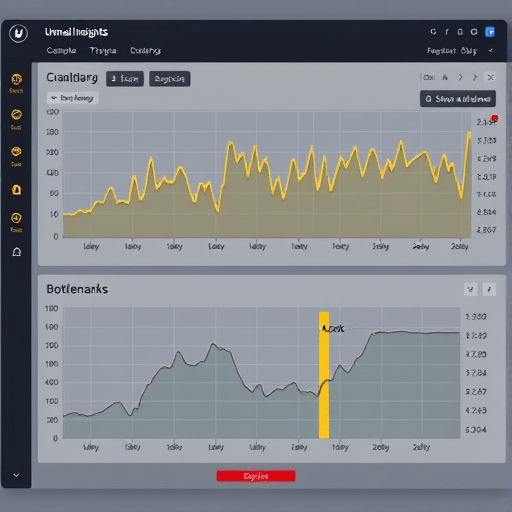
These bubbles show up as wasted milliseconds. At 60 FPS, you have 16.6 ms per frame; a single bubble of 2 ms can drop you to 50 FPS. Worse, bubbles are chain reactions—one waiting pass delays the next, and the next. Removing them requires knowing exactly which pass consumes which resource, and that is exactly what a render graph gives you.
Render Graphs: A Dependency-Aware Frame Model
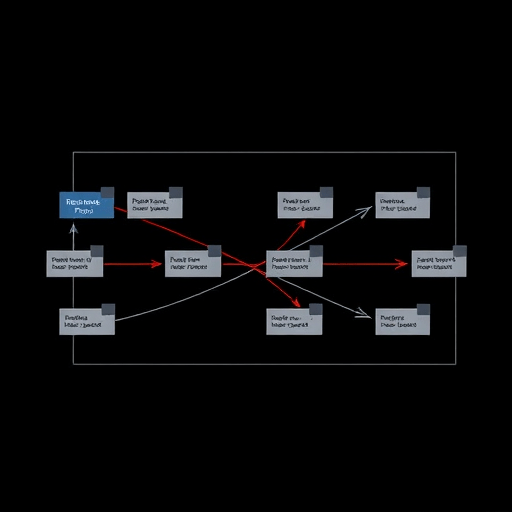
A render graph is not a rendering technique; it is a data structure that describes the entire frame’s passes and their resource interactions. Each pass is a node, and edges represent dependencies: render target reads, texture writes, buffer uploads, and synchronization events. Instead of submitting command buffers blindly, the engine first builds this graph, analyzes it, and then generates efficient command streams.
This approach, popularized by AAA engines and now core to many middleware solutions, provides two huge benefits. First, passes can be recorded ahead of time, removing CPU hitch spikes. Second—and most important for GPU overhead—the graph allows the engine to reorder passes and batch transitions, eliminating unnecessary stalls. You get the same result as a carefully hand‑tuned frame, but with far less manual labor and far fewer driver surprises.
Pass Scheduling: Ordering Work Without Choke Points
The heart of a render graph is pass scheduling. The scheduler takes the dependency graph and produces a topological order—an order in which every pass’s inputs are ready before it runs. Naive scheduling follows the order in which passes were added, which often creates artificial choke points. A smarter scheduler tries to maximize parallelism by overlapping independent passes, especially on GPUs that support async compute.
For example, your tone mapping pass might only need the HDR color buffer, while your cascaded shadow pass needs only the depth buffer. If those are truly independent, the graph scheduler can place them on separate queue streams or interleave their work to keep multiple hardware units busy. This is where pass scheduling eliminates GPU bubbles: by spotting work that can be done concurrently, the graph keeps the GPU saturated.
Practical scheduling also means minimizing wait states. Instead of inserting a hard barrier between every pass, the graph can order work so that the transition from compute to graphics happens once, cleanly, perhaps during a large data dependency break. The result is fewer, larger sync points—much better for throughput than many tiny ones.
Resource Barriers: The Hidden Efficiency Lever
Resource barriers are the commands that tell the GPU when a resource’s state changes—for example, from “readable as shader input” to “writable as render target.” Explicit APIs require these transitions, and getting them wrong causes either corruption or an implicit flush that ruins performance. Render graphs shine here because they know the exact usage of every resource across all passes.
With that knowledge, the graph can batch barriers. Instead of transitioning a texture to shader‑read, then uploading data to it, and then transitioning again, the graph combines everything into one clear state split. This reduces the number of pipeline stalls and memory flush commands, which are notoriously heavy on some GPUs. Additionally, the graph can detect when a barrier is actually unnecessary—for example, if two passes both read the same texture, no barrier is needed at all.
More advanced render graphs go further by using aliasing: overlapping the lifetime of transient resources. If a temporary buffer is only used by one pass, its memory can be reused for a different buffer in a later pass. The graph can automatically insert aliasing barriers that enable this memory reuse, dramatically lowering peak VRAM usage and improving cache locality—without adding bubbles.
Building a Render Graph: Key Considerations
Implementing a render graph in your engine might sound daunting, but the core components are straightforward. You need three things:
- A resource registry that tracks every texture, buffer, and descriptor used by passes, with a stable ID and metadata about format, size, and initial state.
- A pass builder API where each pass declares its inputs, outputs, and shader states—typically as names referencing the registry.
- A scheduler that performs topological sorting and barrier compaction, producing two lists: the ordered passes and the barrier commands between them.
Start with a simple linear scheduler that just respects dependencies. Then add batching of barriers and finally explore reordering. One important design choice is whether your graph is rebuilt every frame or cached. For dynamic scenes, incremental updates to the graph structure keep CPU cost low, but full rebuilds are fine for many use cases if you keep the pass count under a few hundred.
Another subtlety is dealing with external resources, like swapchain images or device‑shared buffers. Those need special handling because you don’t own their lifetime. Render graphs typically treat them as transient nodes, injecting the appropriate barriers at the start and end of the frame.
Real-World Tips to Eliminate Bubbles in Practice
Using a render graph isn’t an automatic win—you need to feed the scheduler good information. Here are three practical tips based on lessons from production engines:
- Declare all read-write dependencies explicitly. Hidden dependencies, like a UAV that’s read through a counter, will confuse the graph and may cause race conditions. The graph can only optimize what it knows.
- Prefetch and pre‑transition resources across frame boundaries. The render graph can generate transitions for the next frame’s first passes while the previous frame is still executing, hiding latencies and reducing idle time.
- Use pipeline statistics and GPU timing queries to measure bubble duration after the graph is introduced. Compare against a hand‑tuned frame to spot missed optimization opportunities, such as barriers that could be moved earlier or merged.
Another tip: don’t forget about command buffer reordering on the CPU side. A render graph naturally aggregates passes with similar state, so grouping passes that share the same bound render target reduces state switches and command processor overhead. This, in turn, shrinks submission gaps and helps the GPU receive a steady stream of work.
Beyond Bubbles: The Broader Impact of Render Graphs
By eliminating GPU bubbles, render graphs deliver more than just faster frames. They also make your engine more predictable on low‑power devices, where idle time is disproportionately expensive. Furthermore, the graph structure opens doors to advanced features like automatic multi‑GPU distribution or dynamic resolution scaling based on per‑pass cost budgets. As game scenes become more complex and real‑time ray tracing adds more passes, the need for a holistic scheduling layer grows.
Render graphs are a proven technique, but many engines still rely on ad‑hoc per‑pass logic. Adopting one now—even a lightweight version—gives you a clean abstraction for the future and immediately reduces the synchronization headache that plagues explicit APIs. The upfront investment pays for itself the first time you add a new pass and don’t have to hand‑craft multiple barriers or worry about performance cliffs.
Conclusion
GPU bubbles waste precious milliseconds and frustrate engine developers who are already juggling explicit API complexity. Render graphs solve this problem by providing a dependency‑aware frame model that enables intelligent pass scheduling and barrier compaction. By seeing all passes and their resource transitions upfront, you can keep the GPU consistently busy, reduce overhead, and reclaim frame time that used to disappear into idle stalls. Building a render graph may take effort, but the clarity and performance it brings to your engine are well worth it.