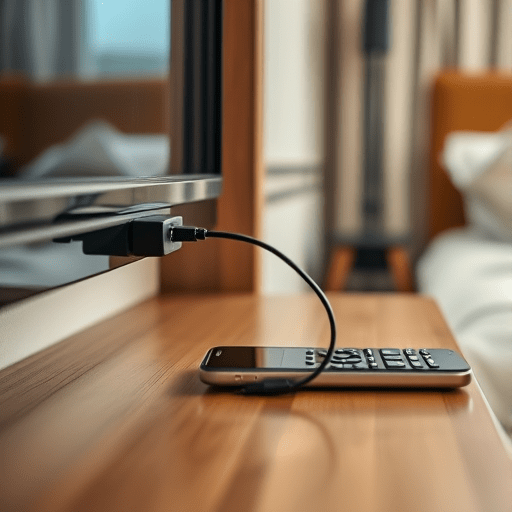
You’ve just checked into your room, your phone is blinking red at 11%, and the only wall outlet you can see is tucked behind the massive headboard, unreachable without a construction permit. Forgetting a travel power bank is a rite of passage, but how to charge your phone in a hotel without a power bank is simpler than most travelers realize. The USB port on your room’s television is a dependable backup charger that lets you skip the wall adapter entirely, no extra gear required.
Modern hotel TVs are essentially large smart monitors running a permanent power line into an always-on outlet behind the set. Nearly every model produced in the last several years includes at least one USB socket—typically around the rear edge or the side panel—originally intended for firmware updates, media playback, and guest peripherals. That same socket can just as easily top off your phone while you unpack, sit down to plan the next day, or fall asleep with the screen off.
Why the Hotel TV’s USB Port Is a Solid Backup Charger
A television’s USB port is not a random, low-quality afterthought. Unlike the flimsy “smart bathroom mirror” receptacles in some newer properties, a TV’s USB bus is built to deliver a stable, clean 5V supply to external devices. Most LCD and OLED sets provide 5V/1.5A (7.5W) on their main USB-A or USB-C port, and a growing number of 2026-era models now output a useful 2A (10W) on the high-power port. That is nowhere near a flagship phone’s 45W or 65W fast-charging peak, but it is enough to safely push the battery percentage upward all evening.
Here’s the part that surprises even frequent travelers: a TV’s USB port is often still powered while the screen is in standby. Because many hotel systems expect the in-room TV to stay ready for casting, screen mirroring, and interactive check-out, the USB power rail remains active behind the dark display. When you plug your phone in, you’ll often see the charging icon appear even before the TV has fully woken from sleep. That makes the set a genuinely useful overnight charging dock.
How to Use the TV’s USB Port for Charging: Step by Step
Using the television as a backup charger takes about thirty seconds. Follow these steps to get a reliable charge:
- Locate the USB port. Look along the back edge, behind the lower bezel, or near the HDMI inputs. On many wall-mounted hotel TVs, the side-facing USB port is easier to reach than the rear one. If you can’t spot it visually, use the remote’s settings menu—many hospitality TVs include an on-screen illustration of their port locations.
- Wake the TV from standby. Press the power button on the remote once so the screen lights up. This ensures the USB controller is fully active rather than sitting in a deep low-power state that some energy-saving models use when off.
- Connect a quality cable. Use a USB-C cable with proper power delivery negotiation, not a cheap earbuds-charger cable that only transfers data. A cable with 56kΩ pull-up resistors or a reputable brand logo is a safe bet.
- Confirm the charge indicator. Your phone will show the battery icon with a bolt. If nothing happens within ten seconds, unplug, flip the TV to a different HDMI input, and retry. Some TVs only deliver power when the media/USB mode is active.
Cables, Charging Speeds, and What to Actually Expect
In 2026, USB-C has fully swallowed the mobile landscape, and your phone likely supports USB Power Delivery (USB-PD) over that port. But here is the nuance: a TV’s USB socket does not implement the full USB-PD protocol the way a modern wall adapter does. Instead, the TV offers a basic 5V profile, so your phone will generally charge at a standard rate of 5 to 10 watts. That is ideal for slow, warm-free overnight charging but ill-suited for a 15-minute top-up before a meeting.
Your cable choice matters far more than you might think. A skinny dollar-store cord can introduce voltage drop, trip charging protection circuits, or refuse to negotiate current altogether. Keep a short, thick, well-shielded USB-C cable in your travel daypack, and you’ll always be able to rely on whatever hotel TV you encounter. If your phone has a MagSafe-style wireless connector, bring a small USB-C to MagSafe adapter; while wireless charging through a TV port is slower, it still works in a pinch.
The Important Caveats of Charging From a TV Port
The TV-USB trick is reliable, but it is not a miracle. Keep these realities in perspective before you bank your entire trip on it:
- It will not fast-charge. With a 7.5W to 10W cap, the TV port is best for overnight charging. If you leave the screen on and stream video while plugged in, your phone may stay at a flat percentage or even lose ground.
- Some TVs fully power down their USB ports in standby. If the screen is off and your phone shows no charging icon, turn the TV on and enable a “sleep timer” (often 30 or 60 minutes) so the set stays awake long enough to provide a meaningful boost. Alternatively, leave the TV on a blank input with the screensaver running.
- Look out for “service-only” ports. Many hotel TVs have one USB port reserved for technician diagnostics and another for guest use. If the first port you try produces no power, check for a second port near the side panel or labeled “guest” / “media.”
- Do not attempt to charge a tablet, laptop, or portable monitor. A TV’s USB socket cannot deliver enough current for high-drain devices and may activate its own over-current protection, completely killing the port until the TV is rebooted.
When the TV Port Won’t Work: Smart Backup Plans
Occasionally you’ll meet a television that simply refuses to share its power—perhaps a deeply custom hotel control system, a super-flush wall mount, or a security setting that disables USB entirely. Before you surrender to the lobby outlet hunt, scan the rest of the room. Many hotel clock radios now include a USB-A or USB-C socket meant for travelers, and these bedside devices are frequently powered around the clock. The set-top box behind the TV, the cordless phone base, or even the room’s smart speaker may also have a USB port that will gladly feed your phone.
If every port in the room is dead or locked, one more option is to call the front desk. In most modern hotels, hospitality staff keep a drawer of spare charging blocks and cables, and they are usually happy to deliver one to your door. It is not as self-reliant as the TV method, but it is a better fallback than sitting on the lobby floor for an hour while your phone pulls a few percent from the reception counter’s power strip.
The Takeaway
Forgetting a power bank or leaving your wall adapter at home is a minor hiccup, not a crisis. The USB port on your hotel room’s TV is a dependable, low-tech backup charger that lets you skip the wall adapter scramble altogether. With one quality cable and a little patience, you can keep your phone alive through a late arrival, an early alarm, or a full day of navigating an unfamiliar city—all from the one screen that was already waiting at the foot of your bed.