Steam wishlists have become the single most important metric for an indie launch, yet getting players to click that little heart button is harder than ever. Attention spans are short, download friction is real, and the competition for eyes on Steam is brutal. For small teams, there is a smarter first move: release a browser demo before Steam — a lightweight, instantly playable slice of the game that lets players test in 30 seconds and raises wishlist conversion at exactly the right moment. It is a strategy that turns passive browsing into active interest, and it works because it meets players on their terms.
The 30-Second Rule: Why Instant Play Beats Download Friction
When a player stumbles across your game on social media or in a devlog, they are in exploration mode, not purchase mode. Their natural curiosity needs to be satisfied quickly. If the only way to try the game is to click through to Steam, find the demo, download it, install it, and launch it, you have lost many of them before they even reach the title screen. Every extra step between discovery and play is a drop-off point.
A browser demo removes those steps. Players click a link, wait through a short loading bar, and within 30 seconds they are moving a character, firing a weapon, or solving a puzzle. They feel the game’s juice immediately. That tactile first impression is what selling a game is all about — the weight of a jump, the snap of an attack, the rhythm of a core loop. A trailer can only hint at these sensations; a browser demo proves them in the first half-minute.
In 2026, browser technology has finally caught up with this ambition. WebGPU support is now mainstream, and mid-range laptops can handle surprisingly polished 3D scenes at decent frame rates. Small teams no longer need to gut their art direction to get a convincing slice of the game running in a browser tab.
Wishlist Conversion Is the Real Metric, Not Demo Downloads
Many developers treat demo downloads as a success metric, but downloads only matter when they convert into wishlists. A Steam demo that gets 10,000 downloads but converts just a few percent into wishlists is underperforming. The conversion window is the problem: a player downloads a demo, plays it, closes it, and plans to “wishlist later.” Later rarely comes.
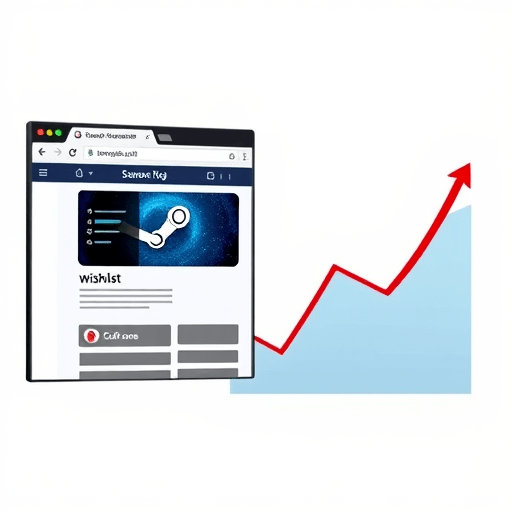
A browser demo closes that window. Because the barrier to entry is nearly zero, players go from “curious” to “actively playing” in seconds. And after a satisfying micro-session, the wishlist button is right there — on the landing page, in the demo’s pause menu, or as a fade-out screen when the slice ends. Wishlisting becomes an immediate, low-cost way for the player to say “I want to come back to this,” and that happens at the peak moment of engagement. The result is a dramatically higher wishlist conversion rate from the same audience.
There is also a timing effect. Wishlists are not just a bookmark; they are a signal to Steam’s discovery algorithms. A concentrated burst of wishlist activity generated by a browser demo, shared widely before your Steam page officially launches, can kickstart the recommendation cycle and give your store page better organic visibility from day one.
The 2026 Discovery Landscape: Meeting Players Where They Already Are
Steam is no longer the starting point of game discovery. Players now learn about games on TikTok, YouTube Shorts, Discord servers, and community platforms like itch.io — sometimes months before they ever open a Steam page. In this fragmented landscape, a browser demo is uniquely portable. You can embed it in a blog post, drop it into a Discord channel, host it on itch.io, or link it directly from a tweet. No storefront hand-off, no download prompt, no friction.
This matters for small teams because they cannot rely on Steam’s discovery algorithm alone to find their audience. They have to bring the audience with them. A browser demo is one piece of marketing collateral that fits anywhere and proves itself with zero setup. It turns every share into a potential play session, and every play session into a potential wishlist.
Even major studios are experimenting with instant play for this exact reason, but they move slowly. Small teams have a structural advantage: they can ship a focused browser build in a week or two and start learning what resonates. That velocity is a weapon, and using it before launch is how you build momentum instead of chasing it.
How to Scope a Browser Demo Without Losing Focus
Releasing a browser demo before Steam does not mean rebuilding your entire game for the web. It means creating a deliberate, minimal slice that represents your core loop honestly. These guardrails keep the effort small and the signal strong:
- Limit the scope to one strong level, one boss, or one complete gameplay loop. The goal is a taste, not a full course.
- Keep the session short. A 1–3 minute timer or a single clear objective moves players toward the wishlist button while the experience is still fresh.
- Use WebGL or WebGPU export from engines like Unity, Godot, or Unreal. Test on medium hardware, not just your development machines.
- Put a wishlist link inside the demo itself — in the pause menu or on the end screen — so conversion happens mid-excitement.
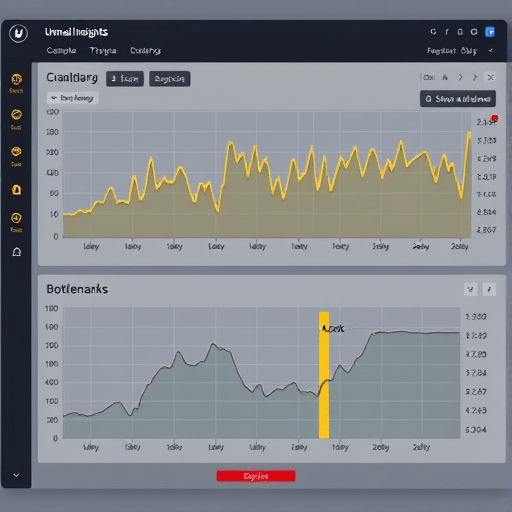
- Add simple event tracking: time to first interaction, session length, and wishlist clicks. This data is worth more than any trailer clickthrough rate.
The browser demo is not a tech demo. It is an argument for your game, made playable. If the core feel is good, it will convince people. If it is not, you want to discover that before you build a full Steam presence around it.
Streamers, Press, and Playtesters All Get the Same Link
One of the quiet wins of a browser demo is how it simplifies relationships with streamers, press, and playtesters. A streamer who sees a browser link in a Discord message can click it, play, and go live within minutes — no installers, no download delays, no lost momentum. Press can trial the game on a secondary machine without touching their main setup. Playtesters on different operating systems all hit the same URL, and you receive telemetry from a single source.
This also opens the door to smaller creators who would normally skip a game because the demo requires 10GB of disk space and a Steam account. The lower the ask, the more people say yes. For a small team, hundreds of quick play sessions are far more valuable than a handful of full installs that go untouched.
Common Pitfalls to Avoid
A browser demo is not a silver bullet. A few mistakes can undermine the whole strategy:
- Performance mismatch: if the browser build runs poorly on average hardware, players assume the full game is equally broken. Ship graphics toggles, test on modest machines, and label the demo clearly as a web preview.
- Missing context: players who drop into a random level with no idea of the controls will bounce quickly. Start with a contextual tutorial or a 10-second learn-by-doing moment.
- Ignoring the data: if you do not track how players interact with the demo, you are flying blind. A browser build gives you analytics that a Steam download often hides.
- Waiting until launch: the earlier the browser demo is live, the more feedback you collect and the more wishlists you can accumulate before your Steam page even exists.
The Bottom Line
A browser demo before Steam is not a replacement for a polished Steam demo or a proper store page. It is a gateway that turns casual attention into active play, and active play into wishlists, at the moment players are most receptive. For small teams with limited marketing budgets, letting players test in 30 seconds is the most direct route to raising wishlist conversion — and it buys you something even more valuable: time to learn and iterate before the pressure of launch day.