For blind and visually impaired runners, the ground is information. Every footstrike tells a story about landing force, cadence, balance, and efficiency. The challenge is being able to hear that story in real time. That’s where audio feedback for blind runners comes in—not as a verbal cue from a guide, but as a precise soundscape that mirrors your own movement. The shift now is toward syncing pulse patterns to footstrike: a melodic, rhythmic tone that lands exactly when your foot does, giving you instant auditory insight into your running form.
Whether you’re new to audio-based running tools or just looking for a more intuitive approach, this guide will walk you through the basics of pulse-based audio feedback and how to use it safely, effectively, and enjoyably. No need for a guide runner on every route; your ears can become your eyes on the pavement.
Why Footstrike Matters for Blind Runners Without Visual Cues
When you can’t see the ground, your body relies on proprioception—the sense of where your limbs are in space. But proprioception has limits, especially when fatigue sets in. That’s why footstrike patterns tend to drift in blind runners after a few kilometres. A heel strike that is too heavy, a pronation that is too deep, or a cadence that is too slow can lead to joint pain and reduced confidence on uneven surfaces.
Audio feedback gives you direct, unbiased information about each footfall. Instead of guessing whether you’re landing softly, you can hear a pulse that matches the moment of contact. When the pulse is well synced to footstrike, your brain can process the rhythm and automatically adjust your stride to keep the sound consistent and comfortable. This “rhythmic auditory cuing” has been used in gait rehabilitation for years; now wearable tech makes it practical for everyday runners.
The Basics of Sonified Gait: From Cadence to Ground Contact
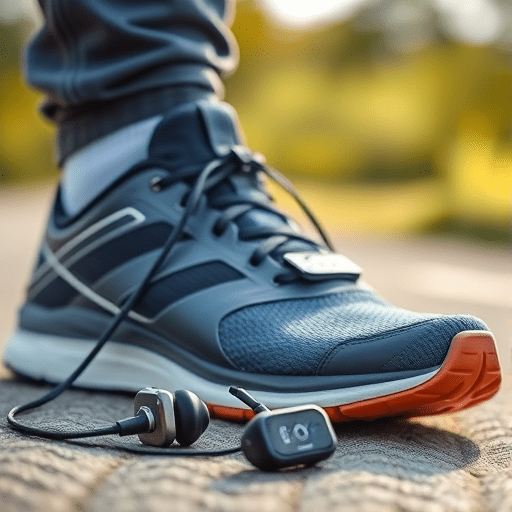
Sonified gait is the process of turning biomechanical data into sound. In beginner-friendly systems, a wearable sensor on your shoe or waist detects footstrike and triggers an audio pulse through bone-conduction earphones. The pulse pattern can be a short tone, a click, or a synthetic wave. When the pulse is perfectly aligned with your foot hitting the ground, a steady rhythm emerges—almost like a heartbeat in your running shoes.
There are two main elements to listen for:
- Pulse timing: the delay between your footstrike and the audio tone. The goal is a zero-delay sync, so the sound occurs at the same instant as impact.
- Pulse intensity: the loudness or frequency of the tone, which can be mapped to force. A softer pulse usually means a lighter, more efficient footstrike.
Once you understand these two elements, you can train your ear to detect subtle changes in stride and make corrections on your own.
Choosing the Right Audio Feedback Setup
Not all audio feedback is created equal. For blind runners, the most important thing is to keep ambient sound accessible. That means avoiding in-ear noise-canceling headphones. Instead, look for:
- Bone-conduction headphones that rest on your cheekbones and leave your ear canals open.
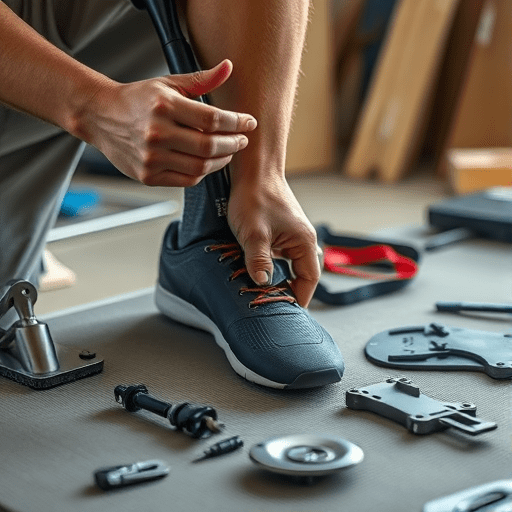
- Smart insoles or shoe sensors that measure footstrike and transmit data to a small receiver or phone app.
- Wearable gait sensors that attach to the shoelaces and provide vibration in addition to audio, useful as a backup if you run through a noisy street.
Most beginner systems in 2026 use Bluetooth Low Energy to keep latency low. Even a 10-millisecond delay can make the pulse feel disconnected from your footstrike, so choose hardware that advertises low-latency audio transmission. Some apps also let you customize the pulse pattern—using a higher pitch for the left foot and a lower pitch for the right foot, for example, which helps you identify asymmetry.
How to Sync Pulse Patterns to Footstrike in Four Steps
Getting your pulse patterns to match your footstrike isn’t magic. It’s a calibration process that takes a few practice runs. Here is a simple approach you can try on a treadmill or a quiet, flat track first.
Step 1: Establish Your Natural Cadence
Before adding audio, run at your normal pace without listening to anything. Ask a friend to count your steps for 30 seconds, or use a phone app that shows cadence. Write down that number. Most beginner runners have a cadence around 150–170 steps per minute. The pulse pattern you choose should mirror this baseline, so you can feel the rhythm without changing your stride immediately.
Step 2: Map Pulse on Top of Footstrike
Put on your sensors and headphones, then run slowly. In your app, enable the pulse tone and adjust the delay setting until the tone lands exactly when your foot contacts the ground. You can test this by running on a spot with a louder, more resonant surface, like a rubber track. You should feel no gap between the thud of your foot and the tone. This is your sync point.
Step 3: Adjust for Terrain and Pace
On uphills, footstrike naturally becomes shorter and more mid-foot oriented. On downhills, your cadence may drop and your landing may get heavier. Your audio feedback should be sensitive enough to reflect these changes. If your pulse pattern stays the same regardless of terrain, you won’t get useful information. Many systems allow you to set “terrains” at the beginning of a run, or they switch automatically using GPS and barometer data.
Step 4: Use Feedback Loops to Refine Form
Once synced, make the pulse work for you. Focus on keeping the rhythm steady. If the pulse begins to lag or becomes irregular, that’s a sign your stride is breaking down. Try to make the sound as clean and even as possible. Imagine you are playing a drum with each step—your goal is the same beat over and over.
Common Pitfalls and How to Avoid Them
Audio feedback is a tool, not a crutch. Many beginners make the mistake of relying too heavily on the pulse and ignoring internal body signals. If you are constantly waiting for the next tone, you may stop breathing naturally. Instead, treat the pulse as a quiet background check—like the hum of an engine you only notice when something is wrong.
Another common pitfall is using audio feedback on extremely busy roads. Traffic noise can overlap with the pulse, creating confusing rhythms. For your first few sessions, pick a quiet route with known landmarks. As you become more comfortable, you can gradually move to more complex environments.
Latency is also a problem with older headphones. If you notice a slight echo between your footstrike and the pulse, don’t just ignore it. Switch to a lower-latency mode or adjust the sync delay in your app. A well-synced pulse should feel completely embedded in the action, not like a metronome playing alongside it.
What to Try Before a Long Run
Before heading out for a long session, spend 10 minutes doing a “walk-run-walk” with your audio setup. Start with a brisk walk, sync the pulse to each footstrike, and then transition into a slow jog. Pay attention to how the pulse changes when you land on different parts of your foot. Try landing on your heel, then your forefoot, and notice the tonal difference. This exercise builds a mental map of your gait, so you’ll know what good form sounds like before you need to sustain it over five or ten kilometres.
You can also pair audio feedback with a simple callout—such as the word “soft” every third minute—to remind yourself to relax your shoulders and jaw. Over time, that callout becomes less necessary because the pulse alone will prompt your body to self-optimize.
Listening to Your Own Rhythm
Audio feedback for blind runners has matured beautifully. What once required bulky lab equipment is now a pocket-sized app and a lightweight pair of earphones. By syncing pulse patterns to footstrike, you can turn every run into a live sonification of your own biomechanics. The key is to start simple: calibrate, listen, and let your body guide the rhythm.
Your footstrike is already your own percussion section. Learning to hear it clearly is one of the most empowering steps you can take as a blind runner—because no matter what the road throws at you, your stride will always have a beat you can follow.