FHIR R4 is now the default API language for modern healthcare applications, but most legacy laboratory systems still think in pipe-delimited HL7 v2. If your organization needs to map FHIR R4 to HL7 v2 for legacy labs without middleware, the fastest path is not an expensive enterprise service bus. A focused open-source stack consisting of HAPI FHIR for the modern side and Mirth Connect for the v2 side can handle the translation cleanly. This guide walks through the exact integration flow, from receiving a FHIR R4 resource to delivering an HL7 v2 ORU message to a lab interface.
What “Without Middleware” Means in This Integration
No integration project is truly free of connectors, queues, or transformations. In this context, “without middleware” means without a proprietary, commercially licensed interface engine or middleware platform. Mirth Connect is technically an integration engine, but it is open-source, locally deployable, and fully transparent. The mapping rules remain under your control, and the entire FHIR-to-HL7 v2 pipeline can be versioned, audited, and tested like application code.
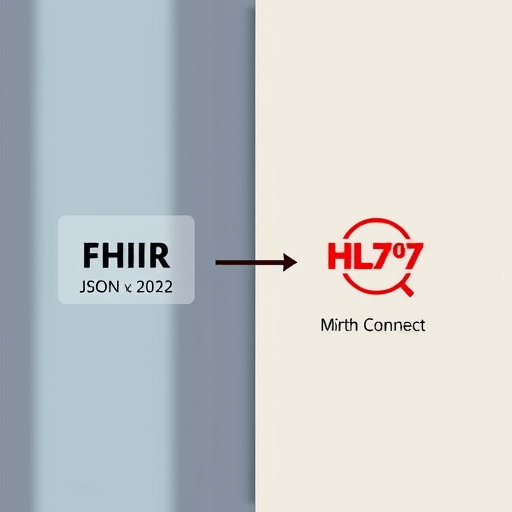
The target architecture is simple: a HAPI FHIR R4 server receives and stores modern RESTful resources, and Mirth Connect listens for those resources, transforms them into HL7 v2, and sends them to the legacy lab. No separate middleware product sits between the two.
The Open-Source Stack at a Glance
- HAPI FHIR R4 Server: a Java-based FHIR server that exposes a RESTful API, supports FHIR R4 resources such as
Patient,ServiceRequest,DiagnosticReport, andObservation, and can emit subscription notifications. - Mirth Connect: an open-source integration engine that listens for incoming data, transforms it using JavaScript, and sends HL7 v2 messages over MLLP to legacy laboratory systems.
- A small test client or script: used to push a FHIR R4 bundle into HAPI FHIR and trigger the end-to-end flow.
With this stack, the FHIR side remains standards-based for modern APIs, and the lab side remains standards-based for the legacy systems that cannot be upgraded.
Step 1: Stand Up a HAPI FHIR R4 Server for the Source Resources
Your first task is to make HAPI FHIR the receiving endpoint for the FHIR R4 data that eventually needs to become HL7 v2. HAPI FHIR can run as a standalone web application, an embedded server inside a Spring Boot application, or a core service behind an API gateway. For lab integration, the simplest approach is to run the HAPI FHIR JPA server with the R4 version enabled.
Load the relevant FHIR resources into the server:
Patientwith identifier values that match the legacy lab’s patient numbers.ServiceRequestfor lab orders that need to be sent as HL7 v2 ORM or converted to result messages.DiagnosticReportandObservationfor lab results that should be delivered as HL7 v2 ORU messages.
Once the resources are in HAPI FHIR, configure a FHIR Subscription to notify Mirth Connect whenever a new resource is created or updated. Use the rest-hook channel type and set the payload to JSON. The subscription endpoint will be the HTTP listener you expose inside Mirth Connect.
Step 2: Create a Mirth Connect Channel That Receives FHIR Payloads
In Mirth Connect, create a new channel named something like fhir-r4-to-hl7-v2. The source connector should be an HTTP Listener. Give it a port and a context path, for example 8081 and /fhir. This is the endpoint HAPI FHIR’s subscription will call when a new FHIR resource lands.
Set the source inbound data type to RAW or JSON. If you choose RAW, Mirth will pass the full FHIR JSON payload into the transformer without attempting to interpret it as a delimited message. That is usually safer because FHIR JSON can contain nested structures and arrays that a standard textual parser would not understand.
In the source transformer, use a JavaScript step to parse the incoming payload:
var resource = JSON.parse(msg.toString());
var resourceType = resource.resourceType;
var patientId = resource.subject ? resource.subject.reference.split('/')[1] : null;
var observationCode = resource.code ? resource.code.coding[0].code : null;
At this stage, keep the code defensive. A FHIR bundle may contain multiple resources, so inspect resourceType and decide whether the message is a lab order, a result report, or an observation update.
Step 3: Build the FHIR-to-HL7 v2 Field Map
The core of this integration is the field mapping. Legacy labs typically accept two message types:
- ORM^O01 for laboratory orders, built from
ServiceRequest. - ORU^R01 for laboratory results, built from
DiagnosticReportandObservation.
For ORU messages, which are the most common lab result format, map the important FHIR fields directly to HL7 v2 segments:
- MSH-9 (Message Type): set to
ORU^R01. - PID-3 (Patient Identifier): take from
Patient.identifier.value. This must match the identifier the legacy lab already knows. - OBR-2 (Placer Order Number): take from
DiagnosticReport.basedOnorServiceRequest.identifier. - OBR-4 (Universal Service ID): take from
DiagnosticReport.codeorObservation.code. - OBX-3 (Observation Identifier): take from
Observation.code. - OBX-5 (Observation Value): take from
Observation.valueQuantity.value,Observation.valueString, orObservation.valueCodeableConcept.text. - OBX-14 (Date/Time of Observation): take from
Observation.effectiveDateTime.
Every lab has its own quirks. You may need to append standard HL7 v2 fields for universal service identifiers, specimen type, or reference ranges. Keep the mapping in a separate JavaScript file or Mirth channel map so that it can be edited without touching the rest of the pipeline.
Step 4: Construct and Send the HL7 v2 Message
After extracting the FHIR values, use the Mirth Connect destination transformer to build the raw HL7 v2 message. The destination connector should be an HL7 v2 Sender with MLLP enabled, pointed at the legacy lab’s TCP port. Use the correct message delimiter structure:
MSH|^~\&|HAPI_FHIR|Mirth|LEGACY_LAB|LEGACY|202601011200||ORU^R01|MSG0001|P|2.4|||||||
PID|1||12345||DOE^JOHN
OBR|1|ORD0001||LABCODE
OBX|1|NM|GLU^GLUCOSE^LNC||98|mg/dL|70-99|N|||F
In real code, do not hard-code the message. Build it dynamically from the mapped variables in the source transformer. Use a JavaScript destination transformer to concatenate the segments, or use Mirth’s HL7 template builder if your team prefers a visual template.
One critical detail is escaping. FHIR identifiers and text values may contain HL7 delimiter characters like |, ^, or &. Use HL7 escape sequences for production data. For example, replace a pipe in a text value with the HL7 vertical bar escape \F\. The legacy lab will not accept a raw pipe inside a field value because it will break the segment structure.
Step 5: Handle Acknowledgments, Errors, and Requeue
Legacy lab systems are reliable but not particularly forgiving. Most will return an HL7 v2 ACK message as soon as they receive your ORU. Use Mirth Connect’s postprocessor to inspect that ACK. If the MSA-1 field is AA, the message was accepted. If it is AR or AE, the lab rejected the message, and you need to capture the error from MSA-3.
For rejected messages, log the raw HL7 v2 request and response. Do not simply discard the message. A simple retry queue can be a Mirth channel map or a database table that stores the original FHIR resource reference and the destination status. The goal is to make failures visible without requiring extra middleware.
Test the Mapping Before the Lab Sees Anything
Before sending messages to a real lab instrument or LIS, create a loopback test. Configure a Mirth Connect destination to write the outgoing HL7 v2 message to a file, or point the HL7 sender at a local TCP listener that returns a canned ACK. Then POST a FHIR R4 bundle to HAPI FHIR and watch the subscription trigger. Verify that the generated HL7 v2 message contains the correct patient identifier, order number, observation code, and value.
Test at least three scenarios:
- A simple numeric result, such as a glucose value.
- A text or coded result, such as a positive or negative culture finding.
- A result with missing optional fields, such as no effective date or no reference range.
These edge cases will expose brittle JavaScript and inconsistent FHIR data before the legacy lab team has to manage your errors.
Conclusion
Mapping FHIR R4 to HL7 v2 for legacy labs without middleware is achievable with a small, open-source integration stack. HAPI FHIR gives modern applications a clean RESTful place to send data, and Mirth Connect translates that data into the HL7 v2 messages that legacy lab systems still expect. By keeping the field mappings explicit, testing with realistic FHIR resources, and handling acknowledgments carefully, you can build a transparent, maintainable interoperability path that does not depend on a commercial middleware license.