Every editor eventually hits the same wall: a tool window holding thousands of items—fonts, layers, assets, breakpoints—and the moment a user selects a broad range, the entire interface freezes, scrolls in fits, or stalls mid-search. The problem isn’t the dataset itself; it’s how the tool window was architected. If you’ve been wondering how to stop editor tool windows from hitching on large selections, the answer usually lives at the intersection of three techniques: virtualized lists, deferred search, and cache invalidation. These methods don’t just reduce lag; they reshape how your editor handles selection events, yielding measurable improvements in responsiveness and perceived performance.
Why Large Selections Feel So Heavy
In a typical editor, selecting a large range triggers a cascade of synchronous operations. The tool window repaints each row, recalculates layout, re-runs filtering queries, and often re-fetches metadata for every selected item. Each of these stages is individually fast, but multiplied by thousands of items and triggered on every keystroke or drag, they create a compounding stall.
The deeper issue is that many editor tool windows are built as if the entire selection needs to be materialized in the DOM or in a single data structure. That assumption breaks down at scale. The solution starts with recognizing which parts of the pipeline actually need the full selection and which only need a subset of it.
Virtualized Lists: Render Only What the Eye Sees
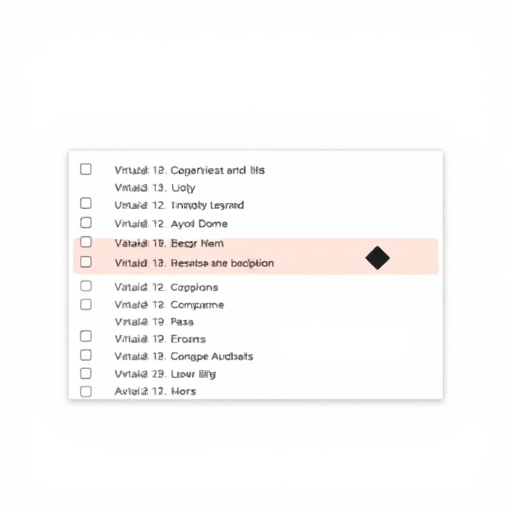
Virtualization—also called windowing—is the practice of rendering only the rows currently visible in the viewport, plus a small overscan buffer. Instead of creating a DOM node for every item in a selection, a virtualized list computes the visible range based on scroll position and renders just those rows. This alone can turn a selection of 50,000 items into a viewport of 20.
For editor tool windows, though, virtualization is not just about DOM nodes. It’s about selection state. When a user selects 10,000 layers in a tall list, you don’t need 10,000 selected states in memory. A robust virtualized list should track selection as a set of ranges or a lightweight hash set, not as a property on every rendered row. That decoupling keeps interactions snappy even when the user drags a marquee across the entire list.
Look for virtualization libraries that support variable-height rows, since editor tool windows often mix icons, text, and badge elements. Fixed-height virtualization is simpler, but it forces you to clip content or place an unnecessary design constraint on the tool. Variable-height support adds complexity, but it enables a more faithful representation of complex data and reduces the “jumpy” feeling when rows change height due to search filtering.
Deferred Search: Let Typing Breathe
Search inside an editor tool window has a nasty habit of running synchronously on every keystroke. A one-character change might suffice for narrowing a list, but the tool will often repeat the same work across multiple characters. Deferred search solves this by decoupling the input event from the heavy filtering.
There are two essential pieces to deferred search: debouncing and worker execution. Debouncing ensures that a burst of keystrokes (“l a y e r”) triggers only one search, not three. Worker execution takes that single search and runs it outside the main thread, so the editor remains interactive while the tool window recomputes matches.
For truly large selections, also consider incremental search semantics. Rather than re-analyzing the entire source array on every query, maintain a curated index of searchable tokens. That index can be built lazily when the tool window opens and rebuilt only when the underlying selection changes. With an index in place, a search for “background” becomes a quick lookup over pre-tokenized field values instead of a linear scan over every object in memory.
One subtle piece editors often miss is search-as-you-scroll. Users may type a query, inspect the subset of results, then delete the query. Without a well-designed deferred search pipeline, the reset operation itself becomes another stall. Always keep the unsorted, unfiltered base collection in memory so clearing a query instantly restores the previous state without a fresh fetch.
Cache Invalidation: When Fresh Data Beats Fast Data
Caching is the third pillar of a hitch-free tool window, but it’s also the most dangerous. A cache that ignores invalidation becomes a source of stale selections, broken references, and subtle visual bugs. Careful cache invalidation is what keeps a large selection feeling both fast and accurate.
The key principle is to cache derived data, not raw data. For instance, if your tool window reads from an asset registry, the raw registry might change at any moment. Instead of caching the full registry, cache the computed structures used by the tool: the filtered indices, the sorted order, the thumbnail map, and the token index for search. Those derived structures should be tied to a version number of the underlying data. When the registry increments its version, the tool marks its derived caches as dirty and recomputes them on demand, not eagerly.
Invalidation should also be context-aware. If a selection is merely hidden and revealed, the cache can remain valid. If the selection’s metadata changes—say, a layer’s name is edited—then only the search token index and display text need invalidation, not the entire virtualization buffer. The granularity of your invalidation strategy determines whether an edit feels instant or introduces a noticeable hitch.
Be careful with time-based caching. It’s tempting to say “refresh every five seconds,” but time-based invalidation is unpredictable in an interactive environment. Use event-driven invalidation instead. Subscribe to the specific mutations that affect the visible data, and treat invalidation as a moment to re-evaluate only the affected subset. This approach keeps the editor tool window responsive even while other parts of the application are actively mutating the same data source.
Architecting for Snappy Selections
These three techniques work best when arranged as a pipeline. When a user changes a selection, the tool window should first update the selection model in the virtualized list, then emit a changed event. The deferred search layer picks up that event (debounced) and queries a token index. Only after the search layer commits its results does the cache invalidation layer decide which displayed rows need refreshing. This choreography ensures that no single operation blocks the editor’s main thread.
It also helps to separate the selection state from the display state. Most hitching occurs because the two are intertwined. When a user selects a massive range, the display state is the viewport, the selection state is a range set, and the two are related by an offset calculation. By keeping them separate, you can repaint the viewport without ever materializing the selection list.
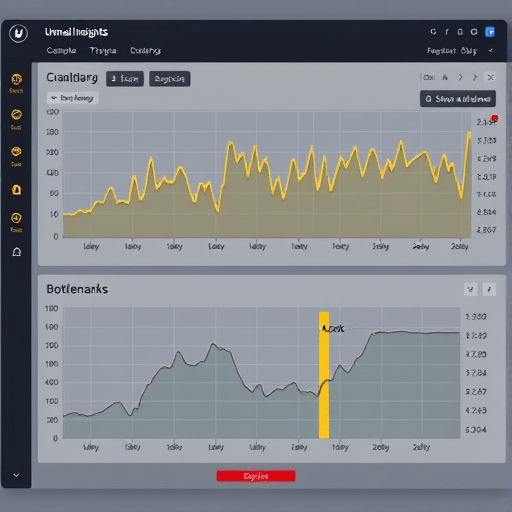
Consider profiling where time is actually spent. In many editors, the bottleneck is not the list rendering but the continuous invalidations fired by neighboring panels. If your tool window follows the whole virtualized + deferred + cached pipeline, yet still hitches, instrument each stage and find the operation that runs more than once. That extra run is almost always an unnecessary invalidation.
Measuring the Impact
Once you implement these changes, track the user-perceived performance metrics: time-to-first-interaction, selection latency, and scroll frame rate. Selection latency is the most telling. Before the refactor, selecting 20,000 items in a list might have taken 800 ms; after, it should feel like a sub-15 ms operation. Search behavior will improve too, because no keystroke will ever block the UI thread for more than a few milliseconds.
The goal is to make large selections feel like the editor is handling them with the same ease as small ones. A user dragging across a 100,000-item layer list should not see a spinner or a frozen frame. They should see instant focus, smooth scrolling, and responsive search.
Conclusion
Editor tool windows no longer need to buckle under the weight of large selections. By applying virtualized lists to render only what matters, deferring search to keep the interface responsive, and implementing precise cache invalidation to avoid stale data, you can transform even the heaviest selection workflow into a fluid interaction. These techniques are worth the engineering effort because they respect the user’s time and attention—and that respect shows up in the tool’s feel, long before any benchmark does.