In 2026, the gaming landscape is increasingly embracing inclusive design, but the challenge of creating intuitive voice-command controller menus for visually impaired players remains. This guide takes you through a concrete, step‑by‑step process that blends modern speech APIs with proven accessibility strategies, ensuring that every voice‑controlled interface is natural, responsive, and truly empowering for players who rely on audio cues.
1. Understanding the User: Empathy and Requirements
Before you touch a single line of code, immerse yourself in the lived experience of your target audience. Conduct ethnographic interviews, shadow sessions, and usability studies with visually impaired gamers to surface the specific linguistic patterns, preferred command vocabularies, and contextual triggers they use. Key findings typically fall into three categories:
- Contextual Awareness: Players often rely on environmental sounds or in‑game cues to orient themselves. Voice menus must seamlessly integrate with these cues.
- Command Diversity: A mix of short commands (“menu”) and longer, descriptive phrases (“open character inventory”) reduces cognitive load.
- Feedback Expectations: Immediate, multimodal feedback (audio, vibration) reassures users that the system has registered their input.
Document these insights in a shared design brief. They become the foundation upon which you’ll map out voice flows, determine API parameters, and set success metrics.
2. Choosing the Right Speech API for Gaming Environments
While many commercial speech APIs promise low latency, 2026’s gaming context demands specialized features: real‑time processing, minimal background noise tolerance, and robust support for accented or rapid speech. Evaluate candidates on the following criteria:
- Latency: Target <120 ms from utterance to response to avoid perceptible lag.
- Noise Robustness: Built‑in echo cancellation and directional microphone support mitigate studio chatter.
- Customization: Ability to fine‑tune language models with in‑house data (e.g., game‑specific terminology).
- Cross‑Platform Consistency: Consistent behavior on consoles, PCs, and mobile devices ensures a unified experience.
OpenAI’s Whisper 4.0, combined with a lightweight local inference engine, is currently the leading choice for developers prioritizing speed and privacy. For a hybrid approach, consider pairing Whisper with cloud‑based intent classification from a service like Google’s Dialogflow, which allows you to maintain low latency while offloading complex NLP tasks.
3. Designing a Voice‑First Navigation Flow
Voice-first design is a paradigm shift from visual hierarchies to auditory landmarks. Create a “menu map” that mirrors the structure of your game’s UI but is organized around voice prompts. Follow these principles:
- Top‑Level Voice Gateways: Use simple, unmistakable commands such as “open menu” or “go to inventory.” Avoid ambiguous terms that could be misinterpreted.
- Contextual Prompting: Whenever a submenu is entered, provide an audible summary: “You are in the character inventory. Say ‘equip’ to equip an item, or ‘back’ to return.”
- One‑Shot Confirmation: For actions that change game state, ask for confirmation (“Equip sword?”). This prevents accidental state changes.
- Shortcut Vocabulary: Allow players to define custom aliases (e.g., “gear” for “character inventory”). Implement a simple learning mode that stores user‑defined phrases.
Wireframe the flow using audio scripts that highlight the user journey, ensuring every prompt is clear and concise. Iterate with a small group of beta testers before scaling.
4. Integrating Speech Recognition into the Game Loop
Embedding a speech recognizer within the main game loop requires careful orchestration to avoid performance penalties. Adopt a modular architecture with the following layers:
- Microphone Input Layer: Captures audio in a low‑latency stream. Use a dedicated thread that buffers input and forwards it to the recognizer.
- Pre‑Processing Layer: Applies noise suppression, voice activity detection (VAD), and optional echo cancellation. This reduces false positives.
- Recognition Layer: Invokes the chosen speech API (e.g., Whisper) and returns a transcribed string.
- Intent Mapping Layer: Parses the transcription against a finite state machine (FSM) that represents your menu hierarchy. The FSM resolves ambiguous utterances to the most likely intent.
- Action Execution Layer: Triggers the corresponding UI event or game action, then feeds back confirmation audio.
Ensure the pipeline can handle continuous speech and background game audio. By decoupling the recognizer from the rendering thread, you maintain a stable frame rate while delivering near‑instantaneous voice responses.
5. Feedback, Confirmation, and Error Handling
Voice interfaces thrive on clear, multimodal feedback. Combine auditory cues with haptic and, where possible, subtle visual overlays for players with partial sight.
- Success Tones: A short, pleasant chime confirms receipt of a command. The tone’s pitch can vary with the command’s importance.
- Error Announcements: Use a calm but distinct voice (“Sorry, I didn’t catch that”) followed by a concise suggestion (“Try saying ‘open inventory’.”).
- Haptic Pulses: On consoles, a vibration pattern signals selection confirmation; a shorter pulse indicates a non‑fatal error.
- Adaptive Confidence Scoring: If the recognizer’s confidence falls below a threshold, prompt the user for clarification instead of executing an action.
Integrate a “repeat” command (“repeat menu”) that re‑plays the current context. This feature helps users regain orientation without needing visual cues.
6. Accessibility Testing with Real Users
Testing is critical, but testing must be structured to surface nuanced issues. Adopt a multi‑phase approach:
- Lab Testing: Use controlled environments to benchmark latency, recognition accuracy, and error rates. Record telemetry for each session.
- Field Trials: Deploy the feature to a subset of players in natural settings (home, public spaces). Collect qualitative feedback via post‑session interviews.
- Iterative Refinement: Use a feedback loop where bugs are triaged, fixed, and re‑tested within a 48‑hour cycle.
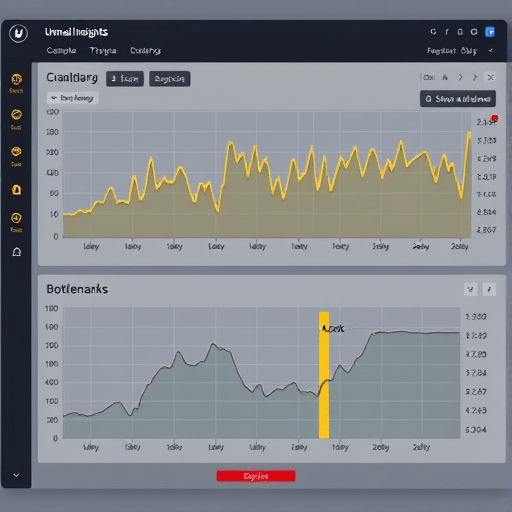
- Analytics Dashboard: Track metrics such as “commands per minute,” “error resolution time,” and “average confirmation latency.”
Engage a diverse group of visually impaired gamers—varying in age, language proficiency, and tech familiarity—to uncover blind spots that a homogeneous test group might miss.
7. Future‑Proofing: Adaptive Models and Context Awareness
Voice interfaces in 2026 must adapt to dynamic contexts: a player might switch from a stealth mission to an open‑world exploration, or from single‑player to multiplayer. Incorporate the following strategies to keep the system resilient:
- Dynamic Context Tokens: Supply the recognizer with context tags (“stealth mode”, “multiplayer”) that weight relevant vocabulary, improving accuracy.
- On‑Device Fine‑Tuning: Allow the model to learn from the player’s own speech over time, enhancing personalization without compromising privacy.
- Multi‑Modal Fusion: Combine voice intent with controller state (e.g., joystick direction) to disambiguate ambiguous commands.
- Edge‑Server Offloading: For complex intent processing, use a low‑latency edge server that caches common game states, reducing round‑trip time.
By embedding these adaptive layers, your voice‑command menus remain responsive even as gameplay evolves, ensuring long‑term accessibility without costly overhauls.
Conclusion
Building a voice‑command controller menu for visually impaired gamers in 2026 is a meticulous yet rewarding endeavor. By grounding design in user research, selecting a low‑latency, noise‑robust speech API, crafting a voice‑first navigation flow, and integrating rigorous feedback mechanisms, developers can deliver an inclusive gaming experience that feels natural and engaging. Continuous testing with real players and forward‑looking adaptive strategies will keep the interface robust, responsive, and future‑ready, enabling every gamer to navigate their world through voice with confidence and ease.