
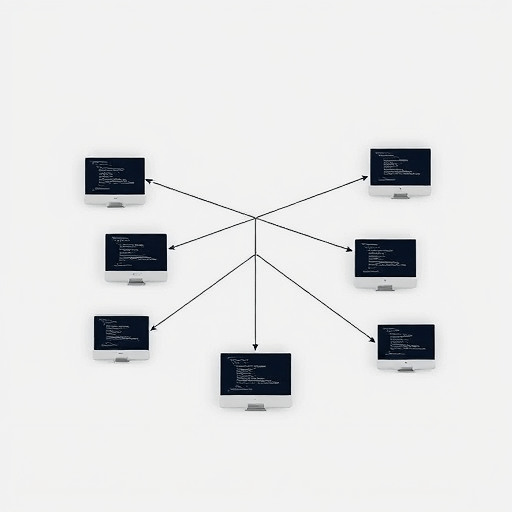
Every developer knows the sinking feeling of juggling three different features in a single repository. You switch to the main branch to fix a hot bug, but your uncommitted changes from Feature A come along for the ride, tangling with the new code you are writing for Feature B. The traditional remedy—git stash—is a necessary evil, but it is also a notorious productivity sink. Stashes get lost, merge conflicts multiply, and the mental energy required to track which stashed changes belong to which context is exhausting. If you want to truly organize work with Git worktrees, you can eliminate this chaos entirely by leveraging one of Git’s most underutilized features to run parallel features without switching branches.
Why git stash Is the Enemy of Flow State
Stashing is fundamentally a stop-and-drop operation. It saves your dirty working directory so you can check out another branch, but it does so at the cost of breaking your workflow. The moment you run git stash, you are forcing your brain to serialize a complex mental model into a list of patch files. When you come back to it later, you have to reconstruct that mental model from memory, often leading to context switching overhead that kills deep work.
Moreover, stashes are inherently fragile. Stacking multiple stashes on top of one another is a recipe for disaster. Applying the wrong stash, resolving conflicts from a stash created days ago, and losing track of which branch a stash originated from are all common failure points. In a fast-paced development environment, this serialized approach to parallel features is a bottleneck. More importantly, relying on an ever-growing queue of stashed patches often leads to dead code sitting in the reflog, never to be touched again.
Instead of treating the symptom with stash lists, modern developers need an architectural solution. You need isolated workspaces that live side-by-side, not temporary snapshots that you hope to restore later. Git worktrees offer exactly that—a way to run multiple branches simultaneously without the overhead of stashing and restoring.
How Git Worktrees Simplify Parallel Features
A git worktree is essentially an additional working directory linked to the same repository. It allows you to check out different branches in different folders at the exact same time. This means you can have a stable release branch running in ./app-release, a new feature branch in ./app-feature, and an experimental spike in ./app-experiment, all without interfering with one another.
This architectural shift completely changes how you parallel development workflow. When a critical bug arises, you no longer need to stash your current work-in-progress to switch branches. Instead, you simply open a new terminal window, navigate to the worktree dedicated to the main branch, and fix the bug immediately. When you are done, you go back to your feature worktree, where all your files are exactly as you left them—no stash apply, no conflict resolution, no lost context.
Beyond simple bug fixes, worktrees facilitate true parallel features. You can run a long-running test suite for one feature while actively developing another. You can compare behavior between two branches by running them simultaneously on different ports. This isolation reduces the cognitive load of managing multiple streams of work, allowing you to focus on the code in front of you.
The Core Commands You Need to Know
Getting started with worktrees is surprisingly intuitive. The core command is git worktree add. For example, running git worktree add ../feature-x -b feature-x will create a new directory called feature-x, create a branch named feature-x, and check it out for you. You can then work in that directory completely independently.
Managing your worktrees is equally simple. Running git worktree list shows you all linked worktrees and their associated branches. When you are done with a feature, you can remove the directory and run git worktree prune to tidy up the administrative files. The ability to attach and detach working directories without affecting the underlying repository’s history makes this a vastly superior way to manage multiple branches.
Organize Work with Git Worktrees: The 2026 Workflow
In today’s development landscape, the demands on a developer’s attention have never been higher. The rise of AI pair programmers means you might be reviewing AI-generated code for one task while simultaneously writing your own code for another. Keeping these streams separate is crucial for maintaining context and ensuring code quality. A modern git worktree benefits system provides the perfect environment for this kind of multi-session work.
To get the most out of worktrees, consider structuring your workspace by feature and purpose. Here is a practical approach to organizing your development life:
- Create a dedicated worktree for each active feature branch. Resist the urge to reuse the same worktree for unrelated tasks. The whole point is to establish a one-to-one mapping between your working directory and the feature you are working on.
- Reserve your primary checkout for stability. Keep your main repository folder on
mainor a stable release branch. Use this as your “safe zone” for hotfixes and code reviews. - Use clear, predictable naming conventions. Directory names should reflect the branch name (e.g.,
../feat-login-redesign). This makes it trivial to navigate between contexts. - Automate setup with shell scripts or IDE integrations. Most modern IDEs have first-class support for worktrees, allowing you to open them directly from the interface. Alternatively, a simple shell alias can streamline the process of creating a new worktree.
This workflow is especially powerful when dealing with long-running feature flags or extensive refactoring efforts. Instead of keeping a massive branch up-to-date with the base branch, you can maintain multiple worktrees to manage merge conflicts incrementally. Worktrees empower you to cross-merge changes between branches in separate directories, reducing the risk of destabilizing your core environment.
Reducing the Stash Dependency for Code Reviews
One subtle benefit of using worktrees is how it improves the code review process. In a traditional setup, if you want to pull down a colleague’s pull request (PR) to test it locally, you have to stash your current work, checkout the PR branch, test, and then switch back and unstash. This is not only time-consuming but also risky. With worktrees, you can simply add a worktree for that PR branch, test it, and leave your own work completely untouched.
This immediacy encourages more thorough testing during code review. It removes the friction that often leads developers to say, “I’ll just trust the CI pipeline.” By making it effortless to load up a PR in a separate, isolated environment—complete with all its dependencies and configurations—you elevate the quality of your team’s manual testing and review process. The result is a more resilient codebase with fewer regressions slipping through the cracks.
Surviving the AI Era: Why Isolated Worktrees Matter More Than Ever
As we move further into the mid-2020s, the proliferation of AI coding assistants has fundamentally altered the developer workflow. It is now common practice to have multiple AI agents or assistants working on different chunks of code simultaneously. Imagine one agent refactoring a module, another agent addressing security vulnerabilities, and a third agent writing new tests. If all of this happens on the same branch, the results are often chaotic and difficult to debug. Isolating these AI-driven tasks into distinct worktrees is the only sane way to manage the output of parallel agents.
Worktrees create physical boundaries that help both humans and autonomous agents understand the scope of their changes. They allow you to run isolated builds and test suites, which is critical when AI-generated code might have hidden conflicts with other ongoing work. By embracing worktrees, you are effectively implementing a resource management strategy for your development team, ensuring that different tasks don’t step on each other’s toes.
Furthermore, the onboarding process for new developers can be significantly enhanced. Instead of juggling stashes and dealing with messy branch switches, a new developer can immediately create a worktree for their onboarding assignment while keeping the stable production branch ready for reference. This reduces the initial cognitive load and allows them to make mistakes in a completely isolated environment, without breaking the local setup they will use for daily tasks.
Common Pitfalls and How to Avoid Them
While worktrees are an incredibly powerful tool, they are not without their own set of gotchas. Understanding these pitfalls will help you use them more effectively. One common issue is forgetting to prune stale worktree metadata. In the course of day-to-day work, if you delete a worktree folder outside of Git, the repository will still have administrative references to it. Running git worktree prune periodically helps keep things clean.
Another pitfall relates to build outputs and dependency folders. Since each worktree is a separate directory, they each have their own node_modules, vendor, or .venv folders. This can consume significant disk space. To mitigate this, you might need to configure your build system to use a shared cache or accept the disk space trade-off in exchange for having truly isolated environments. The disk space cost is often worth the massive gain in developer sanity.
Finally, you should be cautious about having the same branch checked out in multiple worktrees. Git will strictly prevent you from checking out the same branch in two separate worktrees, which is a safeguard against conflicting simultaneous operations. If you need to work on the same branch in two different contexts, it is better practice to create a derived branch for one of the sessions. Learning to navigate these minor constraints will make your experience with worktrees smooth and enjoyable.
Conclusion
The era of relying solely on git stash to manage parallel features is fading. As development environments become more complex and the volume of concurrent work rises, the need for physical and temporal isolation has never been greater. By adding git worktrees to your daily toolkit, you replace the fragile, serialized logic of stashing with a robust, discreet system that supports parallel features without switching branches. This shift not only streamlines your personal workflow but also enhances collaboration, code review quality, and your team’s overall ability to ship code with confidence. Stop stashing your work around; give it a home of its own.


