
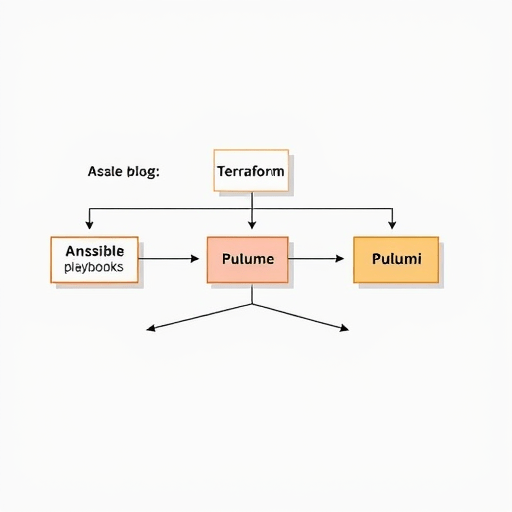
Migrating Ansible playbooks to Pulumi without downtime is now a mainstream operational goal as infrastructure teams move from task-based configuration management to declarative, intent-driven orchestration. The challenge isn’t simply rewriting YAML tasks into TypeScript or Python — it’s doing so without losing track of the live resources those playbooks have been managing, often for years. A phased migration pattern that uses Terraform solely for state import and Pulumi for orchestration gives you a clean, auditable path from imperative scripts to modern infrastructure as code, all while keeping production online.
Why Ansible-to-Pulumi Migration Needs a New Playbook
Ansible remains excellent for configuring servers and pushing one-time changes. But in 2026, with ephemeral workloads, service meshes, and multi-cloud environments, teams need more than idempotent execution. They need real diffing, policy as code, and the ability to orchestrate resources across multiple providers in a single program. Pulumi provides that, but adopting it doesn’t mean abandoning everything Ansible built. It means rethinking how infrastructure state is represented and moved.
The typical mistake is to treat migration as a rewrite-and-deploy event. You don’t want to delete and recreate production resources just to make them match a new tool. That’s where the Terraform state import pattern shines. Terraform’s existing import command can adopt live resources into a state file without changing the resources themselves. That state file then becomes the bridge between what Ansible KNOWS and what Pulumi NEEDS to manage.
The Core Challenge: Preserving Existing Infrastructure State
Ansible playbooks are procedural. They don’t maintain a persistent state file that tracks every managed resource’s attributes, dependencies, and last-known configuration. When you run a playbook against a server or an AWS account, Ansible checks current conditions and applies tasks, but it doesn’t record a rich, queryable graph of the infrastructure. Pulumi, on the other hand, maintains a state snapshot to compute diffs and plan updates.
That missing state is the main source of migration fear. If you can’t show Pulumi what already exists, it will try to create duplicate resources or, worse, destroy and recreate them. The solution is to capture the existing infrastructure into a portable state format before switching orchestration. Terraform is ideal for this because its import command is mature, supports dozens of providers, and can produce a state file that can be inspected, versioned, and eventually converted or referenced by Pulumi.
Phase 1: Inventory and Workload Mapping
Before touching any tooling, you need a complete inventory of what Ansible currently manages. This isn’t just a list of hosts and tags. You need to map the relationships between resources: security groups, load balancers, RDS instances, Kubernetes clusters, and the configuration files Ansible drops onto servers.
- Audit every playbook and role to identify AWS, Azure, GCP, or on-prem resources.
- Classify resources by criticality and blast radius: which ones can be recreated safely, which are stateful, and which are externally integrated.
- Define migration waves based on dependency order, not convenience. Network and IAM layers first, then compute, then application configuration.
- Create a shared inventory document that both the Ansible and Pulumi teams will use as the single source of truth during migration.
This mapping phase is also the right time to standardize naming conventions and tag schemas. You don’t want to import a mess of untagged resources and then try to manage them cleanly with Pulumi.
Phase 2: Using Terraform to Import Existing Resources
Once the inventory is ready, select the resources that will be moved in the first wave. For each resource, write a minimal Terraform configuration that declares the resource type and name, then run terraform import to attach the live resource to that declaration.
For example, an existing AWS security group can be imported with its ID:
resource "aws_security_group" "web" {}terraform import aws_security_group.web sg-12345678Terraform will read the live attributes and store them in state. You can then run terraform plan to see if the actual resource matches the configuration — but you don’t need to apply anything. The goal is to capture state, not to change infrastructure.
Repeat this for every resource in the wave. You’ll likely need to write configuration blocks for resources you thought you knew well; Terraform state import will reveal attribute drift that Ansible never noticed. This is valuable information, not a blocker. Record any drift and decide whether to fix it before cutover or after Pulumi takes over.
Keep the Terraform state file in a dedicated backend (S3, Azure Storage, or Consul) and version it. This file is temporary, but it must be treated as a migration artifact.
Phase 3: Building Pulumi Orchestration on Imported State
Now the real orchestration work begins. Pulumi can consume the Terraform state in two ways. The first is to use Pulumi’s Terraform bridge, which lets you instantiate Terraform resources directly inside a Pulumi program. The second, often cleaner for a migration, is to use the imported Terraform state as a reference to build Pulumi resources that adopt the same underlying managed resources.
For each resource in the Terraform state, write a corresponding Pulumi resource definition. Use the same logical name and provider settings, but don’t try to force Pulumi to match every attribute exactly. Instead, use the state file to understand what Pulumi needs to know to take ownership.
You can also use remote state references in Pulumi to read outputs from the Terraform state, letting you wire dependencies during the migration. For example, a Pulumi-managed EC2 instance can read the security group ID from the Terraform state output until you’ve migrated that security group to Pulumi too.
const vpcId = terraformRemoteState.getOutput("vpc_id");This hybrid state approach means you’re never blocked by a hard cutover. Pulumi orchestrates the resources it already owns while reading un-migrated resources from Terraform state, giving you a genuinely incremental migration path.
Phase 4: Incremental Cutover with Validation Gates
With Pulumi programs written and Terraform state as a bridge, you can start moving workloads in small batches. The key word is “batches.” Do not migrate a production environment in one stack update. Instead, break the migration into resource groups that can be independently adopted and validated.
- Start with non-critical, low-dependency resources like EC2 instances or managed queues.
- Use Pulumi stacks per environment (dev, staging, prod) and per wave (network, compute, data).
- For each stack, run
pulumi previewto confirm that Pulumi is not planning to replace any resource. If it does, pause and fix the configuration before proceeding. - After
up, run smoke tests and synthetic checks. Compare the actual resource state to the previously captured Terraform state.
This is also the phase where you should automate the validation steps as part of your CI/CD pipeline. Pulumi’s policy as code can enforce that no resource is deleted during migration, preventing accidental replacements.
Phase 5: Decommissioning Ansible and Terraform
Once every resource has been adopted by Pulumi and validated, you can begin removing Ansible and the temporary Terraform layer. First, remove Ansible from any cron jobs, CI/CD pipelines, or ad-hoc runbooks. Replace those with Pulumi automation and stack updates.
Then, export any remaining outputs from Terraform state that Pulumi still references, and update your Pulumi programs to use native Pulumi resources. After that, delete the Terraform state file and the temporary configurations. You should also remove the Terraform provider credentials from your orchestration system. The goal is to leave no trace of the migration scaffolding, so your Pulumi state becomes the single source of truth.
One final step: run a culture-and-docs pass. Update architecture diagrams, on-call runbooks, and developer onboarding materials to reference Pulumi commands instead of Ansible playbooks. This ensures nobody falls back to old habits during a late-night incident.
Rollback and Rollforward Strategies
Even with a phased pattern, you need a safety net. Because the Terraform state file is kept until the very end, you can always use it to manually reconstruct a resource if Pulumi’s state gets corrupted. But you should also design for rollforward, not just rollback.
For each wave, define a “restore point” in your Pulumi stack history. If a migration causes issues, you can roll back the Pulumi stack to the previous state. Ansible can still be run to revert any server-level configuration changes, since it hasn’t been fully decommissioned yet. This dual-state period is intentionally uncomfortable, but it’s what makes zero-downtime migration possible.
After a wave has been stable for at least one full production cycle, remove its corresponding Ansible playbook and update the rollback documentation. This prevents you from maintaining two configuration management systems forever.
Final Thoughts
Migrating Ansible playbooks to Pulumi without downtime is a discipline, not a one-time project. Using Terraform for state import gives you a reliable, provider-agnostic way to capture existing infrastructure. Using Pulumi for orchestration then lets you incrementally take over that infrastructure with modern, programmable IaC. The result is a migration that respects live systems, exposes hidden drift, and ultimately leaves your platform in a state that is easier to operate, test, and scale.


