
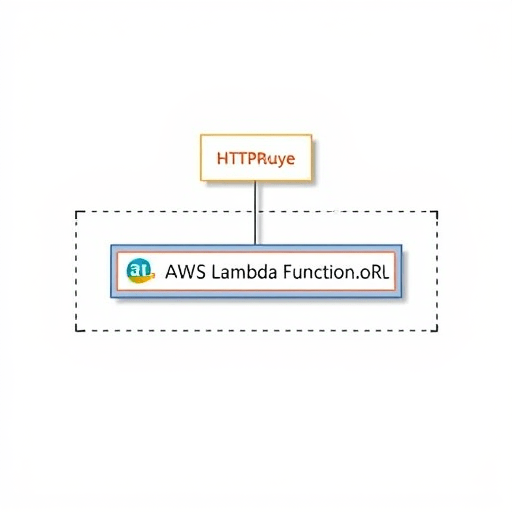
If you want to point an HTTPRoute to ExternalName services to hit serverless endpoints such as AWS Lambda, the K8s Gateway API gives you a clean, DNS-based path. The old mental model—where every Kubernetes backend must be a Deployment with a ClusterIP Service—no longer fits modern serverless workloads. Instead, you can create an ExternalName Service that aliases a Lambda Function URL, and then use a standard HTTPRoute to route traffic through the Gateway to that external DNS endpoint. No sidecar, no pod scaling, no static IP hack.
Why Use an ExternalName Service as a Gateway API Backend
An ExternalName Service is a special Kubernetes Service that has no selector and no Pod endpoints. It simply maps a Service name to an external DNS CNAME. When a Gateway API controller sees a backendRef pointing to an ExternalName Service, it resolves the Service’s externalName field and sends matching requests to that DNS target.
This is especially useful for Lambda because AWS Lambda Function URLs are already HTTP/1.1 HTTPS endpoints. A Function URL has no VPC CIDR, no fixed IP, and no load balancer to join to the cluster. But it does have a stable hostname, which is exactly what an ExternalName Service is built to represent.
By using the Gateway API with an ExternalName backend, you can place Lambda behind a hostname-based HTTPRoute, apply path matching, and keep all of your north-south traffic policy in Kubernetes—without introducing a separate API Gateway, a custom controller, or an in-cluster proxy.
Create an ExternalName Service for a Lambda Function URL
The first step is to model the Lambda Function URL as a Service. The externalName field must be the Lambda Function URL hostname, without the https:// scheme. For example:
apiVersion: v1
kind: Service
metadata:
  name: orders-lambda
  namespace: default
spec:
  type: ExternalName
  externalName: abc1234.lambda-url.us-east-1.on.aws
  ports:
    - name: https
      port: 443
      protocol: TCP
Because this is an ExternalName Service, no EndpointSlices are created. The Service itself is only a DNS alias. The port is still declared so the Gateway API has a valid Service port to reference in the HTTPRoute. If your Gateway controller supports cross-namespace references, add a ReferenceGrant as well; otherwise keep the Service and HTTPRoute in the same namespace.
Point an HTTPRoute to the ExternalName Service
With the Service in place, create an HTTPRoute that uses the ExternalName Service as a backend. The route can match on a hostname, a path prefix, or both. Here is a minimal example:
apiVersion: gateway.networking.k8s.io/v1
kind: HTTPRoute
metadata:
  name: orders-route
  namespace: default
spec:
  parentRefs:
    - name: external-gateway
  hostnames:
    - api.example.com
  rules:
    - matches:
        - path:
            type: PathPrefix
            value: /orders
      backendRefs:
        - name: orders-lambda
          port: 443
That is the core pattern. When traffic reaches the Gateway with a hostname of api.example.com and a path beginning with /orders, the Gateway forwards the request to the DNS target behind the orders-lambda Service. The port in backendRefs must match the port declared on the ExternalName Service.
Most Gateway API implementations now handle ExternalName resolution in the data plane, so there is no need to manually maintain DNS records inside Kubernetes. The Gateway proxy performs a DNS lookup and forwards the request to the resulting IP address.
TLS to Lambda: Use BackendTLSPolicy
Lambda Function URLs are HTTPS-only. That means the Gateway must establish a TLS connection to the backend. A simple HTTPRoute alone is not enough because the backend itself expects TLS. The Gateway API standard way to configure backend TLS is through BackendTLSPolicy.
A BackendTLSPolicy tells the Gateway controller which hostname to use for Server Name Indication (SNI) and which trust anchor to use when validating the backend certificate. For a public Lambda Function URL, the AWS managed certificate is publicly trusted, so you can use the system trust store:
apiVersion: gateway.networking.k8s.io/v1alpha3
kind: BackendTLSPolicy
metadata:
  name: orders-lambda-tls
spec:
  targetRefs:
    - group: ""
      kind: Service
      name: orders-lambda
      namespace: default
  validation:
    hostname: abc1234.lambda-url.us-east-1.on.aws
    wellKnownCACertificates: System
The hostname field must match the Lambda Function URL hostname exactly. If your organization uses an internal ACM Private CA or a custom trust chain, include the appropriate caCertificateRefs instead of relying on public certificates. Check your Gateway controller’s documentation for the exact API version and for support of wellKnownCACertificates.
This step is the one that catches many teams by surprise. Without BackendTLSPolicy, the Gateway may try to send plain HTTP to an HTTPS Lambda endpoint and receive a TLS handshake error. With the policy in place, the Gateway knows the backend is TLS-enabled and uses the correct SNI.
Health Checks and Timeouts
Because an ExternalName Service has no EndpointSlices, the usual Gateway API readiness probes and endpoint-level health checks do not exist for this backend. The Gateway can still forward traffic, but it cannot determine whether Lambda is “ready” in the same way that it can for a Pod. This is not a problem for most deployments, but it does mean you should monitor Lambda function errors and concurrency from the AWS side.
Lambda cold starts also matter for route timeouts. A new Lambda invocation might take hundreds of milliseconds to provision a runtime and execute for the first time. If your Gateway has an aggressive default timeout, you may return 504 errors for otherwise healthy requests. Use the HTTPRoute timeouts field to set a realistic request deadline and a slightly shorter backend request timeout:
spec:
  rules:
    - matches:
        - path:
            type: PathPrefix
            value: /orders
      timeouts:
        request: 30s
        backendRequest: 29s
      backendRefs:
        - name: orders-lambda
          port: 443
This configuration gives Lambda room to handle cold starts and asynchronous integrations without allowing clients to wait forever. Some Gateway controllers also support retry logic, but you should be careful with retries against non-idempotent Lambda functions.
Alternatives When ExternalName Isn’t Enough
The ExternalName pattern is ideal for Lambda Function URLs, public APIs, and endpoints that are reachable through DNS. If your Lambda function lives inside a VPC and is not exposed through a Function URL, you can still use this pattern by placing the Lambda behind an AWS PrivateLink VPC endpoint and pointing the ExternalName Service at the VPC endpoint’s DNS name. That approach keeps traffic on the AWS network while preserving the Gateway API routing model.
For teams that need gRPC rather than HTTP, a GRPCRoute is the natural companion. Lambda’s native gRPC support is still limited, so you would likely run a small gRPC proxy or use an Application Load Balancer in front of the function. For normal REST-style Lambda calls, however, an HTTPRoute with an ExternalName Service is one of the simplest production patterns to operate.
The key is to remember that the Gateway API does not force you to choose between cluster-native workloads and serverless functions. A backendRef can be more than a Deployment behind a ClusterIP Service. By combining an ExternalName Service, a TLS policy, and a focused HTTPRoute, you can bring Lambda endpoints into the same consistent routing layer as the rest of your Kubernetes traffic.


