
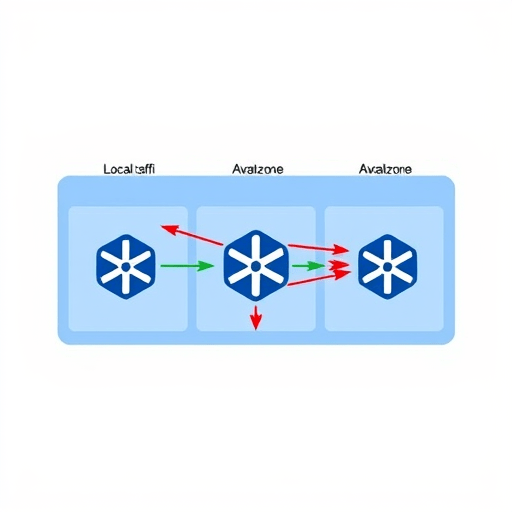
For teams running Amazon EKS, the phrase “EKS data transfer fees: how to avoid cross-zone charges when deploying” is no longer a networking afterthought. It is a FinOps priority. As workloads scale, inter-zone traffic becomes one of the most unpredictable cost drivers in a Kubernetes bill. The core problem is simple: every packet that leaves an EC2 instance in one Availability Zone (AZ) and lands on another AZ is billed at standard inter-AZ data transfer rates. When your Kubernetes scheduler spreads pods arbitrarily across zones, those pennies add up to tens of thousands of dollars per year. In 2026, with instance families and data transfer pricing evolving, the smartest first move is to keep your workloads in one zone whenever possible—using node affinity and topology spread constraints to do it predictably.
The Real Cost of Cross-AZ Traffic on EKS
AWS charges for cross-AZ data transfer in both directions. On standard EC2 networking, that usually means $0.01 to $0.02 per GB, depending on the account and region. That might not sound severe until you consider how chatty modern microservices are. A single request that fans out to five services, each in a different zone, can trigger multiple billable hops. Over a month, a platform handling even moderate traffic can generate terabytes of cross-AZ traffic—not from user traffic, but from internal service-to-service communication.
In 2026, the situation is even more pronounced because many EKS clusters now run data-intensive workloads like event streaming, real-time ML inference, and large-scale batch processing. These workloads communicate constantly, making them far more sensitive to placement than older stateless web services. When you don’t control pod placement, the Kubernetes scheduler optimizes for resource efficiency, not network locality. The result is an expensive mix of pods spread across zones for no functional purpose.
How Pods Spread Across Zones Drives Up Fees
By default, a Deployment in EKS has no awareness of zones. The scheduler looks at requested CPU, memory, and other constraints, then picks the best match from all available nodes. If your node group spans three AZs, your replicas will land anywhere. This leads to a subtle but costly effect: even if each service is properly replicated, the traffic between replicas, between service components, and between pods and data stores often crosses zones without your knowledge.
Worse, this random spreading tends to increase as you scale. Autoscalers add nodes based on resource pressure, and those nodes may be in a different AZ than the pods that triggered the scaling. Once the workload starts, moving a pod to the same zone as its peers is rarely done by the scheduler. You end up paying for cross-zone traffic for the entire lifetime of that pod, not just the scaling event.
Node Affinity: Pinning Workloads to a Single Zone
The most direct way to keep pods in one zone is to use node affinity. Node affinity is a set of rules in your pod spec that tells the scheduler where a pod is allowed to run. Unlike a hard nodeSelector, which is brittle, node affinity gives you flexibility with requiredDuringSchedulingIgnoredDuringExecution semantics. You can define a required rule that matches a specific availability zone label, such as topology.kubernetes.io/zone: us-east-1a.
A simple pod specification might look like this:
spec:
  affinity:
    nodeAffinity:
      requiredDuringSchedulingIgnoredDuringExecution:
        nodeSelectorTerms:
        - matchExpressions:
          - key: topology.kubernetes.io/zone
            operator: In
            values:
            - us-east-1a
Once applied, every pod in that Deployment will only be scheduled on nodes in us-east-1a. That means your microservices that call each other can be assigned to the same zone, and their traffic never creates a cross-AZ data transfer fee. For a production cluster with high traffic, this can reduce a significant percentage of your egress bill. But it comes with a caveat: if the AZ experiences an issue or runs out of capacity, the pods will remain unschedulable. That is why you need a strategy that couples zone pinning with resilience, not just a hard lock.
Topology Spread Constraints: Maximizing Availability Without Crossing Zones
If you cannot pin everything to a single zone because your architecture requires high availability across zones, the answer is to use topology spread constraints. These constraints let you control how pods are spread across failures domains like zones, without requiring you to manually pick a zone for every workload. The key is to define a topologyKey of topology.kubernetes.io/zone and set a maxSkew that keeps replicas balanced, but still allows a strict zone-local policy for the traffic-heavy components.
For example, you might want two replicas in zone A, two in zone B, and two in zone C for a stateful service. But you also want to avoid the situation where a single request traverses multiple zones for every operation. You can solve that by pairing topology spread constraints with node affinity per workload pair. That is, place the frontend and its backend in the same zone by assigning both to the same AZ using node affinity, and then use topology spread constraints only at the service level to ensure availability.
A common pattern is to define a spread constraint for a Deployment with a maxSkew of 1 and whenUnsatisfiable: DoNotSchedule. This keeps the scheduler from creating a lopsided distribution. But the more important trick in 2026 is to combine this with a custom label that represents your “traffic domain”—for example, a zip that maps to a zone. Then you can use topology spread constraints on that label, while node affinity ensures all pods of a service family share the same zone.
A Practical Pattern for Multi-Zone, Zero Cross-Zone Default
For projects that want both resilience and cost control, the best architecture is a cell-based placement model. You group related services into a cell that runs entirely in one zone. The cell includes its own data store, cache, and load balancer. You then use node affinity to pin the cell’s pods to that zone. For the overall cluster, you deploy multiple cells across different zones, but each cell is self-contained.
This pattern avoids cross-zone traffic by default because communication stays inside the cell. To implement it, first create distinct node groups with taints and labels for each zone. Then use node affinity on each cell Deployment to target the correct zone. Finally, use topology spread constraints within the cell to spread pods across nodes in that same zone—not across zones. This gives you fault isolation between cells while maintaining near-zero cross-AZ traffic. If a whole zone fails, only that cell fails, and you can redirect traffic to another cell with a DNS or service mesh failover.
Additional Tactics: Load Balancers, NAT Gateways, and Subnet Routing
Even with perfect pod placement, cross-zone charges can sneak back in through infrastructure services. An Application Load Balancer with cross-zone load balancing enabled will distribute traffic to targets across all AZs, which is great for availability but can create billable inter-AZ traffic between the load balancer and nodes. In 2026, the best practice is to keep ALB targets in the same AZ as the load balancer subnet for latency-sensitive workloads, or disable cross-zone load balancing and rely on client-side routing.
NAT gateways are another hidden source of costs. A NAT gateway in one zone that serves traffic for pods in another zone incurs inter-AZ data transfer on every outbound request. To minimize this, use a VPC endpoint for AWS services and place your NAT gateway in the same zone as the workloads that use it. That way, internal egress traffic remains local.
Subnet routing is also worth reviewing. If your services communicate over private IPs, the route table may send traffic through a NAT gateway or an intermediate appliance. For EKS clusters, keep the subnets per AZ separate and avoid forcing traffic through a central inspection point unless you absolutely need it. Even a few milliseconds of added latency often corresponds to an extra billable hop.
Measuring and Validating Your Traffic Posture
To know whether your node affinity and topology spread constraints are actually saving money, you need visibility. AWS publishes VPC Flow Logs that include source and destination IPs, but they don’t directly tell you the AZ of each interface. However, you can enrich the logs with ENI mapping, or use Kubernetes labels to map pod IPs to nodes and zones. Tools like Prometheus and CloudWatch can track bytes sent between pods; by correlating those bytes with pod zone labels, you can calculate cross-AZ traffic in near-real time.
Another approach is to use the Kubernetes TopologyManager in your node configuration. The TopologyManager aligns CPU and memory with your pod’s affinity rules, helping reduce cross-socket traffic and, indirectly, network hops. While it mainly affects CPU, combining it with zone-pinned placement yields more predictable performance and cost.
Finally, make your deployment pipeline check for regressions. In your CI, you can run a report that inspects all pod specs for missing node affinity or overly permissive topology spread constraints. You can also use kubectl to list pods and their zones after a rollout, ensuring no replica was placed in an unexpected AZ. Over time, this becomes a standard part of your cost governance.
Conclusion
The secret to avoiding EKS data transfer fees while keeping your deployments reliable is not to eliminate all cross-zone traffic—that is unrealistic for many workloads. Instead, it is to make zone locality a first-class design constraint. By using node affinity to pin traffic-heavy pods to a single zone, and topology spread constraints to preserve availability where needed, you can reduce your monthly AWS bill without sacrificing resilience. In 2026, the teams that win the cost optimization battle are not the ones that simply reserved cheaper instances; they are the ones that controlled where their data flows.


