For all the hype surrounding next-generation handhelds, the most transformative accessory is not a brighter screen or a better battery—it’s the humble external graphics dock. Yes, eGPUs for Steam Deck 2 have quietly become the upgrade that bridges the gap between 15-watt portability and 300-watt desktop performance. As the handheld market matures and connectivity standards finally catch up, the idea of one device that docks into a desktop-class console is no longer a dream. It is the most underrated move for 2026 gaming.
The first wave of handhelds forced owners to choose between mobile efficiency and desktop fidelity. Steam Deck challenged that binary, but even its successors rely on integrated graphics that struggle at high refresh rates and demanding resolutions. Enter the eGPU. With the right dock, a handheld can output to a 4K display, manage ray tracing, and hold steady frame rates in titles that would otherwise chug. The trick is understanding the hardware, the connections, and the trade-offs before jumping in.
The Long Road to a Unified Handheld eGPU Standard
External GPU concepts have existed for a decade, but only recently have they shaken off their proprietary, temperamental reputation. Early eGPU enclosures relied on ExpressCard or proprietary internal headers, often requiring a laptop to be rebooted and reconfigured. Thunderbolt 3 and 4 improved plug-and-play experience, yet bandwidth limits meant performance losses that discouraged mainstream adoption. Handhelds, meanwhile, lacked even that option.
That changed with the Steam Deck’s move to USB4 and the broader industry push toward standardized high-bandwidth connectors. By the time Steam Deck 2 appears in stores, the ecosystem is ready: universal dock hubs, OcuLink ports on select devices, and driver support from all three major graphics card vendors. The messy adapter days are over. A single cable from a handheld to a dock now sends power, display, USB, and PCIe signals over one connection—and that is exactly the kind of plumbing eGPUs needed to go mainline.
What Makes Steam Deck 2 a Better eGPU Host Than Its Predecessor?
While the original Steam Deck could technically support an external GPU through unofficial workarounds, the experience was never refined enough for daily use. Steam Deck 2 changes the calculus in several important ways.
Native USB4 and Resizable BAR Support
The most obvious upgrade is native USB4 with 40 Gbps throughput. That is four times the bandwidth of older USB 3.2 connections and enough to keep an RTX 5060 class graphics card busy without becoming a severe bottleneck. Resizable BAR support, now standard on both the handheld’s APU and any modern external GPU, allows the CPU to access the full VRAM buffer. In real terms, that translates to fewer stutters and better minimum frame rates, especially in open-world games.
Better Power Management and Thermal Headroom
Original Steam Decks were designed for lower TDPs, and pushing PCIe traffic through the main APU increased heat and power draw. Steam Deck 2’s chipset includes dedicated IO paths and improved cooling that handles an external GPU connection while still leaving compute resources for the game. The result is a system that behaves like a proper hybrid machine: low-power mobile mode when unplugged, but no shameful throttling when attached to a 300-watt enclosure.
Software Maturity in SteamOS
Valve has also been busy on the software side. SteamOS now includes a proper external GPU profile that automatically reconfigures the display output, audio device, and controller mapping when a dock is connected. This is not just a Windows hack bolted onto Linux. It is a first-class feature. Games that were stuck at medium settings on the integrated GPU can instantly switch to “Desktop Mode” presets without touching a settings menu.
Real-World Performance: What Kind of Desktop-Class Power Do You Get?
Let’s talk about numbers without getting lost in benchmarks. A typical high-end handheld integrated GPU, like the RDNA 4 graphics core in Steam Deck 2, delivers around 8 teraflops of peak FP32 performance. That is respectable for 1080p, but it is nowhere near the 40 teraflops of a mid-range desktop card like the RTX 5070. When you attach that same handheld to an eGPU enclosure, you are no longer bound by the handheld’s thermal design power. You get almost the full desktop experience.
At 1440p, a Steam Deck 2 with an eGPU can max out most AAA titles at 100 fps or better. At 4K, you can expect high refresh rates in esports titles and solid 60 fps in story-driven games with moderate upscaling. The performance loss compared to a dedicated desktop PC is typically in the 10–20% range due to bandwidth overhead. That is barely noticeable when you consider you just spent $800 on a handheld and perhaps $500 on a dock, rather than $2,500 on a full tower.
Don’t Forget the Laptop GPU Trap
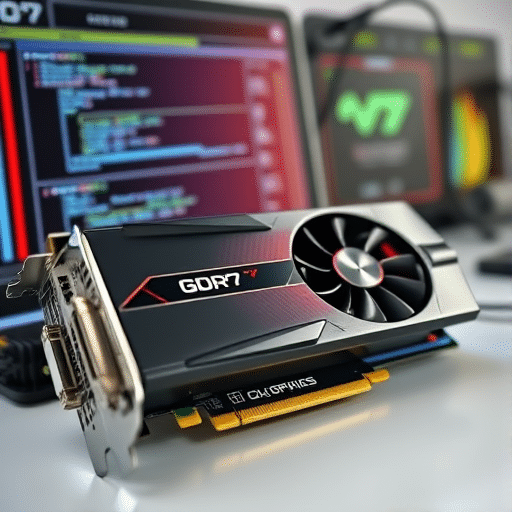
One caution: not all eGPU enclosures are equal. Some so-called “graphics docks” actually use laptop MXM modules or proprietary cards. For 2026, buy an enclosure that supports standard desktop graphics cards. That gives you the flexibility to upgrade every generation without replacing the dock. A single enclosure with one good card will stay relevant for four to five years, which is exactly the kind of plan that makes this investment smart.
The Use Cases That Justify an eGPU for Your Handheld
It is easy to dismiss eGPUs as overkill for people with too much disposable income. But the Steam Deck 2 audience is not just playing lighter indie games at 800p. As the handheld hardware pushes into more demanding territory, players want the same library to shine at home. Here are the scenarios where this upgrade truly shines.
Home Desktop Replacement
Imagine arriving home after a long commute with your handheld in your bag. You drop it into a small dock on your desk, and within seconds you are looking at a 32-inch 4K monitor, full mechanical keyboard, and spatial audio speakers. It is not a different computer—it is the same device as the one you used on the bus. That seamless transition is the killer feature. No cloud streaming, no save-file syncing headaches, no second library to maintain.
Local Multiplayer and Couch Gaming
The Steam Deck 2 already supports docking for local multiplayer. But with an eGPU, the handheld can run four-player split-screen games at higher resolutions and stable frame rates. Party games that tank the integrated GPU become playable without another console. This is the hidden gem for households that want a family gaming hub without a big, power-hungry PC in the living room.
Creative Work and AI Hobby Projects
When the dock is connected, the external GPU is also available for non-gaming tasks. Users can run Stable Diffusion locally, in real time. They can render 3D models for 3D printing, encode video faster, or tinker with machine learning workloads. The convenience of having a CUDA-compatible GPU that is only present when you need it is both a cost saver and a creative enabler.
The Real Cost and Portability Trade-Offs
There is no way around the fact that an eGPU dock adds weight and expense to your setup. Most enclosures weigh between two and four kilograms, and they are not something you will shove into a backpack. But that is exactly why the concept of a “docked” handheld makes more sense than trying to make the handheld itself bigger. You get all the portable joy when you are out and all the desktop performance when you are in.
Power consumption is worth mentioning too. A high-end eGPU can draw 300 watts under load, which is nothing like a handheld’s 15–20 watts. This is not a con if you care about the environment, because you only consume that power when you are actively using the dock. The average gaming session on a desktop PC pulls that wattage anyway. With a docked handheld, the system idles in the single digits when you are not gaming, making it arguably more energy-efficient than a permanently running battle station.
The 2026 Ecosystem: More Docks, More PCIe Lanes, Less Friction
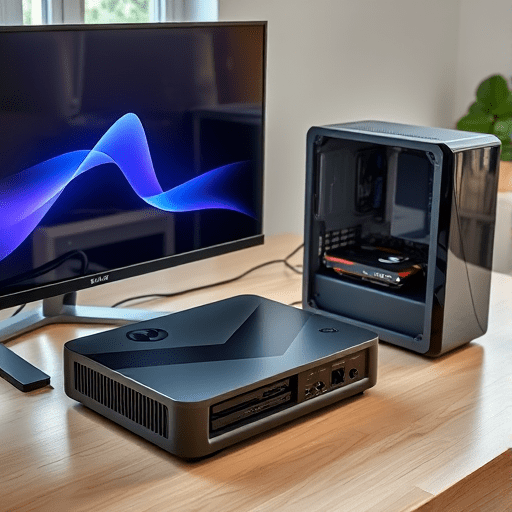
The biggest shift this year is the abundance of eGPU options designed specifically for handhelds. We are seeing slim docks that are only slightly larger than the handheld itself, complete with a built-in power supply and an M.2 slot for extra storage. Some even include a small display stand so the entire rig folds into a clamshell unit that looks like a laptop hybrid. The market has moved beyond one-size-fits-all Thunderbolt boxes.
For the performance purist, OcuLink is worth a look. It provides dedicated PCIe 4.0 x4 lanes without the overhead of Thunderbolt’s protocol conversion. While USB4 is universal and fine for most cards, OcuLink offers that extra 5–10% performance with a lighter, simpler cable. The ideal setup uses a dock that supports both. That way, you can use OcuLink at home for maximum throughput and USB4 when you need broad compatibility.
Conclusion
External graphics docks are no longer a niche accessory for early adopters. They are the logical answer to the one major compromise handhelds still face. By pairing the portable grace of Steam Deck 2 with a desktop graphics card, you get a device that adapts to your context—inside or outside, at the desk or on the couch. As the hardware and software mature, the eGPU upgrade takes on a quiet inevitability. It is the hidden upgrade that finally blurs the line between mobile gaming and full-scale computing.