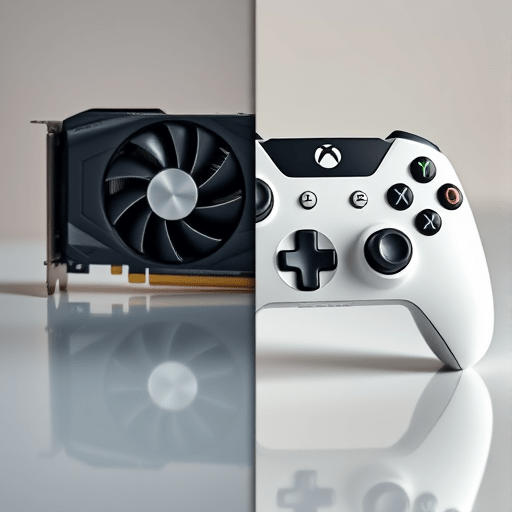
The 2026 gaming hardware question isn’t simply whether to upgrade GPU vs buy console — it’s about timing, game library, and what you actually see on screen. With ray tracing now a standard checkbox on both PC and console, and with frame rates still split between performance and quality modes, the upgrade path has become more complicated than ever. Buying a new GPU only to find that console backward compatibility covers your old games better, or grabbing a console when your current PC still has enough rasterizing power, are both common mistakes. This guide walks through the least wasteful route: matching your next purchase to your specific gaming priorities rather than to marketing hype.
Ray Tracing: Why the Gap Between GPU and Console Is No Longer Obvious
For the last few years, ray tracing was the easiest reason to justify a GPU upgrade. High-end graphics cards could handle ray-traced reflections, shadows, and global illumination with a level of fidelity that consoles simply couldn’t match at playable frame rates. That gap has narrowed considerably in 2026. Current-gen consoles, especially the mid-generation refreshes, include custom ray tracing accelerators that have matured enough to handle diagonal reflections and indirect lighting in a way that looks close to a desktop GPU’s output — at least in optimized titles.
But “close” is not the same as “equal.” The technical difference lies in the number of rays sampled, the BVH traversal speed, and the resolution of ray-traced effects. A dedicated GPU still wins when you push ray tracing to high settings at native 4K with path tracing or global illumination enabled. The console versions of the same games usually scale down ray tracing resolution, reduce draw distances, or rely on a hybrid rasterized/ray-traced mix. So if your primary interest is path-traced lighting in the newest AAA releases, an upgrade to a mid-range or high-end GPU still makes sense. If you’re relying on ray-traced reflections only in a handful of multiplayer titles, a new console will likely deliver a satisfying experience without a new GPU.
The smarter test is to check whether the specific games you play actually benefit from the GPU upgrade. Ray tracing performance in 2026 is highly game-dependent. Some engines have moved aggressively to hardware-accelerated ray tracing; others still use it only as a optional garnish. Before buying, look up benchmark comparisons for the exact titles in your backlog. If the ray tracing difference is less than a 30% frame rate delta, the GPU upgrade won’t convert into a visible visual improvement on your display.
Frame Rates: The Real “Feels Different” Threshold
Frame rate expectations have shifted, and that directly affects the upgrade GPU vs buy console decision. The old debate between 30 FPS for “quality” and 60 FPS for “performance” is now a three-way split. Many console games offer a “40 FPS” mode that runs at 120Hz output, allowing higher visual settings with a smoother feel than 30 FPS without the huge rendering cost of 60. On PC, 144Hz and 240Hz monitors are standard for competitive play, and 100+ FPS is no longer reserved for esports titles.
If you already own a monitor with a 144Hz refresh rate and a GPU that routinely hits 80–100 FPS in the games you play, the frame rate argument for a new GPU is weak. You may perceive a slight improvement at 120 FPS, but the jump from 80 to 120 is far less transformative than the jump from 30 to 60. A console might be a better companion device for those exclusives that run at locked 60 FPS with ray tracing enabled. Consoles in 2026 have also become better at maintaining stable frame pacing, which makes 60 FPS feel closer to PC 60 FPS than in past generations.
Conversely, if you’re targeting 4K/120 FPS with high settings and all ray tracing options enabled, no console on the market will get you there. That remains a PC-only achievement and justifies a GPU upgrade. But ask yourself whether your television or monitor actually supports that target. If you’re still using a standard 60Hz display, paying for a high-end GPU is a literal waste — refresh rate is the boundary you’ll hit first.
Backward Compatibility: The Silent Deciding Factor
Backward compatibility is often treated as a bonus, but for many players it determines which purchase makes sense in 2026. On the console side, the modern platforms continue to support a large catalog of older games, with improved frame rates and resolved loading times. For players with a deep digital library, this means a new console is effectively a whole-generation upgrade — every old game you purchase from previous console generations is still there. The compatibility layer is also more reliable off the shelf than a PC setup, where older titles may need compatibility patches, third-party wrappers, or community fixes.
PC backward compatibility is broader in theory but messier in practice. A GPU upgrade does not inherently break older games, but driver support and rendering APIs can create odd bugs. For example, some older DirectX 9/10 titles struggle on the latest hardware, and forcing them to run with modern ray tracing or mesh shaders can cause visual glitches. That said, PC has a massive advantage in modding, and many old games have received fan-made HD texture packs and engine fixes that build on the community’s ability to tweak the rendering pipeline. If you’ve invested years into a Steam library with a lot of indies and classic titles, a GPU upgrade is the safer bet because the system you already have will still run them.
When comparing backward compatibility, ask: Which platform owns the games you play most? If your console library spans multiple generations, the newer console will almost certainly preserve that catalog. If your library is a mix of digital PC games, GOG classics, and emulated titles, your existing CPU and motherboard may be worth more than the console’s curated list. This is the easiest way to avoid an upgrade that strands you with games you can’t play anymore.
Cost per Frame and Ecosystem Lock-in: Upgrade GPU vs Buy Console in 2026
Price-to-performance in 2026 is not simply a per-frame calculation. A console’s upfront cost looks attractive compared to a GPU upgrade, especially when you factor in the PSU, cooling, and perhaps a new case that sometimes accompany a desktop GPU replacement. But the ecosystem lock-in matters. Console games are still generally more expensive at launch, and subscription services add a recurring cost. PC has higher upfront hardware costs but sales are more frequent and platform-agnostic competition keeps prices in check. If you already have a gaming PC, the cost of a GPU upgrade in isolation can be lower than buying a whole new console, assuming your current processor, RAM, and power supply are sufficient.
Don’t forget monitor and controller costs, either. A $500 console on a 4K TV that you already own is a very different total than a $700 GPU on a $400 monitor with a $50 adapter for a controller. Good hardware decisions in 2026 are about the whole system, not just the box that renders the graphics. The least wasteful path is almost always one that uses the components you already own and addresses exactly one bottleneck: a GPU that’s too weak for ray tracing, or a console library that’s no longer supported by your current hardware.
The Practical Upgrade Decision Tree
If you’re still uncertain, use this simple mental filter for your decision. First, list your ten most played games from the last year. If at least half of them are available on console and none of them demand high-end PC-specific features like ultrawide support or advanced mods, buying a console is probably the better value. Conversely, if your list is full of PC-first titles, strategy games, MMOs, or indie games that benefit from a keyboard and mouse, a GPU upgrade is the more targeted move.
Next, check your current GPU utilization and frame times. If your GPU is running at 95%+ utilization and your frame rate still dips below your monitor’s refresh rate, the upgrade will yield immediate results. If your GPU often sits below 70% because your CPU is the limiting factor, a new GPU will not help — you’d need a platform upgrade, and that changes the comparison completely. In that scenario, buying a console might be smarter because it bypasses the entire upgrade chain until you are ready to build a new PC.
Finally, consider the resale or repurpose angle. A previous-generation console can become a dedicated media player or a second-room gaming device. An old GPU can be moved to a secondary PC or set up for streaming to a laptop or Steam Deck. The most wasted upgrade is one that forces you to replace something else shortly after. Think about your hardware as an ecosystem, not as individual parts.
Conclusion
Upgrading your GPU or buying a new console in 2026 is less about absolute performance and more about which device matches the way you already play. Ray tracing is no longer a clear PC-only field, frame rates are strong on both sides in different ways, and backward compatibility is the silent separator that often matters more. By measuring your game library, your display, and your existing bottlenecks first, you can make the right call without wasting money on hardware that only looks good in benchmark charts.