
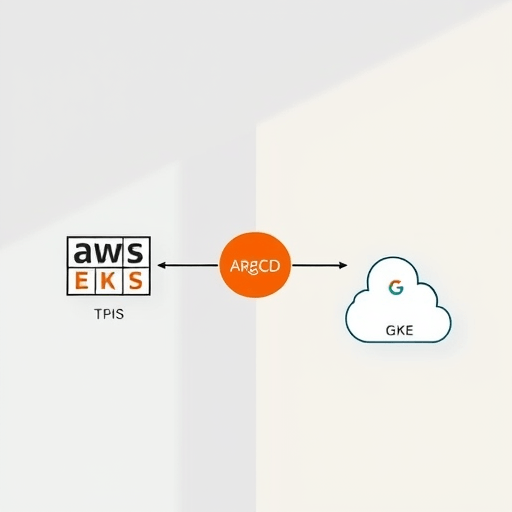
The promise of multi-cloud is alluring: unmatched resilience, geographic redundancy, and ultimate negotiating power with vendors. Yet, for many teams, it quickly becomes an operational nightmare. Juggling AWS EKS and Google Cloud GKE often means maintaining two distinct CI/CD pipelines, wrestling with incompatible service integrations, and watching configuration drift silently creep in. The solution isn’t to standardize on a single cloud—it’s to standardize on the process. In this guide, you will learn exactly how to deploy to EKS and GKE with ArgoCD, establishing a single-pipeline GitOps workflow that keeps your workloads portable, identical, and free from the strategic risks of cloud-provider lock-in.
Why Multi-Cloud Kubernetes Needs a Unified GitOps Strategy
Why does multi-cloud Kubernetes remain so difficult in the current platform engineering era? Because most teams treat each cluster as a separate kingdom. They build standalone delivery pipelines, use cloud-native monitoring stacks, and manually manage manifests via `kubectl`. This creates a substantial cognitive load, forces teams to become experts in parallel ecosystems, and dramatically increases the probability of errors during failover or migration scenarios.
A unified GitOps strategy dissolves this complexity. By declaring the entire desired state of every cluster in a single Git repository, you create an immutable audit trail and a neutral execution layer. This layer standardizes how deployments happen across AWS and GCP, ensuring that the route-to-production for an application is identical regardless of the underlying cloud provider.
- No Provider Lock-in: Your CI/CD pipeline only speaks Git and Kubernetes APIs, not proprietary cloud service APIs.
- Configuration Consistency: The same base manifests are applied everywhere, eliminating environment-specific snowflakes.
- Operational Agility: Day-2 operations like patching, scaling, and rollbacks are performed uniformly across all clusters.
Architecting the Single Pipeline: Core Components
Before stepping into the workflow, it is essential to understand the architecture of a portable multi-cloud GitOps pipeline. At its core, this approach separates the control plane from the workload plane.
The control plane runs ArgoCD, which acts as the single source of truth and the execution engine. This can be hosted on a small, dedicated cluster—either on-premises or on any cloud provider. The workload plane consists of your registered EKS and GKE clusters. These clusters remain completely independent, running only their intended workloads, while the ArgoCD control plane holds the keys to orchestrate them.
The ApplicationSet Controller: The Game-Changer
The secret sauce for managing multiple clusters without duplicating configs is the ApplicationSet controller. It allows you to template ArgoCD Application definitions, dynamically generating a target Application for each cluster. Using generators, you can feed a list of cluster names and cloud providers into the template, enabling a single ApplicationSet manifest to manage deployments to every environment you own.
Step-by-Step: Deploying Identical Workloads to EKS and GKE
Let’s walk through the concrete steps to connect a live EKS cluster and a live GKE cluster to a single ArgoCD instance and deploy identical applications to both—using one unified pipeline.
Prerequisites
- Two Kubernetes clusters: one named
eks-prodand one namedgke-prod. - A functioning ArgoCD instance (v2.8 or later recommended).
- The ArgoCD CLI and
kubectlconfigured with local contexts for both clusters. - A Git repository (GitHub, GitLab, or Bitbucket) to host your Kubernetes manifests.
Step 1: Register Your EKS and GKE Clusters with ArgoCD
First, ensure your local kubectl can reach both clusters. Then, register them with your central ArgoCD instance. This securely stores the credentials needed to deploy to each cluster.
argocd cluster add eks-prod --name eks-prod
argocd cluster add gke-prod --name gke-prod
Once executed, ArgoCD gains the ability to deploy to both clusters as if they were extensions of a single fleet.
Step 2: Structure Your Git Repository for Overlays
How you structure your repository determines how scalable your multi-cloud strategy will be. Avoid copy-pasting entire YAML files into separate cloud folders. Instead, embrace Kustomize or Helm to define a base and then use overlays for any minimal provider-specific tweaks.
apps/
  └── nginx/
      ├── base/
      │   ├── deployment.yaml
      │   └── service.yaml
      └── overlays/
          ├── aws/
          │   └── kustomization.yaml
          └── gcp/
              └── kustomization.yaml
This structure ensures that your core application logic—containers, labels, replicas—lives only once, while cloud-specific values remain isolated and controlled.
Step 3: Leverage ApplicationSets for Dynamic Targeting
Now, we create the crown jewel of our single pipeline: the ApplicationSet manifest. This declaratively tells ArgoCD to generate an Application for every defined cluster and point it to the correct overlay.
apiVersion: argoproj.io/v1alpha1
kind: ApplicationSet
metadata:
  name: multi-cloud-apps
  namespace: argocd
spec:
  generators:
    - list:
        elements:
          - name: eks-prod
            cloud: aws
          - name: gke-prod
            cloud: gcp
  template:
    metadata:
      name: '{{name}}-nginx'
    spec:
      project: default
      source:
        repoURL: https://github.com/your-org/multi-cloud-gitops
        targetRevision: HEAD
        path: 'apps/nginx/overlays/{{cloud}}'
      destination:
        name: '{{name}}'
      syncPolicy:
        automated:
          prune: true
          selfHeal: true
Once committed, ArgoCD automatically creates two Applications, eks-prod-nginx and gke-prod-nginx. It will immediately sync your desired state to both clouds and continuously reconcile any drift.
Step 4: Handle Cloud-Specific Configurations Without Divergence
True portability doesn’t mean ignoring the underlying infrastructure. It means handling differences in a controlled, declarative manner. For instance, AWS may require the AWS Load Balancer Controller annotation for an NLB, while GCP uses its native ingress controller.
Inside your overlays/aws and overlays/gcp kustomization files, you can inject the correct annotations, storage classes, or node selectors. The pipeline stays exactly the same—only the declarative input varies. This prevents the codebase from forking into divergent branches while still leveraging each cloud’s native advantages.
Step 5: Syncing, Observing, and Rolling Back
Sync is now a push-button exercise. In the ArgoCD UI, you can view the live state of both EKS and GKE resources side-by-side. However, because Git is the absolute source of truth, a “sync” is simply a replay of a commit. If a deployment fails, your rollback strategy is as simple as git revert. ArgoCD will automatically catch the drift and revert the failed state to the previous healthy commit.
Best Practices for Multi-Cloud GitOps in the Current Era
As platform ecosystems mature, running a pure GitOps model on multiple clouds requires looking beyond just the deployment mechanics. To maximize the value of your single-pipeline strategy, adopt these modern practices:
- Integrate External Secrets: Cloud-native secret management varies wildly. Use the External Secrets Operator to sync cloud-specific secrets (like AWS Secrets Manager or GCP Secret Manager) into Kubernetes while keeping the Git repository free of sensitive data.
- Enforce Policy as Code: Use Kyverno or OPA Gatekeeper to enforce baseline security and compliance policies across all clusters. Applying policies centrally ensures that drift doesn’t create security gaps.
- Embrace Progressive Delivery: Use Argo Rollouts integrated with your ApplicationSet. Deploying a canary release concurrently to EKS and GKE can test multi-cloud resilience before exposing the new version to full traffic.
- Simulate Failure Regularly: The ultimate test of lock-in avoidance is chaos engineering. Use tools like LitmusChaos to intentionally break one region or cluster, proving that your unified pipeline can quickly resync or failover without vendor-specific intervention.
Cloud lock-in isn’t a binary state; it’s a spectrum that reflects your operational dependencies. By choosing to deploy to EKS and GKE with ArgoCD, you dramatically reduce the strategic risk of coupling your core workloads to a single provider’s proprietary tooling. Your pipeline is just Git, your infrastructure is standard Kubernetes, and your operations are driven by a control plane that sits comfortably above the cloud wars. That operational independence—being able to choose where workloads run based on cost, latency, or capability—is the true competitive advantage of a modern platform engineering team.


