The most powerful travel hack is not a new food app or a viral listicle—it is the language setting inside your existing Google Maps. When you use Google Maps in local language to find hidden eateries, the platform stops treating you as a tourist and starts treating you as a resident. Every search, review, and recommendation reshuffles around the words people actually speak on the street, not the ones engraved in tour guides. Most travelers never touch this setting, and that is exactly why the best neighborhood food stays invisible to them.
Why English-Language Maps Show You a Tourist Fringe
Google Maps is not a neutral map. It ranks places based on engagement, review velocity, and search habits. When you type “best food near me” in English, you are filtering the entire map through the behavior of other English-speaking travelers. The results skew toward places that already collect foreign reviews, have branded signage, and sit in guidebook-friendly lanes. Meanwhile, a family-run noodle stall that has served the same three streets for thirty years never appears, because its Google presence is built entirely in the local dialect.
That invisibility is not a technical flaw; it is a selection effect. The map shows you what your language bubble has already discovered. Here is what often gets left out:
- Sidewalk stalls with hand-painted menus and no English signage
- Second-floor family kitchens that advertise only on neighborhood boards
- Markets stalls whose daily specials are written on laminated paper
- Evening-only eateries that open after the tourist crowd goes home
- Bakeries and coffee shops still using the previous generation’s storefront
The locations exist inside Google’s databases. They simply sit beyond the reach of an English query.
The One-Time Setting That Rewrites the Entire Map
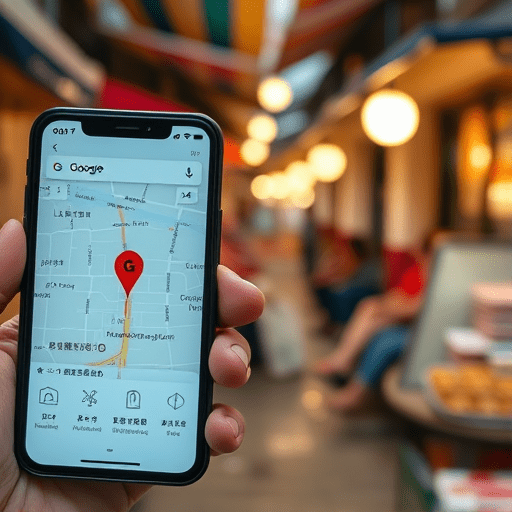
Instead of changing your region or zooming manually, you can switch the app language once and watch the map re-sort itself. The current version of Google Maps fully supports per-app language settings, so you can translate your entire interface to the local dialect without affecting the rest of your phone. Do this before you arrive, not after you land, so your offline map and saved places also follow the new language.
How to change the language on your phone
- Open Google Maps and tap your profile icon.
- Go to Settings, then App language or Language, depending on your device version.
- Select the local language, such as Thai, Greek, or Japanese.
- Allow the app to restart and rebuild the map interface.
- Download the offline translation pack for that language as a safety net.
Italian markets, Osaka alleyways, and Oaxacan food plazas all look completely different once the search field matches the local keyboard.
What the switch really does behind the scenes
Changing the language does more than translate buttons. The platform re-estimates your intent and begins suggesting place names in their local script. Categories become native idioms, so you no longer search for “dessert” but for the word a grandmother would use to describe a specific fried dough. The map still shows popular places, but popularity is now measured through local reviews, local photos, and local check-ins. Your perspective shifts from the outside looking in to the inside looking around.
The Local Map Has a Different Semantic Layer
Search engines and map platforms treat words as doors. English words open English-style categories: café, restaurant, bar. Local words open doors that simply do not exist in the English index. From “rezeki” in Malaysia to “cuchitrí” in Lima to “izakaya” in Japan, the local language carries meaning about portions, atmosphere, and pure function that no translation can recreate.
When you search in the local language, the map surfaces businesses that have chosen to describe themselves in that language. It also honors the casual labels that residents use for popular food spots. You start finding eateries by their neighborhood nickname, their street corner reference, or their owner’s name—not by a polished marketing profile.
Search Like a Local, Review Like a Local
A simple translation of your search term is not enough. You need to mirror the way residents talk about food, which means using specific markers in the local language.
Quoted phrases unlock the deepest layers
Type the local category or dish name in quotes, like “menya” or “casero,” and let the map return only exact matches. Combine it with a neighborhood name to narrow the results. Instead of “cheap eats near the temple,” try the local phrase for “home-style food” followed by the street name. The results look humble, and that is the point.
Read three-star reviews, not five-star ones
Tourists rate in extremes. The three-star review written in the local language reveals the truth: the soup is too salty for some, the queue is worth it for others, and the owner rarely smiles but always remembers regulars. These reviews also mention changes in portion size, price increases, and whether the dish still tastes like the old days. In the local-language layer, even negative reviews are cultural guides.
The Translation Comeback: Friction Is the Feature
The strongest excuse travelers use for not switching languages is that they cannot read the menu. But the current Google Maps has folded live translation into its camera view, turning glass-fronted counters and handwritten specials boards into readable text. You point your phone, tap the translate icon, and the local script becomes meaning in front of your eyes. The app no longer expects you to speak the language; it only expects you to be curious enough to look.
This makes the local-language map not just for linguists but for anyone willing to slow down. The hidden eateries become accessible because the technology handles the grammar while you handle the appetite.
A Few Steps to Keep the Map Honest
Local-language maps are still imperfect. The algorithm uses popularity signals that can favor trendy spots over quiet institutions. A place with high review volume in the local language may still be a tourist trap if it has mastered the platform. Check for clues that the clientele is genuinely local: opening hours that close in the afternoon, handwritten specials, a counterspace full of regular customers. And if you have food allergies or restrictions, translate those carefully before arriving because local-language listings rarely mention them in English.
Conclusion
Switching the language of Google Maps is a small action with a large consequence. You stop asking the algorithm what other travelers liked and start asking it what a neighborhood has always treasured. The hidden eateries were never hidden from the map itself; they were hidden only from the language you used to search. Change that one setting, and the entire street begins to look like an invitation.