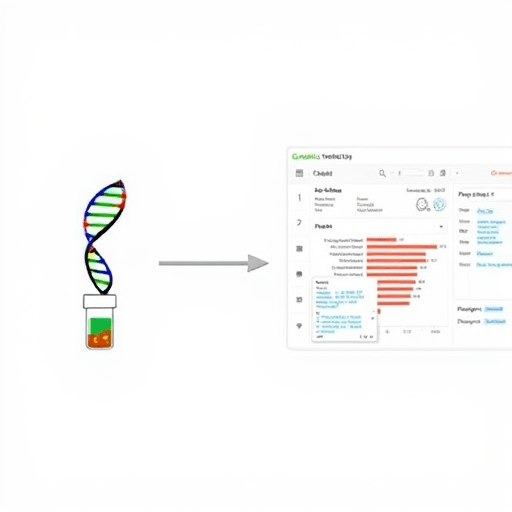
Integrating genomic data with EHRs using FHIR is one of the most valuable skills for health IT teams in the era of precision medicine. This beginner’s tutorial focuses on the FHIR Genomics resources and operations you need to turn a raw variant call into a structured, EHR-readable clinical result. Instead of treating genomics as a file-exchange problem, you’ll learn a workflow-oriented approach that scales across pharmacogenomics, hereditary disease panels, and oncology.
Why FHIR Genomics Is More Than a Data Model
FHIR Genomics is not just a set of profiles; it is a shared language for representing the full arc of a genomic test. A patient has a sample, the sample is sequenced, a variant is identified, and a clinician needs to act. FHIR gives each of those steps a standard resource and a standard set of interactions. When you understand the resources and operations together, you can build an integration that works not only for one lab or one EHR, but for the wider health data ecosystem.
The key mental shift is to move away from delivering a PDF or VCF file into a cluttered document list. Instead, model the genomic finding as discrete observations, attach them to a report, and let EHR systems query variant-level data directly. That is the practical promise of FHIR Genomics.
Core FHIR Genomics Resources You Should Know
Before you write any code, take time to map your lab’s data into the core FHIR resources. These are the building blocks of your integration:
- Patient: The subject of the genomic test. Every Observation and DiagnosticReport must reference a Patient.
- Specimen: The physical sample, usually blood or saliva. It connects the ordered test to the analytical result and supports provenance.
- MolecularSequence (or BioSequence in FHIR R5): The raw nucleotide-level representation. Use this for reference sequences, variant coordinates, and alignment-style data. For most health system integrations, you will not need to send the full sequence; you will send focused variant calls.
- Observation: The discrete genetic finding, such as a CYP2C19 genotype, a BRCA1 pathogenic variant, or a tumor mutation burden score. This is the resource that EHR decision support can consume.
- DiagnosticReport: The container that groups Observations, Specimen, Patient, and the lab’s interpretation. Clinicians see the DiagnosticReport; applications consume the Observations inside it.
- GenomicStudy: A newer FHIR resource that captures the test order, the analysis workflow, and the link between a cohort and its genomic results. It is especially useful when integrating genomic data from research or large-panel testing into clinical care.
For a beginner, the most important pair is Observation and DiagnosticReport. The MolecularSequence resource matters for interoperability with bioinformatics pipelines, but the EHR usually needs discrete observations that can be surfaced in a problem list or a precision medicine alert.
Step-by-Step Workflow for a Genomic Result
Let’s walk through a small but realistic example: a CYP2C19 pharmacogenomic test. You have a patient, a specimen, and a lab result that reports a *1/*2 genotype. Here is how you would integrate that result using FHIR Genomics resources.
Step 1: Create the Specimen and Patient context
Start with the Patient. If the patient already exists in the EHR, resolve their FHIR Patient.id before submitting any genomic resources. Then create a Specimen that references the patient and records the collection date. Many lab integrations skip this step, but including the Specimen makes the result trustworthy and auditable.
Step 2: Model the genotype as an Observation
Use LOINC codes to make the observation meaningful across EHRs. A simplified Observation might look like this:
{
  "resourceType": "Observation",
  "id": "cyp2c19-1",
  "status": "final",
  "code": {
    "coding": [
      {
        "system": "http://loinc.org",
        "code": "75782-6",
        "display": "CYP2C19 genotype [Type]"
      }
    ]
  },
  "subject": {
    "reference": "Patient/genomic-patient"
  },
  "valueCodeableConcept": {
    "coding": [
      {
        "system": "https://www.pharmvar.org/",
        "code": "CYP2C19*1/*2",
        "display": "CYP2C19 *1/*2"
      }
    ]
  }
}
This creates a computable, EHR-readable result. The nurse or physician does not need to open a separate lab portal to see that the patient is an intermediate metabolizer.
Step 3: Bundle the variant with its report
Next, create a DiagnosticReport that links to the Observation. Set the report status to final, include the conclusion text, and use result references to point to your Observation resources. If the lab also produced a PDF, attach it as a DocumentReference and link that to the DiagnosticReport.
Step 4: Add molecular sequence detail when needed
If your use case requires exact variant coordinates, add a MolecularSequence resource. Keep it simple: use the patient reference, a coordinate system like GRCh38, and a variant list with the gene symbol, HGVS expression, and the allele frequencies. This resource is useful for bioinformatics exchanges but is not required for every clinical decision.
FHIR Operations That Make Genomic Exchange Practical
Knowing the resources is only half of the story. FHIR operations define how you create, validate, query, and translate genomic data. Here are the operations that matter most in a beginner’s toolkit.
- RESTful create and update: Use
POSTto create a Specimen, Observation, and DiagnosticReport. UsePUTto update a result when the lab makes a revision. - Search: Query all genomic Observations for a single patient with
Observation?subject=Patient/example. Addcodeto find a specific genetic test. - $validate: Before you submit resources to a production EHR, run the FHIR profile validator. The
$validateoperation will tell you whether a resource conforms to the genomics profiles your organization has adopted. - $expand: Use a FHIR terminology server to expand a value set. For example, you can expand a value set of CYP2C19 phenotype codes and confirm that the value you are sending is in the allowed set.
- $lookup and $translate: Use these operations to resolve local lab codes to LOINC, SNOMED CT, or PharmVar. This is critical because many labs still send internal codes that an EHR cannot interpret.
- Transaction bundles: Wrap the Specimen, Observation, and DiagnosticReport into a single
Bundlewith typetransaction. This ensures that the entire genomic result is created atomically.
These operations are not hypothetical. In a typical integration, you will rely on $validate in your staging environment, $lookup in your translation layer, and a transaction bundle when you push results to the EHR. If you are using SMART on FHIR, these same operations can be authorized with a patient context and launched from inside an EHR workflow.
Practical Advice for Your First FHIR Genomics Integration
If you are building your first integration, start with a single test, a small patient cohort, and a clear clinical question. Do not try to model every chromosome in one release. Instead, identify which observations bring the highest value to clinicians: actionable pharmacogenomic variants, hereditary cancer mutations, or tumor biomarkers.
Next, work with your lab to define a clean mapping from the lab’s internal format to FHIR. Some labs will provide a HL7 v2 message with an embedded PDF, while others will expose JSON from a bioinformatics pipeline. You need to know which fields correspond to the gene symbol, the variant description, the zygosity, and the clinical interpretation. Build a mapping table, then encode that mapping into a small FHIR profile.
Another practical tip: keep raw sequence files outside the FHIR API. VCF, BAM, and FASTQ files are large and require specialized storage. Use FHIR to exchange the clinical interpretation and the discrete variant calls, and store the raw data in a genomics archive that you link to using a DocumentReference or a MolecularSequence extension. This keeps the EHR responsive and the data lineage intact.
Finally, test with real profiles and real terminology. The FHIR specification gives you flexibility, but your production system should enforce local implementation guides. Run $validate on every resource before performing a transaction bundle. Then verify that the EHR’s decision support rules can read the exact code you are sending.
Conclusion
Integrating genomic data into EHRs using FHIR becomes manageable when you focus on core resources and repeatable operations. Start with a Patient, a Specimen, and a discrete Observation, then wrap those resources in a DiagnosticReport and use standard FHIR operations for validation and terminology. The result is a clinical workflow that makes genomic data as accessible as a lab value, not a mysterious external file.