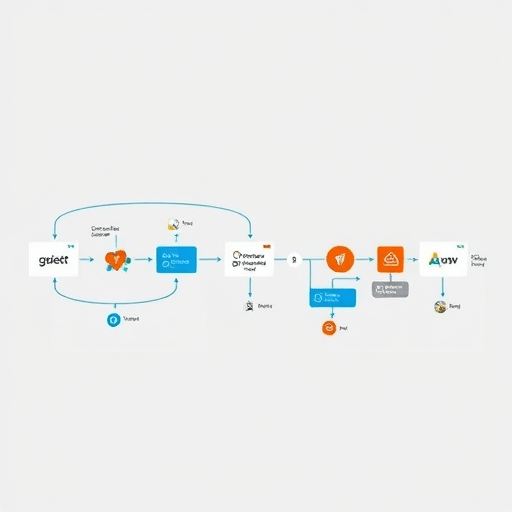
When working with genomic data, the step of annotating genetic variants can become a bottleneck if handled manually. Automate Variant Annotation Pipelines with Nextflow not only speeds up processing but also ensures reproducibility and reduces the risk of human error. This guide walks you through the best practices for building a robust, cloud‑aware annotation workflow in 2026, using Nextflow’s declarative syntax, containerization, and dynamic resource allocation.
Why Nextflow for Variant Annotation?
Nextflow’s strengths make it ideal for variant annotation:
- Portable execution – Run the same pipeline locally, on-premises, or in the cloud without changing code.
- Container integration – Docker or Singularity images keep tool versions locked, eliminating dependency drift.
- Scalable parallelism – Each sample can be processed in parallel, harnessing multi‑core CPUs and GPU instances where available.
- Dynamic resource allocation – Spot instances and auto‑scaling groups lower costs while maintaining throughput.
- Version control & CI integration – Nextflow’s versioned processes and automated testing frameworks keep pipelines reliable over time.
Building a Modular Annotation Pipeline
The foundation of a maintainable workflow is a clear separation of concerns. Break the annotation pipeline into discrete, reusable processes: file ingestion, quality filtering, variant calling, functional annotation, and result aggregation. Each process should be a single responsibility unit with defined inputs and outputs, making it easy to swap tools or parameters.
Below is an outline of a typical annotation workflow in Nextflow:
load_bam– Ingest BAM files and extract metadata.filter_variants– Apply hard filters or VQSR models.annotate_snpEff– Run SnpEff for gene‑level annotations.annotate_vardict– Use VarDict or other tools for structural variants.merge_annotations– Consolidate results into a VCF or TSV.
Each process is defined in its own block, and Nextflow’s channel system manages data flow. This modularity also aids in parallel execution; a new sample can enter the pipeline without waiting for other samples to finish annotation.
Defining Process Parameters
To keep the pipeline flexible, externalize parameters via a JSON or YAML configuration file. This allows you to tweak reference genome versions, annotation databases, or quality thresholds without editing the Nextflow script. Example:
{
  "ref_genome": "GRCh38.p13",
  "annotation_db": "dbSNP_151",
  "min_depth": 10,
  "min_quality": 30
}
Nextflow automatically injects these values into processes, and you can even expose them as command‑line flags for quick overrides.
Integrating Cloud Resources and Spot Instances
2026 genomics projects often require scaling to thousands of samples. Leveraging spot instances in AWS, GCP, or Azure can cut costs by up to 70%. Nextflow’s process.executor directive and resource annotations enable fine‑grained control.
process.executor = 'slurm'– Submit jobs to a cluster scheduler.process.memory = '4 GB'– Request specific memory per task.process.time = '2h'– Set a timeout to prevent runaway jobs.
When using spot instances, include a fallback strategy. For example, if a spot instance is reclaimed, the task automatically restarts on a standard instance. Nextflow’s retry and errorStrategy options help implement this logic.
Dynamic Resource Provisioning with Terraform
Automate infrastructure deployment using Terraform modules that create spot fleets, autoscaling groups, and IAM roles. Store the Terraform state in a remote backend (e.g., S3, GCS) to ensure reproducibility across teams. By coupling Terraform with Nextflow’s conda or singularity images, you can guarantee that each job runs in an identical environment.
Version Control and Reproducibility
Git is the de facto tool for versioning pipelines. To enforce reproducibility:
- Tag releases – Each pipeline update gets a semantic tag (e.g.,
v1.2.3). - Use
nextflow runwith the tag – Run exactly the code that produced the previous results. - Store Docker/Singularity images – Push images to registries with immutable tags.
- Document environment – Use
nf-core docsor arequirements.txtfile for conda dependencies.
In addition to code versioning, you should capture all runtime metadata. Nextflow’s nextflow-info and nextflow log commands produce a JSON snapshot of the entire run, including software versions, environment variables, and resource usage. Archiving this snapshot in an object storage bucket ensures traceability for regulatory compliance.
Automated Testing and CI for Variant Pipelines
Unit tests and integration tests guard against regressions. Nextflow’s nf-test framework allows you to write tests that run subsets of your pipeline with synthetic data. Example test cases:
- Verify that the
filter_variantsprocess removes low‑quality SNPs. - Check that the
annotate_snpEffprocess returns the expected gene symbols. - Assert that the final merged VCF contains the correct number of records.
Integrate these tests into a CI pipeline (GitHub Actions, GitLab CI, or Jenkins). Trigger tests on every pull request, and only merge if all tests pass. This continuous integration practice dramatically reduces the chance of breaking downstream analyses.
Performance Benchmarking
Benchmark each process against a baseline to catch performance regressions. Use tools like time or perf to capture CPU, memory, and I/O statistics. Store the results in a CSV or a dashboard (Grafana, Kibana) to monitor trends over time. In 2026, many teams are adopting Nextflow Tower or Helm charts for centralized monitoring.
Case Study: 2026 Clinical Genomics Project
A mid‑size oncology clinic wanted to annotate 5,000 tumor–normal pairs in less than 48 hours. They adopted a Nextflow pipeline that incorporated the following features:
- Cloud‑native architecture – All jobs run on an AWS spot fleet with an on‑demand fallback.
- Containerized tools – Each process uses a Singularity image pulled from a private registry.
- Automated provenance – Every run stores its JSON metadata and pipeline version in an S3 bucket.
- Continuous testing – GitHub Actions run
nf-testsuites on every commit.
Result: Annotation throughput increased by 3×, manual QA time dropped from 10 hours to 1 hour, and reproducibility was guaranteed across all downstream reporting tools.
Future‑Proofing with GraphQL and API Hooks
As genomic data become more interoperable, pipelines should expose results via APIs. Integrating a GraphQL endpoint that streams annotation summaries allows downstream dashboards or clinical decision support systems to query data on demand. Nextflow can trigger an API call after the merge_annotations process completes, sending the aggregated TSV to a GraphQL mutation.
Future extensions might include:
- Dynamic inclusion of machine‑learning models for variant pathogenicity prediction.
- Automated submission of annotated variants to public repositories (ClinVar, dbSNP) via RESTful APIs.
- Real‑time alerts when a clinically relevant variant is detected.
Conclusion
Automating variant annotation pipelines with Nextflow empowers genomic teams to process large datasets reliably, cost‑effectively, and reproducibly. By embracing modular design, cloud scalability, rigorous version control, and automated testing, you can transform a manual, error‑prone workflow into a streamlined, auditable pipeline ready for 2026 and beyond.