
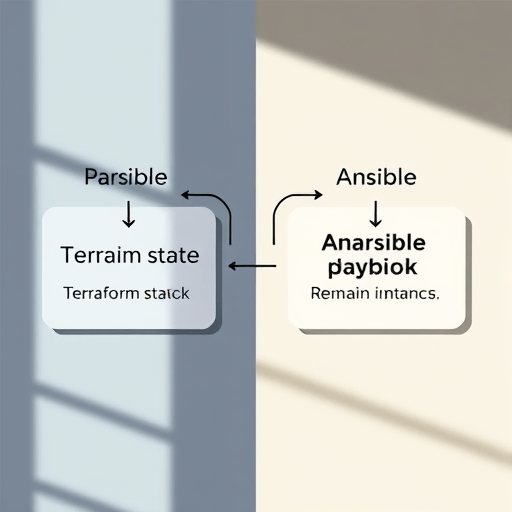
Migrating from Terraform to Pulumi without touching Ansible is becoming one of the most sought-after infrastructure workflows in 2026. Teams want Pulumi’s native programming model and better multi-cloud abstractions, but they don’t want to rewrite Ansible playbooks, inventory files, or the operational runbooks that sit alongside them. The good news? You can import existing Terraform state directly into Pulumi while keeping Ansible exactly where it is. This guide walks through the process practically, without suggesting a risky rip-and-replace.
Why Teams Are Moving to Pulumi While Keeping Ansible in 2026
Ansible remains dominant for configuration management, especially in mixed Linux/Windows estates where agents are undesirable. Terraform has always focused on infrastructure provisioning, not configuration drift. The boundary seems clean until you try to modernize one side without breaking the other. Pulumi’s language-native IaC approach appeals to platform engineers who are already writing Python, TypeScript, or Go. It gives them loops, conditionals, functions, and real testing without learning HCL’s constraints.
The key distinction in 2026 is that migration is no longer a binary decision. You can keep Ansible as the configuration layer and simply swap the provisioning engine underneath it. That means preserving your Ansible inventory, dynamic scripts, and roles while moving only Terraform code and state into Pulumi. This hybrid model reduces risk and lets teams migrate incrementally, workload by workload.
Understanding Terraform State and Ansible’s Separation of Concerns
Terraform state stores the exact mapping between your HCL code and real-world resources: instance IDs, ARNs, network interface UUIDs, and sensitive connection strings. Ansible assumes those resources already exist and focuses on packages, services, and user accounts. When you separate them, the state file becomes the bridge between provisioning and configuration.
During migration, the most common fear is that Pulumi will try to create duplicate resources, conflict with existing cloud objects, or lose the IDs that Ansible inventory depends on. To avoid that, you need to import the existing state into Pulumi so it treats those resources as managed, not new. Ansible never sees the difference—it still queries the same cloud APIs or metadata endpoints to build its inventory.
Step-by-Step: Importing Terraform State into Pulumi
Pulumi offers a few paths for adopting existing infrastructure. The most reliable for a Terraform-to-Pulumi migration is to generate Pulumi code from your HCL and then import resources using their cloud provider IDs. Here is a practical workflow that works today.
1. Convert HCL to Pulumi Code
Use pulumi convert --from terraform on your existing Terraform project. This generates the equivalent resource definitions in your chosen language (TypeScript, Python, Go, etc.). It won’t be perfect—some references may need manual adjustment—but it handles most AWS, Azure, and GCP resource mappings cleanly. Review the generated code carefully. Your Ansible inventory may depend on tags, names, or specific resource properties, so preserve those in the converted code.
2. Run an Import Preview
Pulumi’s import mechanism is designed to adopt resources without destroying them. Run pulumi import against the generated resource definitions. You can pass the provider-assigned resource IDs (like an AWS instance ID i-1234567890abcdef0 or an Azure resource ID) directly in the import command. If your state lives in a remote backend, you can extract the IDs from the Terraform state file with terraform state pull and map them to the generated code.
3. Apply the Import
Once the import preview shows no changes or only expected updates, run pulumi up. Pulumi will adopt each resource into its own state file. After the operation, your Pulumi stack knows about all existing resources exactly as Terraform did. You can then delete the Terraform state file or keep it archived for rollback. Ansible’s dynamic inventory continues to work because the cloud resources have not changed—only the management layer has.
Handling Remote State and Secrets Without Disruption
If your Terraform state is stored in S3, Azure Blob, or a Terraform Cloud workspace, you need a clean reading strategy. Pull the state locally and extract the resource IDs. For secrets, be aware that Pulumi stores encryption keys configurable via a passphrase or cloud KMS. Pulumi can import sensitive resource metadata, but you should not copy raw connection strings from Terraform state into Pulumi code. Instead, use Pulumi’s secret handling to re-apply values from your secret store, and let Ansible continue using its own vault for server-side configuration secrets.
One subtle point: if your Terraform uses terraform_remote_state to share data with other stacks, you’ll need to replace those data sources with Pulumi stack references or directly read from your Ansible inventory. Because Ansible remains the source of truth for configuration, many teams find that some remote state lookups can simply be moved into dynamic inventory scripts, further decoupling the two systems.
Keeping Ansible Inventory and Playbooks Intact
Ansible’s inventory can be static, generated by cloud plugins, or pulled from a CMDB. Since Pulumi provisions the same resources with the same names, tags, and IP addresses, your existing inventory logic keeps working. If you used Terraform output variables to feed an inventory template, you can recreate those outputs as Pulumi exports. For example, define a Pulumi output that collects public IPs from EC2 instances and writes them to the same Ansible inventory format you already use.
Playbooks that rely on connection variables like ansible_host or ansible_user are unaffected because they are part of the inventory, not Terraform. You can even add stricter validation using Ansible’s add_host or assert modules to confirm that the newly imported resources match expected attributes. The overall operational model stays exactly the same: Pulumi provisions, Ansible configures, and your CI/CD pipelines deploy both in sequence.
Common Pitfalls and How to Avoid Them
Mismatched Resource Names
Pulumi’s generated code uses the Terraform resource names, but the import step requires the actual cloud ID. If you forget to map one ID, Pulumi may attempt to create a brand-new resource. Always use pulumi preview and check for “create replacement” lines. If you see them, you missed an import mapping.
State Drift Between Terraform and Pulumi
During the migration window, do not run both Terraform and Pulumi against the same resource. Keep a maintenance window or freeze changes for that stack until the import is complete. Otherwise, you risk divergent state files and lost updates.
Ansible Dynamic Inventory Cache
If your dynamic inventory script caches results, it might serve stale data right after you delete Terraform’s state. Clear the cache or restart the control node before running playbooks. This is not a Pulumi issue, but it often surfaces during migration.
Provider Version Differences
Pulumi uses its own provider SDKs, which may be based on a different Terraform provider version. This can cause slightly different default values or parameter validation. Compare the output of pulumi refresh after import to align your code with the actual resource properties. If you see drifts, update the generated resource definitions to match reality.
Conclusion
Migrating from Terraform to Pulumi without touching Ansible is not only possible, but it can be a smooth, controlled process. By converting HCL code with pulumi convert, importing existing resource IDs with pulumi import, and keeping Ansible inventory generation as a separate output-aware step, you gain Pulumi’s richer language features without sacrificing the operational simplicity of Ansible. The real win is modularity: you can modernize your provisioning layer today while leaving configuration management untouched, reducing risk and giving your team time to adopt Pulumi gradually across other workloads.


