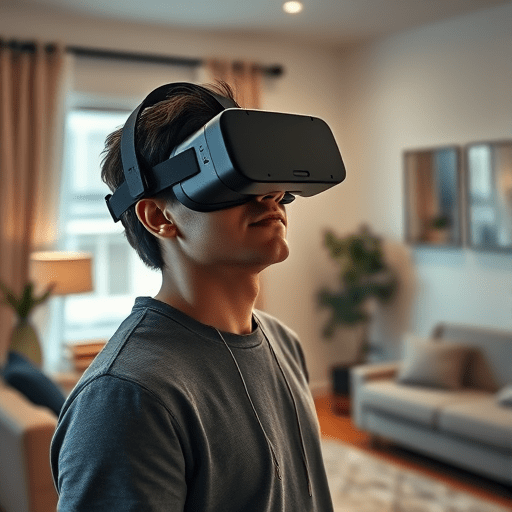
Redirected walking has long promised to let VR users explore vast virtual worlds by simply walking around. But when the physical space is a small apartment living room or a cramped home office, the illusion quickly collapses. Walls become impossible obstacles, and the user constantly breaks immersion by checking their real-world surroundings. In 2026, a quieter but more robust solution has emerged from the UX side of the field: software gaze steering. Rather than relying on complex hardware or aggressive scene rotations, this approach leverages where the user is already looking to subtly curve their walking path—making small-room VR feel almost boundless. This article examines the UX patterns that make gaze steering effective, using a concrete case study from a residential VR setup.
Why Small Rooms Break Traditional Redirected Walking
Classic redirected walking techniques manipulate the virtual camera by rotating the rendered scene slightly to push the user onto a curved physical path. In a large empty warehouse, these manipulations can stay well below the perceptual threshold. But in a small room, the user runs out of physical space long before the virtual path can bend. The classic approach becomes a game of nervous edge checking: the user glances at the guardian boundary, steps back, and the illusion of a continuous virtual world shatters.
Moreover, the gains from conventional redirection depend on the user walking in a somewhat predictable direction. In a small room, the user often makes quick turns, stops, and pivots—behaviors that leave no time for gradual scene rotations. The result is that many developers simply abandon the idea and resort to teleportation or joystick locomotion, which, while practical, sacrifice the embodied presence that makes VR compelling.
Software Gaze Steering: A Gentle, Attention-Aware Alternative
Software gaze steering flips the problem around. Instead of disguising camera rotations, it actively influences the user’s gaze—and by extension their walking direction—using visual cues, lighting, sound, and interactive objects placed deliberately in the virtual environment. The core insight is simple: people tend to walk where they look. If the virtual scene can gently guide the user’s gaze in a direction that aligns with the physical space’s largest open area, the user will naturally walk there, and redirected walking can work with a much smaller footprint.
This pattern is not about hijacking the user’s view. It is a form of nudging, sometimes called “attention redirection.” The system tracks the current gaze direction (using built-in eye tracking or head orientation) and then rearranges virtual elements to make the desirable walking direction more visually interesting. A subtle spotlight, an opening door, or a softly glowing object can do wonders. The key is that the user never feels forced; they simply follow what catches their eye.
Core UX Patterns for Gaze-Steered Redirected Walking
Several UX patterns have emerged from recent implementations. These are not rigid rules but building blocks that can be adapted to a given experience.
The Visual Anchor Pattern
A visually distinct object—a swinging lantern, a moving drone, a bright patch of moss—appears within 20 degrees of the user’s current gaze direction. The object is placed so that following it steps the user toward the open quadrant of the physical room. Once the user begins moving, the object subtly drifts sideways, leveraging the natural tendency to track it. This pattern works best when the object is diegetic, meaning it fits the virtual world’s narrative. In a fantasy game, it could be a will-o’-the-wisp; in a simulation, it could be a floating sensor drone.
The Environmental Flow Pattern
Instead of a single object, the entire environment is arranged to suggest a direction of travel. A river flows toward the open area, a floor pattern points diagonally, or a row of streetlights arcs in the desired path. This is less overt than a single anchor but more resilient when the user is not actively looking around. The environment becomes a set of arrows that only the user’s subconscious perceives. In small rooms, this pattern can be precomputed for each region of the play area, so the flow direction always points toward the largest available open space.
The Saccadic Reseat Pattern
When the user performs a quick eye movement (a saccade) or blinks, the virtual scene can be rotated by a small amount without the user noticing. This is a classic redirected walking technique, but with gaze steering it becomes more powerful: the system knows exactly when and where the user is looking, so it can rotate the scene only during brief moments of inattention. The rotation is used to “reset” the user’s path so that they are again pointing toward the center of the room. This pattern is most effective during the natural pauses in locomotion, such as when a user stops to read a sign or examine an object.
The Perceptual Threshold Whisper
Sometimes steering is not about vision at all. Orthogonal to gaze, a subtle spatial audio cue—a distant voice, a faint clock ticking—can make the user turn their head. Since head orientation tends to precede walking direction, this audio cue can be used to initiate a gentle curve. The pattern is called a whisper because it should never startle; it simply draws the user’s attention. For small rooms, the audio cue can be positioned toward the room’s open corner, effectively using the user’s proprioception as part of the steering loop.
Case Study: Gaze Steering in a 2.5m x 2.5m Living Room
In early 2026, a small development team tested a gaze-steering system in a typical urban apartment. The play area was just 2.5 by 2.5 meters, with a couch, a coffee table, and a television screen crowding the edges. The virtual experience was a corridor-based exploration game—one of the most challenging genres for a small space, since corridors imply continuous forward movement and sharp turns.
The team’s implementation used a hybrid of the visual anchor and saccadic reseat patterns. An in-world companion, a small floating AI, was tasked with leading the user along the virtual corridor. The companion’s position was not static; it continuously updated its target location in physical space based on the user’s current heading and the nearest obstacle boundary. If the user was walking toward the couch, the companion would drift left, nudging the user’s gaze to a point further into the open floor. The companion was also synchronized with the eye tracker, so it would only move when the user’s gaze was within 15 degrees of its current position—ensuring the user was already looking in the right direction before any steering began.
During periods when the user was stationary, the system applied the saccadic reseat pattern. When the user blinked or performed a quick glance down at a virtual map, the scene rotated by up to 4 degrees per saccade, gradually reorienting the user toward the center of the physical room. Over a ten-minute play session, the user’s path remained within a 1.5-meter radius of the room’s center, and no guardian boundary warnings were triggered.
What the Case Study Revealed About UX
The most striking result was that users rarely noticed the steering. In a follow-up questionnaire, none of the twelve participants reported feeling manipulated. Many attributed the smooth navigation to the “smart companion” or the “natural level design.” One participant said, “I just kept following the little robot; it never felt like I was turning, but I never hit anything.” This is a testament to the power of gaze steering: it works with the user’s attention, not against it.
However, the study also exposed a few pitfalls. The visual anchor pattern failed when the anchor was too far off-axis. If the companion moved more than 30 degrees away from the user’s gaze, the user simply did not see it. The system had to predict where the user would look next, which required a lightweight attention model trained on previous gaze data. Without that model, the steering often felt jerky. Additionally, the saccadic reseat pattern was ineffective during rapid head turns; it only worked during eye-only movements. This meant that in fast-paced action sequences, the system relied solely on the companion, which sometimes led the user into a corner.
Design Guidelines for Small-Room Gaze Steering
Based on this case study and emerging best practices, a few guidelines stand out for designers and developers working with small-room VR.
- Know your physical constraints. Map the play area and identify the largest contiguous open region. All steering should aim to keep the user within this region, with at least half a meter of margin.
- Use gaze as a primary input, not a secondary signal. The system must continuously track where the user is looking, not just head orientation. Eye tracking is now common in mainstream VR headsets, so there is no excuse for ignoring it.
- Make the steering target visually interesting. A glowing or moving object that is also narratively relevant will attract natural attention. A boring cube floating in the air may be ignored.
- Limit rotational sway during saccades. The reseat rotation should be between 2 and 5 degrees per saccade, and never applied when the user is walking quickly. Faster walking leads to greater vestibular sensitivity, so the threshold must be reduced.
- Combine steering with level design. Do not rely solely on real-time gaze manipulation. Author the virtual environment so that the most appealing path naturally curves toward the open quadrant. Even simple suggestions like floor markings or lighting changes can reduce the amount of active steering needed.
- Test with real users in their own spaces. A lab with empty floors is not a realistic benchmark. Small homes contain sofas, tables, pets, and children. Test the system under messy, real-world conditions to discover where the steering breaks down.
The Road Ahead for Gaze-Steered Redirected Walking
Gaze steering is not a silver bullet. It does not completely eliminate the need for physical space, and it cannot turn a 1-meter radius into an infinite plane. But it is a proof that redirected walking can be preserved in consumer-grade, small-room VR environments. The shift from large-scale optical illusions to attention-aware UX patterns is a major step forward. As eye tracking becomes even more accurate and head-mounted displays lighten, software gaze steering will likely become a standard tool in the VR designer’s toolkit. It is an elegant answer to the oldest problem of virtual reality: how to make a small space feel like a world.
In the end, the small room is not a limitation to be fought—it is a design constraint that invites creativity. Software gaze steering turns that constraint into an opportunity to build more attentive, more immersive, and more comfortable VR experiences. For designers, the lesson is clear: watch the user’s eyes, and the world will follow.