
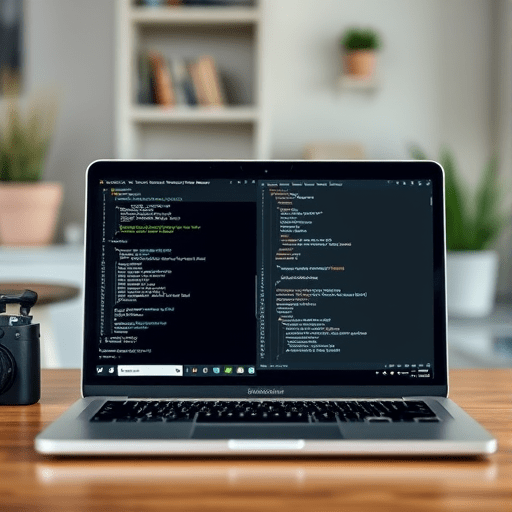
Remote-first work has transformed how developers collaborate, deploy, and debug—but many of us still carry the habits of the office era into our editing workflows. Why your next IDE should be a terminal in a remote-first world is not a question about nostalgia or keyboard shortcuts. It is a practical answer to the friction that appears when your code, your tools, and your team are spread across time zones, networks, and cloud instances. With lightweight tools like Tmux and Neovim, you can build a coding environment that stays fast, reliable, and near-identical whether you are on a train in Berlin or on a desktop in San Francisco.
For years, the default response to “what editor should I use?” was a graphical IDE with a sidebar, debugger panels, and a thousand extensions. That model made sense when your code lived on the same machine as your editor. But in a remote-first world, the code is often on a server, a container, or a virtual workspace. The moment you introduce SSH, the bulky GUI begins to show its seams.
The Hidden Cost of a Bulky GUI in Remote Development
Graphical IDEs were designed for local file systems and local processes. When you open a project on a remote server, many IDEs try to duplicate parts of that experience by running a helper process on the server, synchronizing files, and streaming UI updates back to your laptop. That approach can work, but it consumes bandwidth, memory, and attention. On a slow hotel Wi-Fi connection, every autocomplete request and file watcher event becomes a tiny delay. Over the course of a day, those delays add up to constant cognitive friction.
Terminal-based tools sidestep this problem by treating the remote host as the primary environment. Instead of moving files to your machine and then pushing them back, you simply run your editor on the server itself. Tmux keeps your session alive, and Neovim provides a fast, extensible editing experience. The only data crossing the wire is plain text, and the terminal protocol has been handling text over unreliable networks for decades.
This is not a retreat to the past. It is a deliberate move toward a thinner client workflow that prioritizes responsiveness and consistency over visual chrome.
Tmux: Persistent Sessions for an Unstable Connection
The first piece of a terminal-first workflow is Tmux. Tmux is a terminal multiplexer that runs on the remote machine and manages multiple windows and panes inside a single SSH connection. Its most important feature for remote development is session persistence. You can start a tmux session, run a dev server, open Neovim in another pane, and then disconnect. When you reconnect later, the session is still there, exactly as you left it.
This persistence changes how you handle interruptions. A dropped connection no longer means losing your place or restarting your tools. You simply reconnect and type tmux attach to return to your work. If you switch from your office laptop to a home desktop, the same session is available from anywhere that can reach your server. In a remote-first environment, that continuity is worth more than any splash screen animation a GUI IDE can offer.
Tmux also encourages a workspace structure that fits how developers actually work. In one window, you can keep a test runner with live output. In another, a shell for inspecting logs. In a third, Neovim with your code. Because everything lives in the same terminal, you never have to alt-tab between a browser, a database console, and an editor. The layout is yours to define, and it can be configured in a Tmux configuration file that follows you across machines.
Neovim: A Lightweight Editor with IDE-Grade Features
If Tmux is the container for your remote workspace, Neovim is the editor that makes the container feel modern. The old image of Vim as a cryptic tool for system administrators is outdated. Neovim has evolved into a platform that supports language servers, semantic syntax highlighting, fuzzy finders, and deep refactoring tools—all without leaving the terminal.
The key is the Language Server Protocol. Neovim can connect to the same language servers that power many graphical IDEs, giving you autocomplete, go-to-definition, hover documentation, and diagnostics inside your terminal. You do not have to sacrifice code intelligence to get the speed of a terminal. Once configured, Neovim can feel as responsive as any desktop editor, but with the advantage of running directly on the remote machine where your code executes.
Configuration and extension are also simpler in a modern way. Neovim uses Lua, a lightweight and readable scripting language, so your editor setup can be stored in a few plain-text files. That means your entire editor configuration is portable. You can copy it to a fresh server, a cloud development environment, or a colleague’s workstation without installing a multi-gigabyte application. For teams, this creates a shared baseline that is easy to review, version, and improve.
Of course, turning Neovim into a full-featured IDE requires some initial setup. The LSP installation process alone can feel intimidating if you are used to a GUI. But the payoff is an editor that starts instantly, uses a fraction of the memory, and never asks you to wait for an indexer to catch up with your larger repositories.
Building a Portable Terminal Setup with Dotfiles and SSH
One reason developers hesitate to move their development into the terminal is the fear of losing the convenience of a saved workspace or a familiar project dashboard. In a terminal-first setup, that convenience comes from your dotfiles and your SSH configuration instead of from a GUI setting panel.
Keep your Neovim configuration, Tmux configuration, shell aliases, and installation scripts in a version-controlled dotfiles repository. When you arrive at a new remote machine, you can run a single setup script to install Tmux, Neovim, a language server, and all of your plugins. If your team uses containers, you can bake these tools into a Docker image so that every developer starts with the same terminal environment.
For remote-first teams, this portability is a major operational win. New developers do not need to download a heavy IDE and then configure each extension by hand. They clone a config repo, start a terminal, and begin coding. The shared setup also reduces the “works on my machine” problem because the editor and shell behave identically across environments.
Collaboration and AI Assistance Without Leaving the Terminal
Remote work is not just about coding in isolation. Collaboration is central to almost every development team, and the terminal has become a surprisingly good place for it. Tmux can be shared by multiple users, allowing pair programming over a real-time shared shell. With the right setup, two developers can connect to the same session, see the same panes, and take turns typing in Neovim. There is no need to stream a screen or fight over control of an IDE.
Terminal-based workflows have also kept pace with the rise of AI coding assistants. Instead of a separate chat window or an IDE plugin that depends on a remote extension host, many AI tools now run directly in the terminal. You can invoke a code-generation assistant inside Neovim, receive inline suggestions, or run a CLI-based agent in a separate Tmux pane. Because the terminal is text-native, it integrates naturally with these tools and keeps the entire development loop in one place.
When a Terminal IDE Is Not the Right Tool
For all the advantages of a terminal-based IDE, there are still cases where a graphical interface wins. Visual debugging, complex database diagrams, mobile emulators, and front-end design tools often need more than plain text can provide. The goal is not to use Tmux and Neovim for every task. It is to make them the center of your remote workflow and to invoke a GUI only when a specific task truly needs it.
Many developers run a hybrid setup. They use a terminal IDE for daily coding, and they open a graphical browser or debugging tool only when they need to inspect a visual issue or connect to an external service. This approach keeps the main development loop lightweight while preserving access to tools that are genuinely irreplaceable.
Rethinking the Remote-First IDE Mindset
In a remote-first world, the terminal is not a fallback or a badge of technical purity. It is a practical environment built for the realities of distributed work: unpredictable network connections, shared servers, and the need to move between machines without losing context. Lightweight tools like Tmux and Neovim are not just nostalgic utilities; they are the foundation of a modern, portable, and resilient development process.
By shifting your next IDE into the terminal, you gain something that no GUI has been able to match: a development environment that feels the same everywhere, survives disconnects, starts in milliseconds, and gives you total control over every detail. That is a powerful reason to reconsider what an IDE should be.
Not every developer will abandon their graphical editor, and that is fine. But for those who spend most of their hours connected to remote machines, the terminal-first workflow is no longer a compromise. It is a smarter way to build software in a remote-first world.


