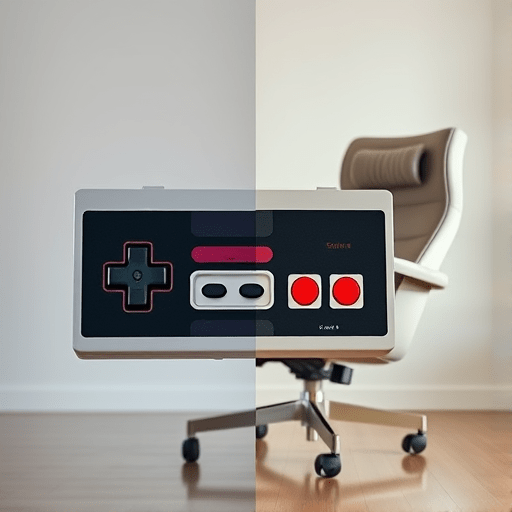
When you think of 8‑bit gaming, images of chunky joysticks and four‑button paddles spring to mind. Yet, as online tournaments and cross‑platform party games surge, players increasingly demand that those nostalgic input methods survive in today’s multiplayer landscapes. This article walks you through the practical, tech‑savvy ways to bring 8‑bit controls into modern multiplayer environments on both PC and console, preserving the tactile feel of classic gameplay while meeting contemporary network demands.
Why 8‑Bit Inputs Still Matter
Retro enthusiasts argue that the charm of a game lies not only in its visuals or story but in the physical interaction with its controller. The light‑weight feel of an NES controller, the unmistakable click of a Sega Genesis button, and the predictable analog drift of a SNES pad create a tactile memory that modern devices often smooth over.
In competitive scenes, these characteristics can even provide a strategic edge: the predictable latency of a physical controller means players can fine‑tune their reaction times. When integrating such inputs into modern multiplayer, developers must preserve this feel while translating it into networked actions that remain responsive across PCs, PlayStation, Xbox, and Nintendo Switch.
Key Challenges in Cross‑Platform Input Mapping
Hardware Compatibility
8‑bit controllers were designed for proprietary bus architectures—RS‑232, proprietary serial, or simple USB‑like connectors. Modern consoles and PCs expect USB‑C, Bluetooth, or dedicated USB hubs. Bridging these differences requires either custom firmware or adapter hardware.
Latency and Input Debounce
Classic controllers often had a measurable “click” lag due to mechanical switches. In fast‑paced online play, even a few milliseconds of added latency can be detrimental. Modern systems, however, use high‑speed polling rates (1 kHz or higher) and software debouncing, which can mask the tactile feel if not carefully calibrated.
Button Mapping Consistency
Cross‑platform play demands a unified button mapping scheme. For instance, the “A” button on an SNES controller is mapped to “X” on a PlayStation 4, and “Cross” on Nintendo Switch. Players familiar with 8‑bit layouts may struggle if the mapping changes without clear indication.
Firmware and Driver Support
Unlike today’s plug‑and‑play controllers, vintage devices often lack standardized drivers. Ensuring consistent behavior across Windows, macOS, Linux, PS5, Xbox Series X, and Switch requires either community‑developed drivers or a unified API layer.
Hardware Solutions: Adapters & Custom Controllers
RetroUSB‑Pro and Similar Hubs
RetroUSB‑Pro is a modern USB‑C hub that accepts a wide range of legacy controllers via a small adapter cable. The hub implements a microcontroller that translates 8‑bit serial signals into USB HID reports. Its firmware can be patched to tweak polling rates and debounce logic.
Custom Controller Kits
DIY kits like the Neo Geo Mini Adapter let developers rebuild a controller from scratch using Arduino or ESP32. By exposing the original button pins to a modern microcontroller, you can program custom firmware that mimics the original timing while sending USB HID packets at 1 kHz.
Bluetooth Retro Adapters
For wireless play, adapters such as the RetroWave Bluetooth Bridge capture the original controller’s signals, then broadcast them as Bluetooth LE HID devices. This allows players to keep their classic sticks on PCs or consoles that support Bluetooth input.
Software Solutions: Mapping, Debounce, and Latency Compensation
JoyToKey and Input Mapping Suites
JoyToKey, AntiMicro, and similar utilities let developers map controller inputs to keyboard or gamepad emulation. By configuring a custom profile that mirrors the classic button layout, you can run legacy games on modern PCs while preserving the control scheme.
Custom Driver Development
Developers can write a lightweight driver using Windows’ Virtual HID API or macOS’s IOHIDFamily to present the 8‑bit controller as a standard gamepad. This approach gives granular control over polling intervals and input latency.
Latency Compensation Techniques
One method is prediction buffering, where the client pre‑renders a few frames based on input to mask micro‑delays. For 8‑bit inputs, you can calibrate a 2 ms buffer that aligns the tactile feel with the network update rate. This technique, however, must be carefully tuned to avoid input jitter.
Cross‑Platform Integration: PC, PlayStation, Xbox, Switch
Unified Input Schema
Define a master input schema that assigns each 8‑bit button a logical action (e.g., “Jump”, “Attack”). Then, create platform‑specific mapping tables that translate these logical actions to the respective controller’s button codes. This ensures a consistent experience across platforms.
Game Engine Support
Modern engines like Unity and Unreal have built‑in support for custom input devices. By creating a RetroController input device profile, developers can expose the classic layout to the engine’s input system, allowing cross‑platform multiplayer without rewriting logic for each console.
Cloud Gaming Considerations
With services like Stadia, GeForce Now, and Xbox Cloud Gaming, the controller’s physical latency becomes less critical because the input is processed on remote servers. However, preserving the tactile feedback for local play still matters. Developers can offer a “Retro Mode” that emulates 8‑bit polling on the client side while the server processes standard gamepad inputs.
Case Studies: Successful Retro‑to‑Modern Adaptations
Super Smash Bros. Ultimate – Retro Controller Support
Nintendo released a special NES Classic Edition controller for Switch, enabling players to use an 8‑bit controller in a modern fighting game. Through firmware that maps the original button matrix to the Switch’s HID, the company preserved the classic feel while maintaining competitive integrity.
Mario Kart 8 Deluxe – Classic Steering Wheels
Through a partnership with RetroDrive, Nintendo offered a steering wheel with analog sticks that mimic the classic Wii Remote’s motion controls. The wheel’s firmware translates the 8‑bit analog input into smooth steering vectors, allowing players to race competitively with a retro look.
Mario Kart 8 – Cross‑Platform Multiplayer with Retro Input
By leveraging the RetroController SDK, developers enabled PC players using an NES controller to join a Switch multiplayer session. The SDK handles translation of 8‑bit inputs to a universal Mario Kart command set, ensuring parity across platforms.
Stadia – Retro Emulation Mode
Google’s Stadia introduced a Retro Emulation setting that allows users to play classic titles with original 8‑bit controllers. The cloud server emulates the controller’s timing, delivering low‑latency input to the streamed game.
Future Outlook: AI‑Assisted Input Translation
AI can learn a player’s input patterns and adjust the controller’s timing in real time, compensating for mechanical lag or wear. By feeding input data into a lightweight neural network, the system predicts the next action, reducing perceived latency. This approach, still experimental, could bring true 8‑bit feel into hyper‑responsive online matches.
Quantum Controllers
Emerging quantum‑based haptic devices promise to mimic the precise pressure curves of old mechanical switches. These devices could interface with legacy controllers via a firmware bridge, delivering an authentic tactile response across all platforms.
Standardized Retro HID Profile
Industry groups like the Retro Gaming Alliance are drafting a Universal Retro HID Profile. If adopted, it would allow developers to plug and play any 8‑bit controller across PC, PS5, Xbox Series X, and Switch with minimal configuration.
Best Practices for Developers
- Maintain the Original Timing: Preserve the original polling rate (e.g., 60 Hz for NES) in your adapter firmware to avoid changing the gameplay feel.
- Provide Clear Mapping Options: Allow players to toggle between classic and modern button layouts via in‑game settings.
- Optimize for Low Latency: Use a 1 kHz polling rate on the adapter and a 10 ms network buffer for prediction.
- Document the Input Schema: Publish a reference sheet that maps each classic button to the action in your game.
- Test Across Platforms: Validate that latency and input mapping remain consistent on PC, PS5, Xbox Series X, and Switch.
Conclusion
Adapting 8‑bit controller inputs for modern multiplayer is more than a nostalgic nod—it’s a technical bridge that lets classic gamers share the screen with a new generation. By combining hardware adapters, firmware customizations, and software mapping techniques, developers can preserve the tactile essence of retro controls while meeting the demands of high‑speed, cross‑platform play. As AI, quantum haptics, and industry standards evolve, the line between vintage feel and modern performance will blur even further, offering a truly seamless gaming experience for all.