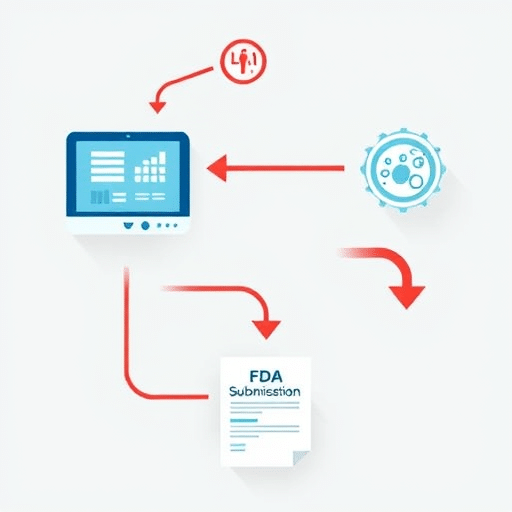
Mapping EHR Workflows to Reduce Staff Friction in Mid‑Size Hospitals is not a theoretical exercise; it’s a concrete strategy that can turn clunky interfaces into smooth, patient‑centric processes. When clinical staff experience friction—whether it’s a duplicated chart entry or a misaligned order set—patient safety and operational efficiency suffer. This article presents a 2026‑ready framework that aligns electronic health record (EHR) modules with the evolving clinical workflows of mid‑size hospitals, reducing friction and improving care delivery.
Understanding Staff Friction: The Root Cause of Inefficiency
In many mid‑size facilities, the cause of friction lies in mismatched expectations between what clinicians need on the floor and what the EHR actually delivers. Factors such as legacy software, fragmented data silos, and under‑utilized customization options often lead to repetitive tasks, time‑consuming navigation, and, ultimately, clinician burnout. Recognizing these pain points is the first step toward a systematic remapping effort.
The 2026 EHR Landscape: New Features, New Challenges
By 2026, EHR vendors have introduced several advanced capabilities: AI‑driven clinical decision support, voice‑activated documentation, and modular plug‑in ecosystems. However, these features are frequently under‑leveraged because hospitals have not updated their workflow maps to incorporate them. A fresh workflow map that explicitly references these new capabilities ensures that the system supports, rather than hinders, clinical practice.
Step 1: Map Current Clinical Workflows with Precision
Collecting Baseline Data
Begin by gathering quantitative data: average charting time, number of clicks per task, and error rates. Combine this with qualitative insights from focus groups, shadowing sessions, and direct observation. The goal is to capture the full spectrum of user experience, from nurses entering vital signs to physicians prescribing medication.
Visualizing Flow with Swimlane Diagrams
Swimlane diagrams are an effective visual tool to map responsibilities across roles. By laying out each step in the clinical process—assessment, ordering, documentation, review—you can pinpoint where EHR interactions intersect with staff tasks. Highlight any bottlenecks or duplicate steps that may be alleviated through better module alignment.
Step 2: Align EHR Modules to Workflow Needs
Modular Plug‑Ins vs. Monolithic Suites
Many mid‑size hospitals still rely on monolithic EHR suites that bundle too many functions together. Modular plug‑ins, on the other hand, allow teams to activate only the features they need. For example, a cardiac unit may install a specialized telemetry plug‑in while disabling unnecessary oncology modules. This targeted approach reduces interface clutter and speeds up task completion.
Configuring Order Sets and Templates
Order sets and templates should reflect the actual sequence of care steps. Use the data from Step 1 to design order sets that match the most common patient pathways. Ensure that templates auto‑populate required fields, thereby eliminating redundant data entry. When templates are aligned with workflow, clinicians can focus on clinical judgment rather than data entry.
Step 3: Design Feedback Loops and Rapid Iteration
Real‑time Analytics Dashboards
Implement dashboards that monitor key performance indicators (KPIs) such as time-to-encounter, order completion rates, and documentation lag. Make these dashboards accessible to frontline staff so they can see the immediate impact of their workflow changes. Data transparency fosters ownership and drives continuous improvement.
Structured Nurse and Physician Input
Set up a bi‑weekly pulse survey where nurses and physicians rate their satisfaction with each module. Use the results to adjust configuration settings or to request additional training. When users feel heard, friction naturally decreases because the system evolves with their needs.
Step 4: Embed Training into Daily Routines
Microlearning Sessions
Instead of large, infrequent training sessions, offer microlearning modules—short videos, quizzes, or interactive scenarios—aligned with specific workflow changes. Schedule these during shift hand‑offs or rounding to reinforce learning in the moment.
Peer Coaching Networks
Identify super‑users in each department and pair them with peers for one‑on‑one coaching. Peer coaching encourages knowledge sharing and reduces the learning curve associated with new EHR functionalities. This collaborative approach also builds a supportive culture that values continuous skill development.
Step 5: Governance and Continuous Improvement
Cross‑Functional Committees
Create a governance committee that includes clinicians, IT staff, administrators, and patient safety officers. This body should meet monthly to review workflow maps, KPI trends, and user feedback. By keeping the committee cross‑functional, you ensure that every stakeholder’s perspective informs decisions.
KPI Tracking and Re‑optimization
Define a set of KPIs—such as reduced charting time, fewer duplicate orders, and improved medication reconciliation accuracy. Track these metrics quarterly and hold the team accountable for meeting targets. When a KPI dips below a threshold, trigger a rapid response process that revisits the workflow map and makes necessary adjustments.
Mapping EHR workflows to reduce staff friction is a dynamic, iterative process that blends data analysis, user collaboration, and agile governance. By aligning EHR modules with the real, evolving needs of clinicians, mid‑size hospitals can turn technology from a source of frustration into a catalyst for high‑quality, efficient patient care.