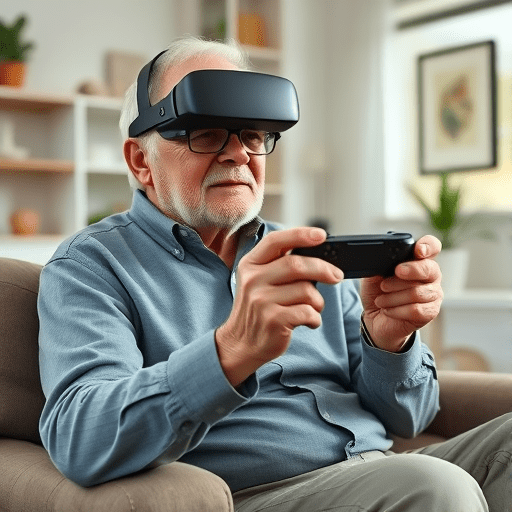
As the VR industry grows, so does the demand for controllers that accommodate users of all ages. Ergonomic controllers for elderly gamers: design & implementation is not just a niche pursuit; it’s a necessity for inclusive gaming experiences. This step‑by‑step guide takes you through research, prototyping, and final production, showing how thoughtful design can cut hand strain and boost playtime for senior players.
1. Understanding the Needs of Elderly Gamers
Older adults face a range of physical challenges that affect gaming: reduced grip strength, arthritis, tremors, and vision changes. By mapping these issues to controller features, designers can create truly age‑friendly devices.
- Grip strength assessment – Measure force needed to hold a standard controller versus an elderly user’s average. Aim for 30–40% lower maximum grip force.
- Joint mobility limits – Identify the maximum finger and wrist angles used during typical gameplay. Keep button clusters within 45° reach.
- Visual clarity – Use high‑contrast, large icons (≥48 px) with readable fonts and minimal clutter.
- Haptic feedback tolerance – Loud vibrations can be overwhelming; opt for gentle pulses that indicate state changes.
Collecting data through surveys, focus groups, and observational studies gives a solid foundation for design decisions.
2. Core Design Principles for Age‑Friendly Controllers
Below are the essential principles that guide every stage of controller development.
2.1 Compact and Balanced Form Factor
A controller that feels heavy or lopsided forces unnecessary wrist strain. Use lightweight materials (ABS or recycled polymer) and distribute internal components to maintain a 1:1 weight balance. A target mass of 220–250 g keeps the controller comfortable for extended sessions.
2.2 Adaptive Button Layout
Traditional button clusters can be dense for users with limited finger reach. Implement a floating button arrangement that can be re‑positioned on the fly:
- Programmable “macro” pads that surface only when needed.
- Slide‑to‑activate controls that require minimal finger movement.
- Dynamic spacing that expands to accommodate swollen fingers.
2.3 Ergonomic Handgrip Design
Design the palm area to conform to the natural curve of the hand. Use soft silicone inserts or textured rubber to improve grip without adding bulk. Consider an optional grip sleeve that can be added for users with tremors or stronger grip demands.
2.4 Simplified Connectivity & Power Management
Bluetooth Low Energy (BLE) with a single power button reduces user complexity. Integrate a low‑profile charging dock that accepts USB‑C to avoid fiddling with ports.
3. Prototyping with Rapid‑Iteration Tools
Building a functional prototype is a critical step. Modern CAD and 3D printing make iterative testing both quick and cost‑effective.
3.1 CAD Modeling
Use SolidWorks or Fusion 360 to create a digital twin of the controller. Incorporate soft‑zone regions where a silicone grip will fit. Validate the design against ergonomic constraints: simulate wrist angles, button reach, and weight distribution.
3.2 3D Printing & Rapid Prototyping
Print the prototype in high‑resolution SLA resin to capture fine details of button housings. For mass‑production material testing, use PLA with a flexible filament layer to mimic the tactile feel of the final product.
3.3 User Testing Sessions
Recruit a diverse group of elderly gamers. Measure:
- Session duration before fatigue appears.
- Number of button mis‑presses per minute.
- Subjective comfort scores (5‑point Likert scale).
Iterate on the design based on feedback, focusing on reducing mis‑presses and extending playtime.
4. Hardware Selection & Component Integration
Choosing the right components is pivotal for performance and durability. Below is a recommended parts list that balances cost, size, and functionality.
- Processor – STM32L4 series microcontroller; low power, 32 bit, sufficient for haptic control.
- Wireless Module – Nordic nRF52840, BLE 5.2, 1 Mbps throughput.
- Haptic Actuator – 10 mm piezoelectric driver; adjustable intensity.
- Buttons – Tactile switches with 0.8 mm travel; coated for anti‑wear.
- Battery – 1000 mAh Li‑Po pack; integrated with USB‑C charging.
- Surface Finish – Silicone or thermoplastic elastomer (TPE) grip sleeve.
Integrate a firmware layer that offers:
- Adaptive sensitivity: auto‑adjusting button pressure thresholds based on user calibration.
- Customizable haptic profiles: gentle tap for notifications, stronger pulse for alerts.
- Energy‑saving idle mode: controller sleeps after 10 seconds of inactivity.
5. Firmware Development for Elderly-Friendly UX
Firmware isn’t just about low‑level communication; it shapes the entire user experience.
5.1 Calibration Routine
On first boot, prompt users to perform a simple wrist movement test. Record the maximum comfortable angle and set the controller’s motion sensitivity accordingly. Store this profile in non‑volatile memory for future sessions.
5.2 Button Debounce & Tolerance
Implement software debounce (50 ms) and a tolerance window that accepts slightly imprecise presses. This reduces frustration caused by tremor or limited finger strength.
5.3 Accessibility APIs
Expose controller data through an open API so that VR platforms can adjust in‑game UI scaling, button mappings, and haptic feedback based on the elderly user profile.
6. Manufacturing Considerations
Scale‑up from prototype to production while maintaining ergonomic quality. Key focus areas include:
6.1 Injection Molding with Ergonomic Tolerances
Work with a supplier experienced in soft‑zone molding. Ensure the mold allows for the 0.2 mm tolerance needed for a snug silicone grip fit.
6.2 Quality Assurance Checks
- Grip strength test: force to lift the controller should not exceed 30 N.
- Button travel test: 0.7–0.9 mm within ±0.05 mm.
- Haptic output: 50 mA peak current; verify pulse consistency across batches.
6.3 Packaging for Ease of Use
Design packaging that can be opened with minimal force (≤10 N). Include a small instruction sheet with large icons, and a QR code linking to an online tutorial.
7. Post‑Release Support and Updates
Longevity and user satisfaction depend on continuous improvement. Establish a feedback loop with your user base:
- In‑app survey after every session to gather comfort ratings.
- Remote firmware updates that can adjust haptic intensity or button sensitivity.
- Optional accessory packs (extra grips, larger button skins) sold separately.
Monitor usage analytics to identify common pain points and release patches accordingly.
8. Future Trends in Elderly Gaming Controllers
Looking ahead, several emerging technologies promise to further reduce strain:
- Adaptive grip materials – Shape‑memory polymers that mold to a user’s hand over time.
- AI‑based gesture recognition – Eliminating physical buttons by interpreting hand gestures.
- Wearable haptic suits – Distributing force feedback across the forearm to reduce controller load.
Incorporating these innovations into future iterations will keep your product at the cutting edge of senior gaming comfort.
Conclusion
Creating ergonomic controllers for elderly gamers requires a holistic approach that starts with empathy and ends with rigorous engineering. By grounding your design in real user data, applying adaptive hardware and firmware solutions, and committing to continuous improvement, you can deliver a controller that not only reduces hand strain but also opens up new possibilities for extended, enjoyable playtime. The result is a device that respects the physical realities of older players while still delivering the immersive thrill of VR.