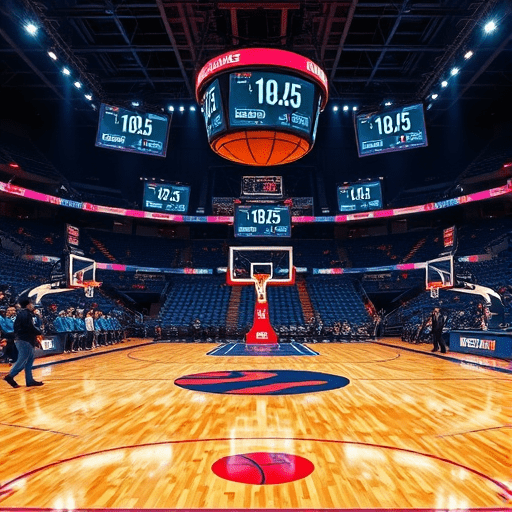
In an era where sports fans crave instant, data‑rich experiences, building an NBA fan dashboard with live stats offers a powerful way to engage and inform. This guide walks you through every stage—from choosing the right tech stack to deploying a high‑performance, real‑time application. By the end, you’ll have a fully functional dashboard that displays live game metrics, shot charts, and predictive insights for every NBA matchup.
Why Build a Live NBA Dashboard?
Fans no longer settle for box scores or post‑game recaps. They want granular, real‑time updates: possession flows, player efficiency, and contextual storylines that unfold as the game progresses. A live dashboard delivers:
- Immediate context—see the impact of a three‑point play instantly.
- Enhanced engagement—interactive charts keep users on the page for longer.
- Data democratization—players, coaches, and analysts can spot trends without waiting for official stats.
Because the NBA’s API ecosystem has matured, creating such a dashboard is both feasible and rewarding. Let’s dive into the practical steps.
Choosing Your Tech Stack in 2026
2026 favors lightweight, real‑time frameworks that can handle high‑frequency data streams. Consider the following stack:
- Backend: Node.js with Express for routing; or Python FastAPI for async data ingestion.
- Realtime Layer: WebSocket server (Socket.IO or native WebSocket) to push updates to the browser.
- Frontend: React with Vite for rapid bundling; use D3.js or Recharts for visualizations.
- Data Storage: Redis for volatile game state; PostgreSQL for archival records.
- Deployment: Docker containers orchestrated by Kubernetes on a cloud provider (AWS, GCP, or Azure).
When selecting libraries, prioritize those that support TypeScript for type safety and have active maintenance communities. Also, verify that your stack can integrate with the NBA’s live data feeds—most rely on WebSocket endpoints or streaming APIs.
Fetching Live Data: APIs & WebSockets
Identifying the Source
The NBA’s official API provides play‑by‑play events, box scores, and player statistics. For 2026, the recommended endpoint is:
wss://api.nba.com/v4/live?gameId={GAME_ID}
Authentication is required via an API key, and data is streamed in JSON format. Example event payloads include:
playType: “3PT” or “FG”playerId: 2544 (LeBron James)teamId: 1610612744 (Los Angeles Lakers)timestamp: “2026-04-17T19:32:45Z”
Building the Data Ingestion Layer
In Node.js, you can establish a WebSocket connection and forward events to clients:
const socket = new WebSocket(`wss://api.nba.com/v4/live?gameId=${gameId}`);
socket.on('message', data => {
  const event = JSON.parse(data);
  io.emit('gameUpdate', event); // broadcast to frontend via Socket.IO
});
For Python, use websockets and asyncio to achieve similar behavior. Remember to implement backpressure handling and retry logic to maintain reliability during peak traffic.
Designing the UI: Charts, Tables, and Interactivity
Layout Principles
- Dashboard grid—Use CSS Grid or Tailwind CSS to create responsive sections: live scorecard, shot chart, and player heatmap.
- Minimalist color palette—Stick to the team’s colors for visual cues.
- Accessibility—Ensure ARIA labels and sufficient contrast for all visualizations.
Key Visual Components
1. Live Scorecard – a concise table with points, rebounds, assists, and +/- for both teams. Update each play with a fade‑in effect to highlight the change.
2. Shot Chart – overlay a 3‑point arc and paint area on a court SVG. Use D3 to plot shots in real time, color‑coding makes for immediate visual impact.
3. Player Heatmap – interactive heatmaps that show shot success rates per player. Allow fans to hover over a player’s icon to reveal recent stats.
4. Trend Line – a line chart showing points per quarter. As the game progresses, the line extends, giving fans a sense of momentum.
Real‑Time Data Pipeline: From Source to Frontend
Event Normalization
Raw API events come with minimal context. Normalize them into a unified schema before pushing to the frontend. Example normalized object:
{
  eventId: "evt_12345",
  type: "FIELD_GOAL",
  points: 3,
  player: { id: 2544, name: "LeBron James" },
  team: { id: 1610612744, name: "Lakers" },
  quarter: 2,
  timeRemaining: "02:15",
  isMake: true
}
State Management
Use Redux Toolkit or Zustand to maintain a global state that mirrors the game clock, score, and event history. Combine this with react-query to cache historic data and revalidate on each update.
WebSocket Handling on the Client
import { io } from "socket.io-client";
const socket = io("https://your-backend.com");

socket.on("gameUpdate", (event) => {
  dispatch(addEvent(event)); // update store
});
Debounce rapid events (e.g., during fast breaks) to avoid UI thrashing.
Handling Edge Cases & Performance Optimizations
Network Latency
- Implement
RTTestimation to adjust UI updates for perceived lag. - Use
setTimeoutwith a small delay to batch multiple events.
Data Volume
Each NBA game can generate thousands of events per quarter. Store only the latest 50 events in memory for the real‑time view; archive older data in PostgreSQL.
Scalability
- Deploy WebSocket servers behind a load balancer that preserves session affinity.
- Use Kubernetes Horizontal Pod Autoscaler to spin up more instances during high‑traffic games.
Browser Compatibility
Test across Safari, Edge, and Chrome. Fallback to Canvas for older browsers if WebGL fails.
Testing, Deployment, and Scaling
Unit & Integration Tests
- Mock WebSocket events with
socket.io-mockand verify state updates. - Test React components with
React Testing Libraryfor visual consistency.
Continuous Integration
Set up GitHub Actions to run tests on every push and build Docker images. Use Dockerfile that runs npm run build and exposes port 3000.
CI/CD Pipeline
Push images to a container registry (e.g., GCR). Deploy to Kubernetes via Helm charts. Enable Istio for traffic management and observability.
Monitoring & Logging
- Use Prometheus and Grafana to monitor latency and throughput.
- Centralize logs with ELK stack for quick debugging during live games.
Future Enhancements: AI Insights & Personalization
- Predictive Analytics—integrate a lightweight TensorFlow Lite model that forecasts win probability based on current possession.
- Fan Personalization—allow users to select favorite teams or players; highlight their stats in real time.
- Social Sharing—add a button that captures a snapshot of the current shot chart and posts it to Twitter.
- Multilingual Support—use i18next to translate the dashboard for international audiences.
By iteratively adding these features, your dashboard will evolve from a basic live feed into a comprehensive, engaging platform that keeps fans hooked from start to finish.
In 2026, the line between live data and fan experience has blurred. Building an NBA fan dashboard with live stats not only satisfies the craving for instant information but also positions you at the forefront of sports analytics innovation.