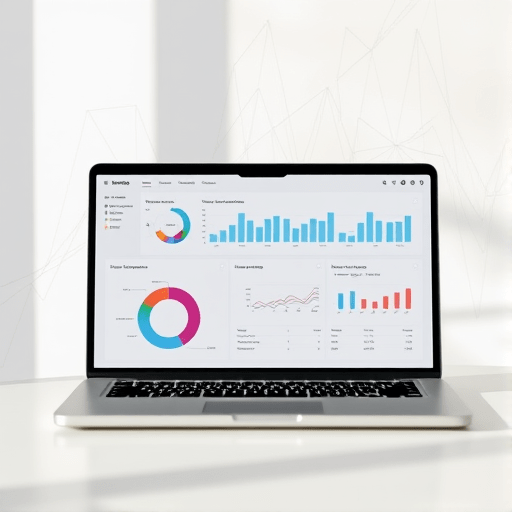
For SaaS startups racing toward growth, a real‑time view of key metrics can spell the difference between scaling successfully and stalling. Zero‑code KPI dashboard automation that scales with you lets founders and product teams build, maintain, and expand data visualisations without the overhead of software engineering. In this article, we unpack why this approach is a game changer, identify the most valuable KPIs for scaling SaaS, and walk through a step‑by‑step process to launch an automated, self‑serving dashboard in 2026.
Why Zero‑Code Is a Game Changer for SaaS Growth
Traditional dashboarding requires custom scripts, API integrations, and sometimes even a dedicated developer. That overhead becomes prohibitive when a startup’s focus shifts from building features to proving product‑market fit. Zero‑code solutions remove the “build‑or‑hire” dilemma by offering drag‑and‑drop interfaces, pre‑built connectors, and logic builders that non‑technical users can manipulate.
Key benefits include:
- Speed. Move from idea to live dashboard in minutes instead of weeks.
- Cost‑effectiveness. Reduce reliance on engineering time, freeing resources for core product work.
- Agility. Adjust metrics, visualisations, and data sources on the fly as product or market evolves.
- Collaboration. Enable product managers, marketers, and executives to interact with data without stepping through a development pipeline.
Key KPIs Every Scaling Startup Should Track
While every business is unique, most high‑growth SaaS firms rely on a handful of recurring metrics. These KPIs are the foundation of a zero‑code dashboard that delivers actionable insights.
- Monthly Recurring Revenue (MRR) and Annual Recurring Revenue (ARR)
- Customer Acquisition Cost (CAC)
- Customer Lifetime Value (CLV)
- Churn Rate (Gross & Net)
- Active Users (DAU/MAU)
- Conversion Funnel Metrics (lead-to-subscriber, subscriber-to-paid)
- Product Usage Depth (feature adoption, session length)
- Revenue per User (ARPU)
When selecting KPIs, consider scalability of data sources and data freshness. A dashboard that lags by hours becomes less valuable than one that auto‑refreshes every 10 minutes.
Choosing the Right Zero‑Code Platform
With dozens of no‑code tools on the market, the selection process can feel like another development sprint. Focus on these criteria:
- Data Connectors. Does the platform natively support your primary SaaS stack—CRMs (HubSpot, Salesforce), billing (Stripe, Chargebee), analytics (Mixpanel, Amplitude)?
- Data Transformation. Look for visual query builders or formula engines that let you cleanse and combine data without writing SQL.
- Refresh Scheduling. Real‑time dashboards require near‑real‑time ingestion; check if the tool offers webhook triggers or instant refresh capabilities.
- Visualisation Library. A robust set of charts, heat maps, and custom widgets enables deeper exploration.
- Security & Compliance. Ensure the platform meets GDPR, SOC 2, and other relevant standards, especially when handling customer data.
Popular options in 2026 include ChartMogul+, Retool Lite, and AppSheet Pro, each offering distinct strengths. Test a handful with a small dataset to gauge ease of use before committing.
Step‑by‑Step Guide to Building an Automated Dashboard
Below is a pragmatic workflow that balances speed with flexibility. Assume you’re using a platform with built‑in connectors to Stripe, HubSpot, and Mixpanel.
1. Connect Your Data Sources
- In the dashboard builder, add new data sources and authenticate via OAuth.
- Choose the “Monthly MRR” dataset from Stripe and the “Lead Capture” dataset from HubSpot.
- Set up a webhook from Mixpanel that triggers on each new session event.
2. Create a Unified Data Model
- Use the platform’s visual joiner to link user IDs across sources.
- Define calculated fields:
CLV = LTV / Churn Rate,CAC = Marketing Spend / New Customers. - Validate the model by previewing a sample of 100 rows.
3. Design the Visual Layout
- Drag a bar chart for MRR growth, a line chart for churn, and a gauge for CAC.
- Embed a pivot table that shows revenue per region.
- Use conditional formatting to highlight metrics that exceed thresholds.
4. Configure Auto‑Refresh & Alerts
- Set the MRR chart to refresh every 30 minutes.
- Configure an email alert that triggers when churn exceeds 5%.
- Attach a Slack webhook to notify the product team of sudden spikes in usage.
5. Publish & Share
- Generate a secure link that can be embedded in internal tools.
- Set role‑based access so executives see high‑level summaries, while product leads get drill‑down details.
Result: A live, auto‑refreshing dashboard that requires no code and can be tweaked by anyone with the platform’s user interface.
Automating Data Refresh & Alerting
Automation is more than just a scheduled pull; it’s about building feedback loops that inform strategy instantly.
- Real‑Time Data Pipelines. Leverage the platform’s event streaming capabilities to push data directly into your visualisations as it happens.
- Dynamic Thresholds. Instead of static alert limits, use percentile‑based thresholds that adapt to seasonality.
- Batch vs. Streaming. For high‑velocity metrics (daily active users), opt for streaming. For slower metrics (MRR), a 1‑hour batch suffices.
Example: If churn spikes beyond the 95th percentile for the month, the system automatically triggers a multi‑channel alert (email, SMS, Slack) and creates a Jira ticket for the support team.
Scaling Dashboards Without Code as Your Team Grows
As the product team expands, the demand for new dashboards and custom visualisations will grow. Here are best practices to keep your zero‑code system sustainable:
- Template Library. Store a collection of reusable visual templates (e.g., a “Sales Funnel” or “Feature Adoption” template) that new team members can clone.
- Data Governance. Implement a central data dictionary so every dashboard uses consistent metric definitions.
- Role‑Based Templates. Create “Executive,” “Product,” and “Marketing” dashboard sets that automatically filter data to relevant audiences.
- Version Control. Use the platform’s snapshot feature to archive past dashboard states, facilitating rollbacks if a metric definition changes.
- Training Sessions. Schedule quarterly workshops where team leads demonstrate how to tweak dashboards, ensuring knowledge transfer.
By institutionalising these practices, your startup can maintain a high‑quality data layer while keeping engineering resources focused on product features.
Common Pitfalls and How to Avoid Them
- Over‑Engineering. Building too many metrics can clutter dashboards. Prioritise 10–15 core KPIs and expand only when justified.
- Data Silos. Relying on disconnected data sources leads to inconsistent insights. Adopt a single source of truth strategy early.
- Ignored Refresh Failures. Set up automated error reporting so you’re alerted when data ingestion fails.
- Misaligned Permissions. Grant too many users access to raw data, risking data leaks. Use granular role permissions.
- Neglecting User Feedback. Dashboards should evolve with users. Schedule quarterly review sessions to capture pain points.
Future‑Proofing Your KPI Dashboards
The data landscape is rapidly evolving. To keep your dashboards future‑ready:
- API‑First Mindset. Even if you use a zero‑code tool today, ensure it can connect to emerging data sources via REST or GraphQL.
- AI‑Augmented Analytics. Many platforms now offer predictive insights—use them to surface churn risks before they happen.
- Modular Architecture. Keep your data model modular so you can swap out sources without redesigning the entire dashboard.
- Compliance Updates. Stay ahead of regulatory changes by opting for platforms that auto‑apply GDPR or SOC 2 patches.
- Continuous Learning. Encourage a culture of experimentation; run A/B tests on visualisations to see what drives decision‑making.
By weaving these strategies into your dashboard workflow, you’ll build a system that scales alongside your startup’s growth, not just its current needs.
In 2026, zero‑code KPI dashboard automation is not a luxury—it’s a necessity for SaaS startups that want to stay nimble, data‑driven, and ready for the next growth phase.