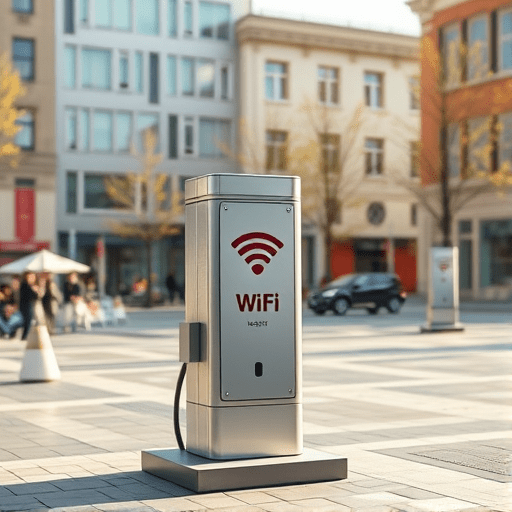
In an era where digital city services—online permits, real‑time traffic updates, and emergency alerts—are essential, municipalities are turning to low‑cost mesh Wi‑Fi solutions to bridge connectivity gaps. This guide walks you through each phase of planning, installing, and maintaining a budget‑friendly mesh network that boosts resident access to digital city services, improves civic engagement, and supports local economic growth.
1. Planning the Deployment
The foundation of a successful mesh network is a clear deployment plan. Begin by mapping out the geographic coverage needed for the services you want to support. Identify hotspots such as town halls, libraries, schools, and community centers where residents frequently use e‑services.
- Coverage analysis: Use GIS tools to plot signal strength requirements, taking into account building materials, topography, and population density.
- Bandwidth requirements: Estimate peak usage by consulting with city departments that run heavy data services (e.g., GIS mapping or IoT sensor feeds).
- Regulatory compliance: Verify local spectrum licensing rules, especially if operating in the 2.4 GHz or 5 GHz bands that are subject to FCC or ETSI regulations.
- Budgeting: Allocate funds for hardware, cabling, installation labor, and ongoing maintenance. Low‑cost mesh systems often cost between $50 and $150 per access point.
2. Choosing the Right Hardware
While budget matters, the hardware must support reliable mesh connectivity and future‑proof scaling. Below are key criteria and product recommendations that balance cost and performance.
- Mesh routers with dual‑band support: Ensure devices can handle both 2.4 GHz (longer range) and 5 GHz (higher throughput) frequencies.
- Outdoor‑ready models: For coverage in parks or street corners, pick weather‑sealed units with high-gain antennas.
- Power over Ethernet (PoE): PoE simplifies installation by allowing a single cable to provide both power and network connectivity.
- Open‑source firmware compatibility: Devices that support DD-WRT, OpenWrt, or pfSense give flexibility for custom security rules.
Popular budget options include the TP‑Link Deco M5, Ubiquiti UniFi Mesh, and MikroTik mAP series. For communities with higher data demands, consider the Ubiquiti UniFi Mesh Pro, which offers higher throughput while remaining cost‑effective per unit.
3. Configuring the Mesh Network
Proper configuration is vital to prevent performance bottlenecks and ensure secure citizen access. Follow these steps to set up a robust network:
- Initial firmware update: Load the latest firmware onto each node to patch security vulnerabilities.
- Single‑SSID strategy: Use one SSID for all mesh nodes to avoid device roaming delays.
- Quality of Service (QoS): Prioritize traffic to city e‑service domains (e.g.,
city.govore‑services.local) over non‑critical traffic. - Band steering: Enable automatic switching of devices to the optimal frequency band based on signal strength.
- Auto‑mesh routing: Verify that each node automatically discovers the best path to the gateway.
- Failover mechanisms: Configure a secondary uplink (e.g., 4G LTE or satellite) to maintain connectivity during primary line outages.
When deploying nodes, space them 50–80 meters apart in open areas, and adjust spacing for obstacles like trees or buildings. Use a signal meter to confirm coverage gaps before finalizing node placement.
4. Integrating with City Services
Mesh Wi‑Fi is only as useful as the services it supports. Coordinate with municipal departments to ensure seamless integration:
- Identity federation: Implement Single Sign‑On (SSO) so residents can log in once and access multiple e‑services.
- API gateway: Expose a secure API endpoint behind the mesh network to allow local developers to build citizen‑centric apps.
- Edge caching: Place a local cache (e.g., Redis or Varnish) at the network edge to reduce latency for static e‑service content.
- Load balancing: Use a reverse proxy to distribute traffic across multiple backend servers hosting e‑services.
- Analytics dashboard: Deploy a lightweight monitoring tool (e.g., Grafana + Prometheus) to track usage patterns and detect anomalies.
5. Security and Privacy Considerations
Citizen data must be protected, especially when deploying a city‑wide Wi‑Fi network. Adopt the following security practices:
- WPA3 encryption: Use the latest Wi‑Fi security protocol to mitigate brute‑force attacks.
- 802.1X authentication: Pair mesh nodes with an RADIUS server for centralized credential management.
- Network segmentation: Isolate public Wi‑Fi traffic from the internal city network using VLANs.
- Regular penetration testing: Schedule bi‑annual scans to detect vulnerabilities in the mesh firmware or configuration.
- Privacy‑by‑design: Encrypt all data in transit, anonymize logs, and provide residents with clear privacy notices.
6. Testing and Optimization
After deployment, rigorous testing ensures reliability and performance meet city standards. Conduct the following checks:
- Coverage validation: Use a Wi‑Fi analyzer app to verify signal strength across all target zones.
- Throughput measurement: Run throughput tests (e.g., iPerf) during peak hours to confirm bandwidth targets.
- Latency monitoring: Keep ping times below 50 ms for critical e‑service endpoints.
- QoS verification: Simulate simultaneous citizen sessions to confirm priority rules hold under load.
- Stress testing: Introduce synthetic traffic bursts to test the network’s resilience and recovery times.
7. Maintenance and Support
A mesh network requires ongoing support to stay functional. Establish a maintenance routine that includes:
- Firmware updates: Automate firmware rollouts through a centralized management platform.
- Health dashboards: Monitor node uptime, signal strength, and error logs via a unified interface.
- Help desk integration: Connect the network management portal to the city’s ticketing system for swift issue resolution.
- Hardware refresh cycle: Replace aging nodes every 3–4 years to keep up with evolving Wi‑Fi standards.
- Community training: Offer workshops for residents on secure Wi‑Fi usage and how to report connectivity issues.
8. Case Study: Small Town Implementation
In 2024, the municipality of Maplewood (population 12,000) deployed a 30‑node TP‑Link Deco M5 mesh system to support its online permit application portal and a newly launched public Wi‑Fi hotspot program. Key results:
- Coverage: 95 % of the town center and 80 % of residential zones achieved ≥30 dBm signal strength.
- Throughput: Average download speeds reached 60 Mbps per user during peak hours.
- Citizen satisfaction: Surveys indicated a 42 % increase in residents successfully completing e‑service transactions on‑line.
- Cost savings: The project totaled $18,000, a 30 % reduction compared to a traditional wired broadband rollout.
- Scalability: The town added 10 more nodes within six months to support a new 24‑hour community library Wi‑Fi zone.
Maplewood’s success underscores how low‑cost mesh networks can accelerate digital inclusion without breaking municipal budgets.
Deploying a low‑cost mesh Wi‑Fi network is a strategic investment that unlocks the full potential of city e‑services, making digital tools accessible to every resident. By following the outlined steps—planning, hardware selection, configuration, integration, security, testing, and ongoing maintenance—municipalities can build resilient, citizen‑centric connectivity that supports growth, transparency, and public engagement.