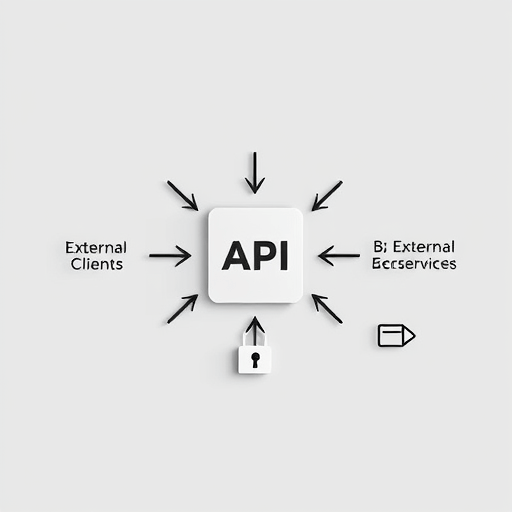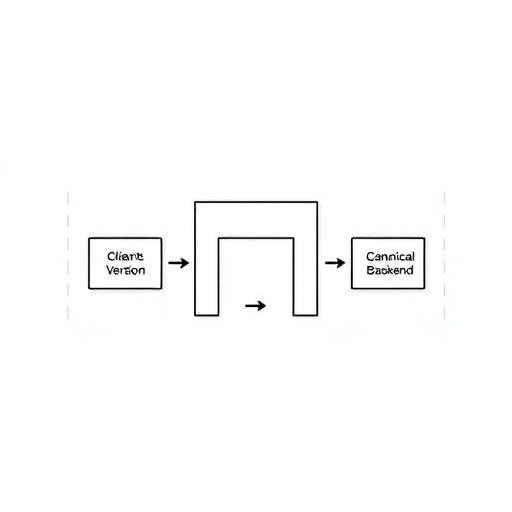
The goal of using WebAssembly to share high-performance Rust logic across Android and iOS is to run one carefully optimized core of compute-heavy code once and deploy it to both native apps with minimal platform-specific plumbing. This article walks through a practical, step-by-step workflow: compiling Rust to a compact WASM module, embedding a lightweight runtime into Android and iOS builds, safely bridging platform APIs, and designing reliable benchmarks to measure real-world performance gains.
Why WebAssembly + Rust for mobile?
Rust gives safe, zero-cost abstractions for CPU-bound tasks (crypto, image processing, physics, codecs). WebAssembly provides a portable binary format and well-defined sandboxing that makes that Rust logic reusable across app platforms without shipping separate native libraries for each OS ABI. Combined, they reduce duplication, centralize critical logic, and improve maintainability.
Prerequisites and design decisions
- Rust toolchain (rustup, cargo) and familiarity with cargo features.
- A WASM runtime choice: Wasmtime or Wasmer for JIT/AOT, or wasm3/wasm-interp for tiny interpreter footprints. Pick based on size vs. speed trade-offs.
- Decide an ABI for host <-> wasm communication: small binary protocol (bincode/CBOR), or pointer-based shared linear memory for max performance.
- Profiling tools: Android Studio / systrace / perfetto, iOS Instruments, and a microbenchmark harness inside the app.
Step 1 — Build the Rust core to WebAssembly
Use the wasm32 target; for a portable module without JS assumptions, target wasm32-unknown-unknown or wasm32-wasi (if you want WASI). Keep the Rust API C-friendly (extern “C”) or expose simple byte buffers for cross-language framing.
Commands (example)
rustup target add wasm32-unknown-unknown
# In your crate, mark exported entrypoints with #[no_mangle] pub extern "C" fn ...
cargo build --release --target wasm32-unknown-unknown
# Optional: shrink and optimize
wasm-opt -Oz -o core.opt.wasm target/wasm32-unknown-unknown/release/your_core.wasm
Hints: compile with LTO and strip debug info for smaller modules (RUSTFLAGS=”-C lto=yes -C opt-level=z”). For compute-heavy kernels, consider SIMD (wasm SIMD) but note platform support.
Step 2 — Choose and embed a lightweight runtime in native apps
Select a runtime that matches your constraints: Wasmtime and Wasmer aim for speed and AOT capabilities, while wasm3 and WAMR are compact interpreters ideal when APK/IPA size is critical.
Android embedding (overview)
- Compile runtime as native libraries for ABIs you support (arm64-v8a, armeabi-v7a, x86_64 if needed) using the Android NDK.
- Include runtime .so files and the compiled core.opt.wasm in your app’s assets or res/raw.
- Load runtime via JNI, instantiate the module, register host functions (platform logging, async callbacks), and call exported functions.
Simple pseudo-JNI flow:
// Java/Kotlin
val wasmBytes = assets.open("core.opt.wasm").readBytes()
nativeInit(wasmBytes) // JNI initializes runtime and module
val result = nativeCallProcessImage(ptr, len) // calls into WASM exported fn
iOS embedding (overview)
- Build the runtime as a static or dynamic library for arm64 and simulator architectures.
- Add the .wasm to the app bundle and load at runtime.
- Provide ObjC/Swift wrappers that expose simple methods; call into the runtime’s C API and route host functions back to the platform.
// Swift usage
let wasmURL = Bundle.main.url(forResource: "core.opt", withExtension: "wasm")!
WasmHost.shared.load(wasmURL)
let out = WasmHost.shared.invoke("process", inputData)
Step 3 — Bridging platform APIs safely
WebAssembly has no direct access to platform APIs; the host must provide controlled host functions. Design a clear host API surface to keep the sandbox small and auditable.
Best practices
- Limit host functions to small, typed operations (e.g., readSensor(), saveToDisk(ptr,len)) rather than exposing large OS frameworks.
- Use shared linear memory and explicit offsets for binary data exchange (avoid repeated string copies). A simple ring buffer or slab allocator in shared memory works well for streaming data.
- Validate all inputs at the host boundary and adopt panic=abort in the Rust build to eliminate heavy unwinding code in the wasm binary.
- Use a compact serialization format (bincode or flatbuffers) for structured data; this reduces parsing overhead and allocations on both sides.
Example host function registration pattern
// Host provides:
int64_t host_log(int32_t ptr, int32_t len); // wasm calls this to log text
int64_t host_get_time(); // returns monotonic time
// The runtime maps these to platform callbacks in JNI/ObjC
Step 4 — Benchmarking for real-world performance gains
Benchmarking must be reproducible and representative. Compare three builds: native Rust library, WASM via fast runtime, and WASM via compact interpreter if you support both.
Benchmark methodology
- Pick representative workloads: image convolution, crypto hashing, physics step, or neural net inference kernels.
- Warm up the runtime (JIT/AOT) with a fixed number of iterations to get steady-state performance.
- Measure latency and throughput across multiple runs and devices; collect CPU, memory, and energy metrics (use Instruments on iOS, perfetto on Android).
- Report medians and 95th percentiles, and include module size and startup time as first-class metrics.
Tools and example harness: embed a microbenchmark harness in the app that timestamps calls around the wasm invocation, e.g. using System.nanoTime (Android) or mach_absolute_time (iOS). For cross-checks, run native Rust compiled to a static lib and call identical entry points to compute baseline.
Optimization checklist
- Apply -O or -Oz and LTO during Rust build; run wasm-opt -O3 for speed or -Oz for size.
- Minimize host crossing frequency: batch many small operations into a single host call when possible.
- Prefer in-wasm algorithms that avoid heavy allocation churn; preallocate buffers in linear memory.
- Where supported, enable WASM SIMD and test whether the runtime and target devices benefit — guard with feature detection.
Realistic expectations
With a good runtime and AOT/JIT enabled, well-optimized WASM can approach native Rust performance for many CPU-bound tasks, while significantly simplifying cross-platform code maintenance. Interpreter-based runtimes trade runtime size for slower throughput, which may still be acceptable for less time-critical workloads.
Conclusion
Sharing one high-performance Rust engine across Android and iOS via WebAssembly is a pragmatic approach to reduce duplication and ship identical, audited logic on both platforms. By following these steps—compile carefully, pick an appropriate runtime, design a small host ABI, and benchmark thoroughly—you can achieve near-native performance with a single engine powering two apps.
Ready to consolidate your core: start by compiling a small Rust kernel to WASM and embedding it into a test app to measure the real benefits on target devices.