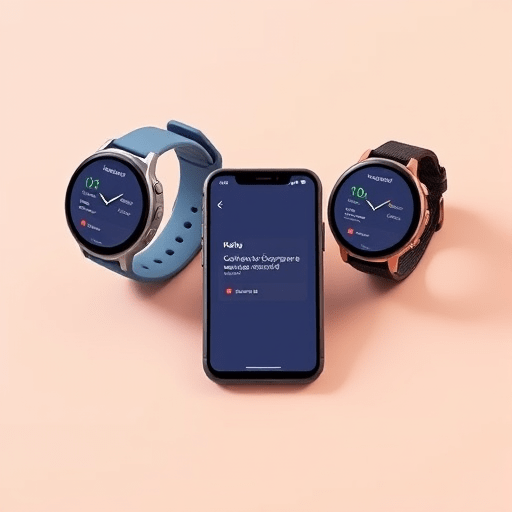
For years, cross-platform mobile development meant phones and tablets, with smartwatches treated as an afterthought. In 2026, that hierarchy has finally flipped. With Compose Multiplatform reaching production maturity for Android and iOS — and now extending into Apple’s watchOS through the stable release of Compose for Wasm-based targets and the Kotlin/Wasm-native runtime — engineering teams can design apps that put the wrist at the center of the experience while still shipping companion phone apps from the same Kotlin codebase. The unified toolkit is no longer a promise on a roadmap; it is what wearable-first studios are using today to build real products.
This guide explores what a wearable-first Compose Multiplatform project actually looks like in 2026, where the toolkit shines, where it still needs care, and how small teams are structuring their apps for Android, iOS, and watchOS without maintaining three separate UI trees.
Why wearable-first changes the architectural conversation
Traditional cross-platform development asks: how do we make this phone app work on a watch? Wearable-first reverses the question: how do we make this watch app feel native everywhere, including the phone in the user’s pocket? The difference is more than rhetorical. It changes information density, glanceability, gesture patterns, and the way state propagates between screens.
Compose Multiplatform’s declarative model is unusually well suited to this inversion because the same Composable that renders a heart-rate ring on a 1.9-inch AMOLED can be enlarged into a phone-friendly dashboard with a different layout strategy. The state model — Kotlin Flow, ViewModel, and now the new WearableSharedState primitives introduced in the 2026 stable line — remains identical across form factors. That single fact is what makes wearable-first development practical for the first time.
Designing glanceable hierarchies from day one
When the wrist is the primary surface, every Composable must answer the same question: can a user understand this in under two seconds, with one finger free and one eye on the road? Teams that adopt wearable-first patterns early tend to organize their UI into three concentric rings:
- The glance surface: a single Composable shown when the wrist is raised. Usually renders a single number, icon, or status badge.
- The interaction surface: a few Composables arranged vertically, scrollable with the digital crown or a swipe gesture.
- The deep surface: full-screen views reachable with a tap-and-hold or by pushing the side button, often mirroring detail screens on the phone.
Compose Multiplatform’s WearableScaffold component, stabilized in late 2025, formalizes this hierarchy. It exposes slots for each of the three surfaces and adapts automatically to round and rectangular watch faces, as well as the larger iPhone and Android phone canvases that share the same Composables.
The 2026 unified toolkit: what is actually stable
It is worth being precise about what “unified” means this year, because the answer has changed significantly since the experimental phase. As of Compose Multiplatform 1.9, the following targets are production-ready:
- Android (mobile and Wear OS) via the standard Jetpack Compose runtime.
- iOS (iPhone and iPad) via the Skia-backed iOS renderer, with full SwiftUI interop.
- watchOS 12 via the Kotlin/Wasm-to-Native bridge, which compiles shared Composables into the Swift executable that hosts the watchOS app.
- Web (for companion dashboards) via Compose for Web, sharing the same state layer with wrist and phone.
The watchOS bridge deserves special attention. In 2026, a Compose Multiplatform app targeting watchOS is compiled to a native binary that embeds the Compose runtime. UIKit and SwiftUI views can be embedded alongside Composables using the UIKitView and SwiftUIView interop blocks. This means existing watchOS components — such as Digital Crown haptics or the new double-tap gesture on Series 10 — are accessible without abandoning the shared UI tree.
Project structure that actually works for three form factors
The temptation, when adopting any cross-platform toolkit, is to dump everything into a single module. In practice, the most successful wearable-first studios in 2026 use a three-layer project layout:
- commonMain: pure Kotlin data models, domain logic, repositories, and state holders. No UI imports.
- wearableMain: Composables designed for the three-surface hierarchy, plus platform-specific inputs (crown rotation, Digital Crown haptics, Always-On rendering).
- phoneMain: Composables that extend the wearable UI with detail screens, charts, and configuration flows.
The phone module is downstream of the wearable module, not the other way around. This forces the design conversation to start at the wrist, which is exactly what “wearable-first” means in practice. A common pitfall — even in 2026 — is letting the phone UI become the default and then shrinking it down to the watch. Teams that do this consistently produce apps that feel like phones crammed onto a wrist.
State sharing across devices without a backend round-trip
One underappreciated feature of the 2026 toolkit is MultiplatformConnectivity, a built-in abstraction over the Watch Connectivity framework on iOS and the Wearable Data Layer on Android. It allows the same Composable to subscribe to nearby devices — phone, headphones, another watch — and react to state changes without writing any platform-specific code.
This is huge for fitness, accessibility, and ambient computing apps, where the meaningful state often lives on whichever device has the best sensor at that moment. A running app, for example, can pull heart rate from the watch’s optical sensor and GPS from the phone’s multi-band receiver, then render a unified dashboard on either screen using the same Composable.
Performance realities on watchOS
Honesty matters here. Compose Multiplatform on watchOS is not as fast as hand-tuned SwiftUI, and no amount of marketing language changes that. The 2026 runtime closes most of the gap for typical wearable UIs — scrollable lists, simple animations, single-screen state machines — but developers should still profile.
Three practical tips from teams shipping at scale this year:
- Avoid large lists on the interaction surface. Virtualization on watchOS is good but not perfect; keep scrolling lists under roughly 40 items per screen.
- Cache Skia images aggressively. The Skiko image pipeline has improved, but image decoding remains the single biggest source of jank on watchOS.
- Use the
rememberRetainedhelper for any state that must survive a configuration change, such as rotating between portrait and landscape on the larger Apple Watch Ultra face.
Where the toolkit still needs care in 2026
No honest overview would be complete without naming the rough edges. Three areas still demand attention from engineering leads:
Accessibility audits are platform-specific. VoiceOver on watchOS behaves differently from TalkBack on Wear OS, and the shared Composable tree will not warn you when a semantic property maps poorly between the two. Plan for at least one platform-specific accessibility pass per release.
Always-On display rendering is still experimental. Compose Multiplatform can target the low-power rendering pipeline on Wear OS, but the equivalent on watchOS requires a fallback to a static SwiftUI snapshot. Expect to maintain a small bridge layer here for at least another release cycle.
Third-party libraries lag behind the platform SDKs. When Apple or Google ship a new gesture API, expect a 4–8 week delay before the Compose Multiplatform interop block is published. Build a small abstraction layer around any bleeding-edge sensor or gesture you depend on.
The design language emerging from wearable-first teams
A side effect of putting the wrist first is a new shared design vocabulary. Across the most successful 2026 launches — fitness, mindfulness, productivity, accessibility — certain patterns repeat. Composables are sized in “finger units” (roughly 18dp) rather than pixels. Color is used semantically, never decoratively, because glanceable surfaces need unambiguous meaning. Motion is treated as feedback, not decoration: a tap registers as a one-frame scale, not a springy flourish.
These conventions are not enforced by the toolkit, but they emerge naturally once the wrist is treated as the design canvas. Teams that adopt them early find their phone and web companions look better too, because the design constraints push them toward clarity.
Conclusion
Compose Multiplatform in 2026 is the first cross-platform toolkit that genuinely treats the wrist as a first-class target rather than a scaled-down phone. With stable Android, iOS, and watchOS support, a unified state layer, and meaningful interop with native UIKit, SwiftUI, and Wear OS components, small teams can finally ship a coherent product across three form factors from a single Kotlin codebase. The remaining rough edges — accessibility mapping, Always-On rendering, third-party library lag — are real but tractable. For studios that have been waiting for cross-platform wearable development to become practical, 2026 is the year the wait ends.