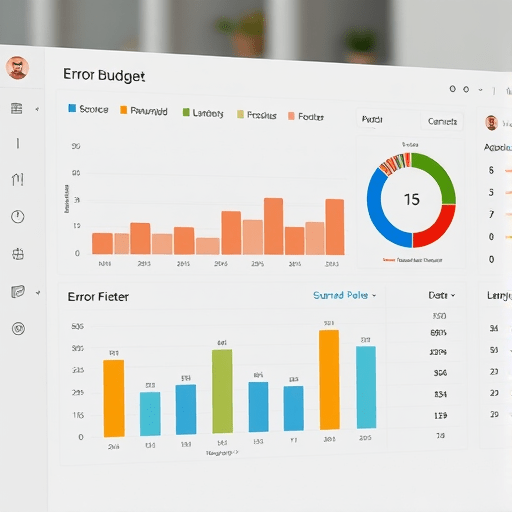
Scaling a startup is a constant exercise in trade-offs. Should you ship new features or fix the reliability debt? Should you spend engineering hours on internal tooling or customer-facing improvements? Too often, these decisions are made on gut feel, leading to burnout, angry customers, and stalled growth. The solution is a framework borrowed from site reliability engineering: use error budgets to scale startup ops. An error budget is the amount of failure your system can tolerate before it breaks its promise to users. By making that tolerance explicit, you replace guesswork with data, align your team around shared goals, and create a sustainable operational rhythm that actually scales.
Why Startup Ops Need Error Budgets (Not Just Uptime)
Traditional operations thinking treats failure as an anomaly to be avoided at all costs. But in a fast-moving startup, chasing 100% uptime is not only impractical—it’s counterproductive. If you demand that every internal process, API, and manual task executes flawlessly, you’ll end up slowing down deployments, over-engineering every system, and burning out your team.
Error budgets flip that mindset. They define how much failure is acceptable in a given time period. For instance, if your service-level objective (SLO) is 99.5% availability, your error budget for the month is 0.5% of total time—about 3.6 hours. You can use that budget however you like: the team can spend it on a risky deployment, a new experiment, or intentionally throttling non-critical operations while you focus on a big launch. The only rule is that once the budget is exhausted, you stop shipping and immediately prioritise reliability.
For startup ops, this extends far beyond technical uptime. Every operational process—customer onboarding, invoice processing, incident response, even internal communication—has an implicit success rate. Error budgets give you a way to measure those processes, set targets, and decide when to invest in fixing them.
Defining Error Budgets for Operational Health
To build an error budget, you first need an SLO. An SLO is a measurable target that reflects what your users or internal stakeholders expect. For each critical operational flow, define a metric that matters—not a vanity metric. Good options include:
- Request success rate: Percentage of customer support tickets resolved within 24 hours.
- Transaction reliability: Percentage of payment webhooks processed without error.
- Data freshness: Percentage of daily sales reports delivered on time.
- Internal automation uptime: Percentage of scheduled CI/CD jobs that complete successfully.
Then set an SLO that is ambitious but not oppressive. A common starting point is 90% for non-critical internal processes, 95% for important business flows, and 99% or higher for customer-facing core features. The error budget is simply 100% minus the SLO—so a 95% SLO gives you a 5% error budget per month.
Once the budget is defined, you need a way to track consumption in near real time. Spreadsheets work for manual cadence, but automated dashboards are far better. Tools like Grafana, Datadog, or even a simple structured log sink can calculate error budget burn and alert you when it approaches the threshold.
Beyond Engineering: Error Budgets for Support, Sales, and Marketing
Error budgets shine when applied outside the engineering organisation. Consider a customer support team responsible for first-response time. If your SLO is to respond to 90% of tickets within a day, the error budget is 10% of tickets that can miss the target. That gives the team a clear signpost: they can experiment with new tooling, take on deeper optimisation projects, or even run a slow support day without panic—as long as the budget holds.
Similarly, sales operations can set an SLO for the percentage of demo requests that receive a follow-up within two hours. Marketing can track the percentage of webhook-delivered campaign events that reach the analytics pipeline. When error budgets are shared across departments, everyone learns to discuss risk in objective terms: “We burned 8% of our support error budget on Tuesday because of the new chat tool; do we want to continue, or roll back?” That’s a conversation based on data, not blame.
Turning Error Budgets into Actionable Alerts
An error budget without alerting is just a report. The real value comes from triggering responses when the budget is at risk. The mistake many startups make is to fire an alert only when the entire budget is gone. By then, you’ve already experienced a bad day or two. Instead, use burn-rate alerts.
For example, if your monthly error budget is 5% and you burn 2% in a single day, your projected consumption for the month is 60%—a clear sign that something is wrong. Use these early warnings to trigger a blameless review or a brief pause on non-critical changes. On the other hand, if you’re only using 10% of the budget on day 25, you know you have room to be aggressive.
Implementation can be simple. A cron job that queries your logs and calculates budget burn every five minutes is enough to start. For more sophisticated setups, consider using an error-budget-policy-as-code approach, where the policy defines which alerts should page a human and which can be handled automatically. The key is to make alerts explicit, actionable, and tied to a decision.
A Practical Playbook for Implementing Error Budgets in 2026
Here’s a step-by-step framework to roll out error budgets across your startup ops without overwhelming the team.
- Start small: Pick one operational process that matters—like the customer onboarding flow. Define an SLO, measure the current success rate, and calculate the error budget.
- Visualise the budget: Create a simple dashboard that shows remaining budget, burn rate, and projected exhaust date. Put it in your team’s shared Slack or Teams channel.
- Set two alert levels: An early warning at 70% budget consumed and a hard stop at 100% where you freeze feature work and focus on reliability.
- Introduce budget reviews: Every two weeks, spend 15 minutes reviewing how the budget was used. Did you deliberately spend it on a risk? Or did it burn due to an undetected defect? Adjust SLOs if they’re unrealistically strict—but only after data proves the target is off.
- Expand gradually: Once the team is comfortable, add another process. Eventually, connect the error budget to your overall operational health score, linking it to hiring decisions, tooling purchases, and roadmap prioritisation.
The beauty of this playbook is that it doesn’t require expensive infrastructure. A structured log, a small SQL query, and a nightly script can deliver a working error-budget system in less than a week. The cultural shift takes longer, but that’s where the real payoff lives.
Common Pitfalls and How to Avoid Them
Implementing error budgets is not without traps. Here are the most common ones and how to sidestep them:
- Setting SLOs based on current performance instead of user needs. That turns error budgets into useless comfort zones. Instead, set SLOs from the user’s perspective—what failure threshold would they consider unacceptable?
- Treating error budgets as permission to be sloppy. The point is not to encourage failure; it’s to make risk explicit and manageable. If you burn the budget too quickly, you stop and fix things.
- Ignoring trailing operations. A support process may have a 30-day resolution cycle. If you measure only a one-week rolling window, you’ll miss systematic delays. Use a longer window for slow processes.
- Alert fatigue. Too many alerts about the budget will make people ignore them. Consolidate alerts so that only human decisions trigger a page.
- Not tying error budgets to action. If you create the budget but never use it to decide whether to stop shipping or to invest in reliability, it’s just a dashboard widget.
Conclusion
Error budgets are more than an engineering best practice—they’re a powerful operational tool for startups aiming to scale without chaos. By explicitly defining how much failure you can tolerate, you replace reactive firefighting with proactive decision-making, align every department on shared goals, and create a culture where risk is measured, not guessed. Start with one process, automate the alerting, and let the error budget guide your next operational choice. That’s how you stop guessing and start scaling.