
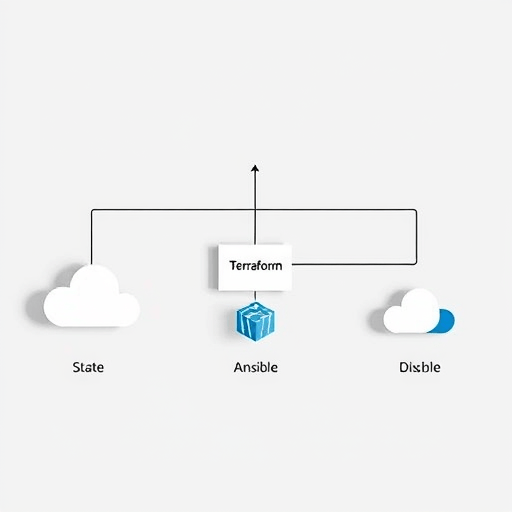
If you are looking for a reliable way to sync Terraform state to Ansible inventory automatically, a dynamic inventory plugin using remote state is the answer. Instead of exporting inventory files after every terraform apply, you can build a plugin that queries the same remote state backend Ansible already trusts. This gives you a single source of truth, removes manual export steps, and keeps host groups aligned with the actual infrastructure you have provisioned.
Why Static Inventories Fail in Cloud-Driven Environments
Static inventory files have a place in small labs and legacy environments, but they become a liability once infrastructure is managed through Terraform. Every new instance, load balancer, or security group changes the addressable host list. Running terraform apply does not update a static Ansible inventory file unless you remember to run a separate export script. That extra step is easy to forget, and stale inventory data leads to failed playbook runs, misconfigured groups, and wasted debugging time.
Modern infrastructure teams also work with multiple environments, workspaces, and regions. A static file cannot easily represent the dynamic relationships between Terraform resources and Ansible host groups. The better approach is to let Ansible retrieve inventory information directly from Terraform remote state at runtime. This is where a custom dynamic inventory plugin shines.
The Architecture of a Remote State Inventory Plugin
A dynamic inventory plugin using remote state is a Python class that Ansible loads during execution. It receives no manually edited host list; instead, it connects to your remote state backend, retrieves the latest state file, and parses the resources that matter for your playbooks. The plugin then converts Terraform resources into Ansible hosts and groups.
This architecture works because Terraform stores every resource attribute in state, including IDs, IP addresses, DNS names, tags, and metadata. Ansible inventory plugins have access to a rich configuration system that lets you define which state backend to use, which prefix to look for, and how to map resource attributes to inventory variables.
Reading State from an S3, GCS, or Azure RM Backend
Most teams already use a remote backend for Terraform state. The plugin can be written to support the same backends Terraform supports, including Amazon S3, Google Cloud Storage, Azure Storage, and HashiCorp Consul. At runtime, the plugin reads the backend configuration from its own Ansible configuration file, then fetches the state object. This avoids hardcoding credentials into playbooks because the plugin can reuse the same environment variables and authentication methods already configured for Terraform.
When the state file is large, the plugin should cache it locally for a short period. You can set a cache timeout in the inventory configuration so that repeated playbook runs do not hit the backend every few seconds. The cache also makes the inventory plugin feel snappy, even if your state file contains hundreds of resources.
Mapping Terraform Resources to Ansible Host Groups
The real value of a dynamic inventory plugin is the ability to create meaningful groups. A raw list of EC2 instances or Azure VMs is not helpful unless you can group them by application tier, environment, or region. Terraform tags and names are perfect for this. The plugin can read a tag like ansible_group=web or a name prefix like app-backend- and assign matching resources to the corresponding Ansible group.
You can also use the plugin to create group variables from Terraform resource attributes. For example, if a Terraform-managed AWS security group ID should be available to all web hosts, the plugin can set security_group_id as a host variable from the state entry. This reduces duplication in group_vars files and keeps everything consistent with the actual infrastructure.
Step-by-Step: Building the Dynamic Inventory Plugin
Before writing code, decide which remote state backend you will support first. The example below uses an S3 backend because it is common in AWS-centric environments. You will need a Python file placed in an Ansible inventory directory, typically inventory/terraform_state.py. The plugin must inherit from ansible.plugins.inventory.BaseInventoryPlugin and declare itself as INVENTORY_PLUGIN = True.
#!/usr/bin/env python3
from ansible.plugins.inventory import BaseInventoryPlugin
import boto3
import json

class InventoryModule(BaseInventoryPlugin):
    NAME = "terraform_state"

    def parse(self, inventory, loader, path, cache=False):
        super().parse(inventory, loader, path, cache)
        self._read_config_data(path)
        bucket = self.get_option("bucket")
        key = self.get_option("key")
        region = self.get_option("region")

        s3 = boto3.client("s3", region_name=region)
        state = json.loads(s3.get_object(Bucket=bucket, Key=key)["Body"].read())

        for resource in state.get("resources", []):
            self._add_resource_to_inventory(resource)
This skeleton demonstrates the core idea. The real plugin will need error handling, backend-specific pagination, and logic to parse instances versus other resources. You also need to create an inventory configuration file that tells Ansible to use the plugin:
# inventory/remote_state.yml
plugin: terraform_state
bucket: my-company-terraform-state
key: production/terraform.tfstate
region: us-east-1
cache: true
When you run ansible-playbook -i inventory/remote_state.yml playbook.yml, Ansible loads the plugin, fetches the remote state, and builds the inventory in memory. No file generation step is required.
Handling Terraform Workspaces and State File Paths
Production and staging environments often use separate Terraform workspaces. Your plugin should support a workspace prefix in the S3 key or a separate key per workspace. This lets the same inventory configuration be reused across environments by changing a single option. For example, you can set key: "{{ workspace }}/terraform.tfstate" and pass the workspace variable from the command line or an Ansible var.
Another approach is to use Terraform output values instead of raw state resources. If you define outputs for instance IP addresses and group names, the plugin can read the outputs section of the state file. This is simpler and less brittle because you control exactly what gets exposed to Ansible. However, it requires more maintenance on the Terraform side. A hybrid approach works best: use raw resources for automatic grouping, but allow explicit outputs to override the default mapping.
Security and Permissions for the Plugin
Because the plugin reads remote state, it needs read access to the state backend. In AWS, this means an IAM role or user with permissions to read objects from the S3 bucket. Restrict the policy to only the needed objects. You can also use KMS permissions if the state file is encrypted. In GCP, assign the Storage Object Viewer role to the service account used by Ansible.
There is a common concern: giving Ansible access to the state file exposes all infrastructure details. That is true, but the Ansible control node already needs access to SSH keys and other sensitive inventory data. To reduce risk, store the plugin configuration outside the playbook repository, or use Ansible Vault to encrypt sensitive backend credentials. The plugin can read environment variables for the backend credentials, just like Terraform does.
Testing and Keeping the Plugin Honest
A dynamic inventory plugin should be tested with the same rigor as any other code. Use Terraform state fixtures with known resources and verify that the plugin produces the expected hosts and groups. Run Ansible with --list-hosts after every change to the plugin. You can also use ansible-inventory --list -i inventory/remote_state.yml to inspect the generated JSON inventory before running any playbooks.
Add a small integration test to your CI pipeline that provisions a test Terraform resource, runs the plugin, and confirms the host appears in the Ansible inventory. This prevents regressions when Terraform state structure changes in a future release.
Going Beyond Basic Hosts: Using State Attributes as Variables
The plugin’s real power is in letting Ansible use Terraform-generated attributes as variables. An instance’s private IP, public DNS, subnet ID, availability zone, and even user-data-derived metadata can become Ansible host variables. This eliminates the need to query cloud APIs separately in your playbooks. The inventory plugin becomes a thin translation layer between Terraform’s representation and Ansible’s execution model.
For example, if your Terraform configuration creates a database instance, the state might contain a connection endpoint in an attribute. Your plugin can read that attribute and set database_endpoint as a host variable for application servers. This makes playbooks simpler and more maintainable because they rely on state rather than hardcoded values.
Common Pitfalls When Syncing State to Inventory
One mistake is trying to make the plugin handle every Terraform resource type at once. Start with the resources you actually run playbooks against: compute instances, virtual machines, containers, or bare-metal servers. Other resources should be ignored unless they provide host variables for those primary resources.
Another pitfall is assuming the state file will always be up to date. If you run Terraform from a laptop that later loses connectivity, the state in the backend may be behind the actual infrastructure. The plugin will faithfully reflect the remote state, not necessarily the live environment. This is usually acceptable because Terraform is the source of truth for what is being managed. In scenarios where drift is a concern, combine the inventory plugin with a Terraform refresh step in your automation pipeline.
Conclusion
Syncing Terraform state to Ansible inventory automatically is not just a convenience; it is a practical way to keep configuration management aligned with infrastructure provisioning. A dynamic inventory plugin using remote state removes the manual export step, gives every playbook access to current resource attributes, and makes your automation pipeline more resilient. By building a small, focused plugin and mapping only the resources that matter, you can create an inventory system that scales with your infrastructure and stays true to the IaC principles behind Terraform.


