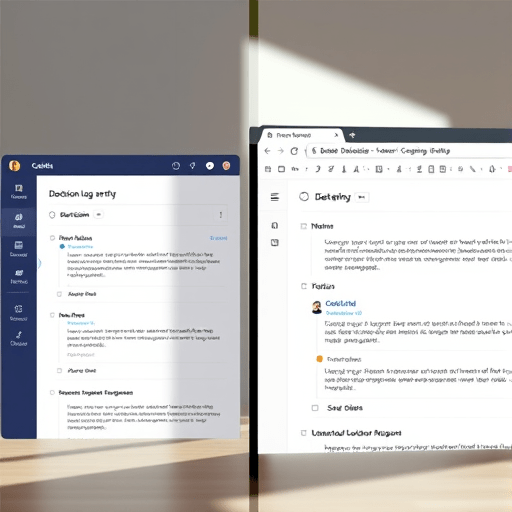
Every remote team knows the exact moment a decision starts to rot: someone asks, “Wait, why did we choose this vendor?” and the only answer is a Slack thread that starts with a casual suggestion and ends with no clear resolution. An async decision journal in remote teams solves that problem by turning scattered conversations into a searchable, structured record of choices, rationale, and alternatives. To find the best fit, we tested three tools for the job: Notion, Coda, and GitHub. Each handles the decision lifecycle differently, and the winner depends less on raw features than on how your team already shares and structures information.
What Makes a Decision Journal Work Asynchronously?
Before comparing tools, it helps to define the non-negotiables. A decision journal is only useful if it captures three things: the decision itself, the context around it, and the people who were involved in making it. In a remote setting, it also needs to be discoverable without anyone asking around, which means consistent structure and searchability matter more than fancy visuals.
We evaluated every tool against five practical criteria:
- Capture speed: How quickly can someone log a decision before it becomes stale?
- Context preservation: Can you attach alternatives, constraints, deadlines, and supporting docs?
- Async discussion: Is it easy to comment, propose changes, and raise concerns without a live meeting?
- Discoverability: Can someone find a past decision and its rationale months later?
- Accountability: Does the tool make it clear who decided what and when?
With those criteria in mind, here is how Notion, Coda, and GitHub performed in our hands-on test.
Notion: The Flexible Wiki-Driven Decision Log
Notion is the default choice for many remote teams because it already serves as the company wiki, project tracker, and note repository. For an async decision journal, the database feature is the clear standout. We built a Decision Log database with properties like Status, Decision Owner, Options Considered, and Decided At, then created a page template that prompts teammates to fill in the rationale before posting.
What makes Notion powerful is its flexibility. A decision page can be linked to a team wiki page, a project initiative, or even a company objective. You can create a filtered view showing only decisions from the last quarter or only those that were later overturned. That kind of relational structure is difficult to replicate in a simple document.
The downside is the same flexibility that makes it great: Notion is a blank canvas, and blank canvases often end up abandoned. In our test, the process worked smoothly for teams that already had an established Notion structure. For teams without that habit, the Decision Log became just another database that nobody opened. The deciding factor here is whether your team already lives in Notion for day-to-day work.
Coda: The Hybrid Doc-and-App Decision Registry
Coda sits in a middle space between a document and a lightweight application. Instead of choosing between a wiki page and a database, you can embed tables directly inside a narrative, which we found surprisingly natural for decision-making. We started with a structured table of open questions, then added a section for candidate options with pros and cons, and finally a summary block for the final call.
The standout feature in Coda was the ability to make the journal interactive. We added a button that lets a team member mark a decision as Approved or Needs More Discussion, automatically moving the row to a different section of the table. For a remote team, this turns the decision journal into a mini-workflow rather than a static log.
Coda’s weakness is its learning curve. Formulas, buttons, and packs are powerful, but more complex than most documentation tools. It also has a smaller integration ecosystem than Notion, so if your team relies on a deep stack of connected apps, you may hit limitations. Still, for teams that want structure without giving up storytelling, Coda hits a sweet spot.
GitHub: The Pull Request Workflow for Engineering-Driven Teams
GitHub was the most surprising contender. We tested it by treating every decision like a pull request, using an issue template with Context, Options, Decision, and Alternative fields. The discussion lives in the issue comments, the approval process mirrors code review, and the decision is merged once the involved parties agree. It is essentially the same pattern as Architecture Decision Records, and it works brilliantly for engineering teams.
The biggest advantage of GitHub is accountability through workflow. There is no ambiguity about when feedback was requested, who approved it, or when it was finalized. The entire conversation gets a permanent history, and linking related issues or pull requests keeps decisions tied to the code that implements them. Searchability is strong too, thanks to GitHub’s code search and label filters.
On the other hand, GitHub feels unnatural for non-technical teammates. Product managers and designers can participate, but the interface is intimidating to people who do not live in a version-control mindset. We also found that GitHub lacks built-in fields for structured metadata beyond labels and task lists. If your remote team includes non-developers, the workflow needs deliberate onboarding to stick.
Comparing the Three Across Real Decision-Journal Scenarios
We tested each tool with three realistic scenarios: a product pivot, a design system choice, and a hiring decision. Here is how the tools fared:
- Product pivot: Notion won for linking the decision to broader company docs and metrics. Coda was close behind because of its interactive comparison table, while GitHub felt too focused on the implementation detail.
- Design system choice: GitHub was the standout because the discussion involved code samples and visual assets meant for developers. Coda handled embedded design mockups well, but Notion lagged on the technical discussion.
- Hiring decision: Coda was strongest here, as the structured review workflow matched the process, with scoring tables and approval buttons. Notion required manual setup to get the same result, and GitHub plain felt out of place.
The pattern is clear: the right tool depends on who is making the decision and where the conversation already happens.
Which Async Decision Journal Should Your Remote Team Choose?
For 2026, the challenge is no longer finding a tool—it is choosing one your team will actually keep up with. If your team lives in Notion and wants to tie decisions directly into wikis and project docs, use Notion. If you want the journal to feel like a structured workflow, especially for non-engineering roles, Coda gives you the most control. And if your team is engineering-heavy, GitHub turns decision logs into the same rigorous review process you already use for code.
Whatever you choose, assign one person to keep the journal honest. A decision journal is only as good as its entry cadence, and even the best tool fails if the team treats it as an afterthought.
An async decision journal is a small habit that prevents large misalignments. By choosing a tool that matches your team’s existing workflow, you make it easier to record the why behind every what—so the next person who asks “why did we choose this?” gets an answer instead of a shrug.