# Why Your Next CI/CD Pipeline Should Be a DAG, Not a Linear Script
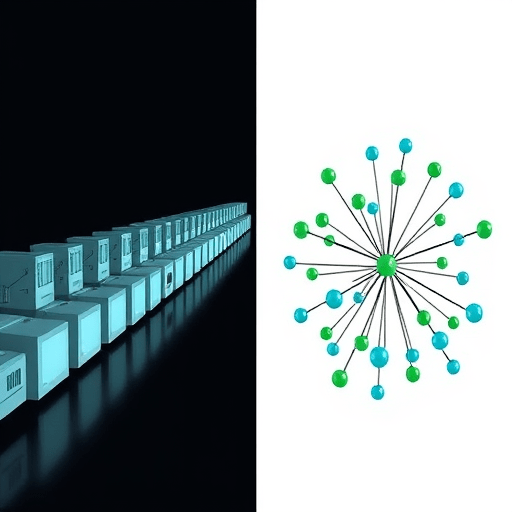
If your deliverable takes longer than it should—or, worse, fails halfway through and forces a full rerun—the culprit might not be slow tests or flaky infrastructure. It could be the shape of your pipeline itself. Most teams still design CI/CD as a linear script: a sequence of steps that run one after another, each waiting on the one before it. A DAG—a directed acyclic graph—offers a fundamentally different mental model. Instead of a single line of execution, you get a network of tasks connected by explicit dependencies, enabling true parallel execution and making your build, test, and deployment processes genuinely resilient. The shift from “steps in a file” to “nodes in a graph” is no longer an exotic choice; it is becoming the default for teams that value speed and stability.
## The Linear Script Ceiling
Linear pipelines are easy to write. A YAML file or a shell script with ten steps is intuitive: check out code, install dependencies, run tests, build an image, push, deploy. But this simplicity hides a compounding cost.
First, a linear pipeline wastes time. If your unit tests and integration tests are independent, why should integration wait? In a sequential setup, every task blocks the next, whether it needs to or not. As your project grows—more services, more test suites, more deployment targets—that wasted time grows with it. A pipeline that takes 15 minutes when tests could run in parallel could easily take 40.
Second, linearity magnifies failure. If step four fails, steps five through ten never run, and the entire pipeline is marked red. A one-line typo in a deployment script triggers a full rerun of every test that already passed. In a long pipeline, that is not just frustrating; it is expensive. And when the pipeline is the only path to production, every rerun delays the whole team.
Third, linear scripts hide dependencies. In a sequential file, ordering creates implied dependencies that were never explicitly designed. Later, when someone asks “Can I move this step earlier?” the answer is unclear because no one knows *why* the order exists. The pipeline becomes a monolith of best-effort sequencing, impossible to reason about, refactor, or reuse.
## What a DAG Actually Changes in Day-to-Day CI/CD
A DAG flips the model. Instead of asking “What comes next?” you ask “What does this task need?” Each step—whether it is a build job, a linting pass, or a deployment—is a node. Edges connect nodes that depend on one another. If a task has no dependencies on others, it can run immediately, in parallel.
The practical effect is immediate. Suppose your pipeline includes:
– Static analysis for the frontend and backend
– Unit tests for both
– End-to-end tests that depend on build artifacts
– A container image build
In a linear script, these run serially. In a DAG, static analysis and unit tests for the frontend and backend run concurrently. The end-to-end tests wait only for the relevant build jobs. A 45-minute pipeline can become a 15-minute one without changing any test logic—only by removing false serialization.
But parallel execution is only the most visible benefit. The deeper change is how you think about failure.
## Designing for Resilience: Failure Isolation and Retry Granularity
In a linear pipeline, a failure anywhere is a failure everywhere. You rerun everything, even the steps that succeeded. In a DAG, failure is contained to the node where it occurred. If the frontend unit test fails, the backend tests do not need to rerun. The deployment job that only depends on the backend build can proceed—or, if it is the frontend failure that blocks release, you at least know exactly which area to fix without re-running the whole graph.
This granularity also enables smarter retries. Instead of “retry the entire pipeline,” you retry only the failed task. Many modern CI/CD platforms support per-node retries with backoff, so transient issues—a timeout pulling a dependency, a flaky browser test—do not force a full rebuild. The cost of a failure drops dramatically, which changes team behavior. When failure is cheap, teams commit more often, and more frequent commits mean smaller diffs and easier debugging.
Resilience is not just about retrying; it is about not failing in the first place. DAG-based pipelines often expose bottlenecks that linear scripts hide. If one node takes ten minutes and everything downstream depends on it, that node is easy to spot in a graph visualization. You can optimize it, cache it, or split it into smaller nodes. In a linear script, you would have to trace nested logs to find the same information.
## Dependency Modeling: The Real Core of a DAG
The word “graph” can sound abstract, but in practice it forces clarity. When you define a pipeline as a DAG, you cannot rely on arbitrary ordering. Every dependency must be explicit. That explicitness is a form of self-documentation. A year later, a new engineer can look at the graph and see exactly why the deploy job waits for the image build and why the migration job runs before the smoke test.
Good dependency modeling also protects you from accidental parallel races. In a linear script, two steps might rely on the same workspace but never state it. In a DAG, you must either define an edge between them or give them isolated workspaces. This prevents a classic source of flaky pipelines: implicit state shared between steps that stop being safe after someone reorders a file.
The discipline of modeling dependencies also makes pipelines more portable. A DAG described in a declarative format—whether YAML, JSON, or code—can be rendered visually, audited, and even generated programmatically. You can reuse subgraphs across services, or generate the entire pipeline from a set of service definitions. That is much harder to do with a linear script.
## Practical Steps for Moving From Script to DAG
You do not need to redesign everything at once. Moving from a linear script to a DAG can be incremental.
1. **Draft a node map.** Write down every step in your current pipeline as a noun: lint, unit-test-frontend, build-image, deploy-staging. Draw arrows for the question “does this step need the output of another?” Anything with no incoming arrow is an entry point that could run immediately.
2. **Start with the easy wins.** Pick two expensive independent tasks—perhaps frontend tests and backend tests—and run them in parallel. Even a two-node DAG reduces the wall-clock time meaningfully.
3. **Expose intermediate artifacts as explicit outputs.** In a linear script, steps share a file system. In a DAG, they often pass artifacts. If your tool does this automatically, great. If not, define the artifacts and watch how it improves traceability.
4. **Respect environment isolation.** If a node depends on a database, make that dependency explicit as a service or a container. Do not let tasks secretly rely on a shared shell state.
5. **Use your CI system’s native DAG features.** The leading platforms now treat workflows as graphs behind the scenes. Read the documentation for “jobs”, “stages”, “needs”, or “depends_on” and use those constructs rather than chained shell commands.
## Tooling and the 2026 Landscape
The tooling ecosystem has matured quickly. GitHub Actions already allows jobs to declare `needs`, which creates a graph structure. GitLab CI has had DAG support for years, and its `needs` syntax allows jobs to start before earlier stages finish. Argo Workflows and Tekton treat DAGs as a first-class concept in Kubernetes native environments. More specialized orchestration platforms like Temporal and Prefect bring DAG semantics to business workflows, and their ideas are bleeding back into CI/CD.
In 2026, the biggest trend is the application of generative AI to pipeline definition. If your pipeline is a DAG, an AI assistant can reason over its nodes and edges much more easily than over a wall of shell commands. It can suggest optimizations, identify unused dependencies, or generate new nodes that follow existing patterns. The explicit structure of a DAG is what makes these tools genuinely useful, rather than just fancy autocomplete.
The other shift is platform engineering. Teams building internal developer platforms are standardizing on DAG-based pipeline definitions because they are easier to template, validate, and expose through a self-service UI. A linear script invites every team to write its own bespoke sequence. A DAG encourages composition: common building blocks that connect in a defined pattern.
## Conclusion
A linear CI/CD script is not wrong—it is simply limited. For small projects with one service and a handful of tests, a sequential file remains understandable and sufficient. But as software systems grow in complexity, the pipeline that delivers them must evolve. A DAG-based pipeline treats each step as an independent node whose dependencies are explicit. This directly enables parallel execution, reduces the blast radius of failures, and turns a script that everyone fears to touch into a graph that anyone can read. If you are designing your next pipeline, the shape of it matters more than the tools you choose. Start with a graph, and the resilience and speed benefits will follow naturally.