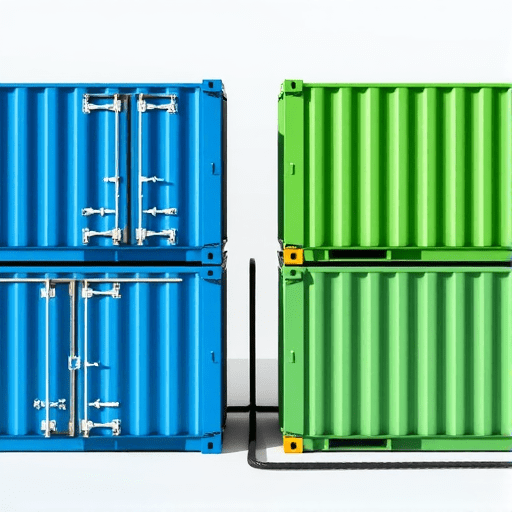
Deploying new versions of a microservice on Amazon EKS can feel like walking on a tightrope. Any hiccup in the rollout can take down an entire service for minutes, impacting users and revenue. By combining Kustomize with AWS EKS’s native capabilities, you can achieve true zero‑downtime blue‑green releases that let you flip traffic instantly while keeping your workloads healthy and recoverable. This guide walks you through a fresh, production‑ready approach that works with GitOps tools, the AWS Load Balancer Controller, and Kubernetes’ built‑in rollout mechanisms.
Why Blue‑Green with Kustomize?
Traditional rolling updates modify a single Deployment, which can lead to brief periods where the old and new pods coexist. Blue‑green deployments avoid this by running two parallel instances (blue and green) of the same application, switching a Service’s selector to point to the ready instance. Kustomize, with its layering and patching model, is a natural fit for this pattern because:
- Declarative overlays: You can keep a base configuration and create distinct overlays for blue and green environments.
- Zero copy: Overlays reuse the same base, ensuring consistency across releases.
- Dynamic patching: You can swap image tags, annotations, and labels on the fly without rewriting entire manifests.
Below is a step‑by‑step recipe that keeps your application alive, your data safe, and your deployment pipeline smooth.
Prerequisites
- Amazon EKS cluster (v1.28 or later) with the
aws-load-balancer-controllerinstalled. - kubectl configured to talk to the cluster.
- Kustomize v5+ (bundled with
kubectl kustomizeor installed separately). - Git repository for GitOps tools such as Argo CD or Flux.
- IAM permissions for EKS nodes to create and manage ALB target groups (IRSA or node IAM role).
- Docker image repository (ECR, Docker Hub, etc.) containing the application.
Project Structure
Adopt a directory layout that separates the base manifests from blue and green overlays. A typical structure looks like this:
my-app/
├── base/
│   ├── deployment.yaml
│   ├── service.yaml
│   └── kustomization.yaml
├── overlays/
│   ├── blue/
│   │   ├── kustomization.yaml
│   │   └── patch.yaml
│   └── green/
│       ├── kustomization.yaml
│       └── patch.yaml
└── kustomization.yaml
The top‑level kustomization.yaml can be empty or contain references to the overlays for convenience. The base contains the core deployment logic; the overlays modify labels, image tags, and selectors to distinguish between blue and green.
Base Manifests
deployment.yaml
Define a Deployment that is intentionally non‑stateful (stateless containers) and uses a readinessProbe to guarantee traffic can only reach healthy pods.
apiVersion: apps/v1
kind: Deployment
metadata:
  name: my-app
  labels:
    app: my-app
    version: ""   # placeholder to be patched
spec:
  replicas: 3
  selector:
    matchLabels:
      app: my-app
      version: ""   # placeholder
  template:
    metadata:
      labels:
        app: my-app
        version: ""   # placeholder
    spec:
      containers:
      - name: my-app
        image: "<registry>/my-app:latest"
        ports:
        - containerPort: 80
        readinessProbe:
          httpGet:
            path: /healthz
            port: 80
          initialDelaySeconds: 10
          periodSeconds: 5
service.yaml
The Service targets pods labeled with the current version. It will be the switch point for blue‑green traffic.
apiVersion: v1
kind: Service
metadata:
  name: my-app
  labels:
    app: my-app
spec:
  type: LoadBalancer
  selector:
    app: my-app
    version: ""   # placeholder
  ports:
  - port: 80
    targetPort: 80
kustomization.yaml (base)
resources:
- deployment.yaml
- service.yaml
Overlay Configuration
Each overlay contains a patch.yaml that updates the version label and image tag. This enables Kustomize to treat blue and green as distinct resources, even though they share the same base manifests.
blue/patch.yaml
apiVersion: apps/v1
kind: Deployment
metadata:
  name: my-app
spec:
  template:
    metadata:
      labels:
        version: blue
  selector:
    matchLabels:
      version: blue
---
apiVersion: v1
kind: Service
metadata:
  name: my-app
spec:
  selector:
    version: blue
green/patch.yaml
apiVersion: apps/v1
kind: Deployment
metadata:
  name: my-app
spec:
  template:
    metadata:
      labels:
        version: green
  selector:
    matchLabels:
      version: green
---
apiVersion: v1
kind: Service
metadata:
  name: my-app
spec:
  selector:
    version: green
blue/kustomization.yaml
bases:
- ../../base
patchesStrategicMerge:
- patch.yaml
images:
- name: <registry>/my-app
  newTag: <commit-sha>-blue
configMapGenerator:
- name: my-app-config
  envs:
  - env/blue.env
green/kustomization.yaml
bases:
- ../../base
patchesStrategicMerge:
- patch.yaml
images:
- name: <registry>/my-app
  newTag: <commit-sha>-green
configMapGenerator:
- name: my-app-config
  envs:
  - env/green.env
Notice the images section that forces a unique tag for each overlay, ensuring Kubernetes treats the two Deployments as separate resources. You can also add environment‑specific ConfigMaps or Secrets via configMapGenerator or secretGenerator.
GitOps Workflow
Using a GitOps controller, you can automate the entire blue‑green lifecycle:
- Commit new code. Push the new image tag to the repository.
- Update the overlays. In the Git repo, replace the placeholder
<commit-sha>with the actual commit SHA for the new release. - Apply the green overlay. The controller runs
kubectl apply -k overlays/green, creating the green Deployment and Service. - Wait for readiness. The green pods will pass the
readinessProbebefore the Service selector can be switched. - Flip the traffic. Update the base Service selector (or apply an additional patch) to point to the green version.
- Monitor. Observe logs, metrics, and health endpoints. If issues arise, switch back to blue by flipping the selector again.
- Prune. Once traffic is stable, delete or archive the blue overlay or downgrade the blue Deployment.
Argo CD’s syncPolicy can be configured to pause until all pods are ready. With Flux, the kustomize-controller can automatically detect changes and apply them in order.
Traffic Switching Strategies
Switching the Service selector is the simplest method, but AWS provides deeper control via the aws-load-balancer-controller and Target Groups. Two common approaches:
1. Service Selector Flip
Directly update the service.yaml selector to the new version. Kustomize can generate a patch that sets the selector to version: green. The ALB automatically updates its target groups to reflect the new pods, achieving an instant cutover.
2. Target Group Rotation
Use the service.beta.kubernetes.io/aws-load-balancer-target-group-attributes annotation to define multiple target groups. A small annotation change can move traffic between groups without touching the Service selector. This is handy when you want to keep the selector stable for observability reasons.
Example annotation for dual target groups
metadata:
  annotations:
    service.beta.kubernetes.io/aws-load-balancer-target-group-attributes: >
      target_group_0=green:80,weight=100
      target_group_1=blue:80,weight=0
To switch traffic, simply adjust the weights in the annotation. The aws-load-balancer-controller reconciles the changes automatically.
Ensuring Zero‑Downtime
Several best practices keep your blue‑green deployment truly seamless:
- Health Checks First: Configure
readinessProbeandlivenessProbeto prevent unready pods from receiving traffic. - Canary Warm‑Up: Deploy the green instance to a subset of nodes first, verify it serves traffic, then expand the selector.
- Immutable Deployments: Use immutable images and never modify running containers. This reduces rollback complexity.
- Use Immutable Tags: Append a SHA or timestamp to image tags to guarantee Kubernetes treats each release as a new resource.
- Metrics & Observability: Instrument the application to expose health metrics (Prometheus, CloudWatch) and correlate them with the deployment version.
- IAM for Service Accounts (IRSA): Grant only the minimal permissions needed for the load balancer controller to manage target groups, limiting blast radius.
- Rollback Plan: Always keep the old version in the cluster. Switching back to blue is as simple as flipping the selector again.
Advanced Enhancements
Once you have a stable blue‑green pipeline, you can layer more advanced patterns:
Automated Canaries
Integrate Kustomize with kustomize build to create a canary Deployment that runs alongside blue and green. Use Prometheus Operator to monitor request latency and automatically route a percentage of traffic to the canary.
Feature Flag Integration
Couple the version label with a feature flag system (e.g., LaunchDarkly). Deploy green pods with the flag enabled, then switch traffic to green only after the flag is confirmed to be stable.
Zero‑Downtime Databases
For stateful workloads, use kubectl rollout status to wait for migrations to finish before flipping traffic. Consider using Argo Rollouts for advanced promotion logic that automatically pauses for database readiness.
Testing Your Blue‑Green Pipeline
Before shipping to production, simulate a rollout in a sandbox cluster:
- Build both overlays:
kubectl kustomize overlays/blue > blue.yamland similarly for green. - Apply in order: Apply blue first, then green. Confirm that both pods are ready.
- Simulate traffic shift: Manually patch the Service selector to green and observe metrics.
- Rollback test: Patch back to blue and ensure traffic resumes correctly.
- Edge cases: Introduce a failure in the green pod to see how the readiness probe prevents traffic.
Automate these tests with kubetest or helm test to catch regressions early.
Conclusion
By harnessing Kustomize’s overlay system, AWS EKS’s Load Balancer Controller, and Kubernetes’ probe mechanisms, you can orchestrate zero‑downtime blue‑green deployments that are reproducible, auditable, and fully automated. This architecture gives teams confidence that every release is safe, every rollback is instant, and user experience remains uninterrupted—all while keeping your GitOps workflow simple and declarative.