
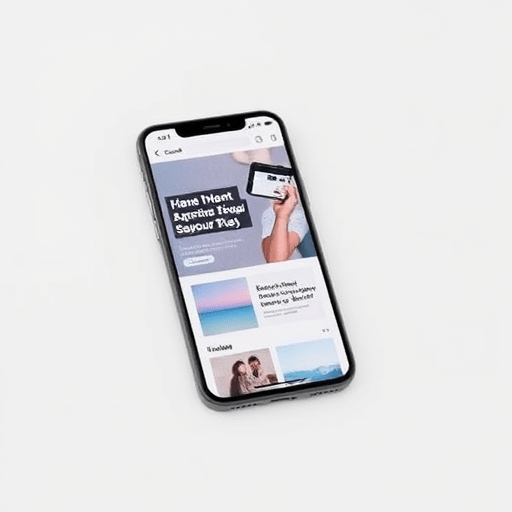
In a world where first impressions are captured in milliseconds, having a mobile‑first landing page that loads fast and looks great is essential. This guide takes you through a straightforward, beginner‑friendly recipe that uses only CSS Grid and vanilla JavaScript, no frameworks, no paid tools, and no design assets that cost you a dime. By the end of 90 minutes, you’ll have a polished, responsive landing page that you can drop into any server or host for free.
Why Go Zero‑Budget?
- Speed. Fewer libraries mean lighter bundles and quicker load times.
- Control. You can see exactly how each style and script works.
- Freedom. No licensing fees or hidden costs keep your project flexible.
With modern browsers’ capabilities and the power of CSS Grid, you can create a visually engaging layout that adapts seamlessly to any screen size, while vanilla JavaScript gives you interactivity without the bloat of frameworks.
Pre‑Workshop Checklist
Set up a quick working environment so you can focus on building, not troubleshooting.
- Code editor. VS Code, Sublime Text, or any editor you like.
- Local server.
http-server,live-server, or simply open the HTML file in a browser. - Device testing. Chrome DevTools Device Toolbar or a physical smartphone.
- Font and icon assets. Use Google Fonts and Font Awesome CDN – they’re free and fast.
Step 1 – Create the Project Skeleton (10 min)
Start with a clean directory:
landing-page/
├─ index.html
├─ styles.css
└─ script.js
Open index.html and add the basic structure:
Zero-Budget Mobile Landing Page
Step 2 – Build the Layout with CSS Grid (20 min)
Our design will consist of four key sections:
- Hero. Headline, sub‑headline, and a call‑to‑action button.
- Features. Three icon‑based cards.
- Testimonials. One or two short quotes.
- Footer. Copyright and social links.
Open styles.css and define a simple CSS reset and global variables.
*, *::before, *::after { box-sizing: border-box; margin: 0; padding: 0; }
html { font-family: 'Inter', sans-serif; line-height: 1.6; }
body { color: #333; background: #f9f9f9; }
h1, h2, h3 { font-weight: 700; }
button { cursor: pointer; }
Hero Section
Structure the hero as a single grid item that spans the full width.
.hero {
  display: grid;
  place-items: center;
  padding: 2rem 1rem;
  background: linear-gradient(135deg, #ff6b6b, #f06595);
  color: #fff;
  text-align: center;
}
.hero h1 { font-size: 2.5rem; margin-bottom: 0.5rem; }
.hero p { font-size: 1.2rem; margin-bottom: 1.5rem; }
.hero button { padding: 0.75rem 1.5rem; background: #fff; color: #ff6b6b; border: none; font-size: 1rem; border-radius: 0.25rem; }
Features Grid
Use a three‑column grid that collapses to a single column on narrow screens.
.features {
  display: grid;
  grid-template-columns: repeat(auto-fit, minmax(200px, 1fr));
  gap: 1.5rem;
  padding: 2rem 1rem;
  background: #fff;
}
.feature-card {
  padding: 1.5rem;
  background: #fafafa;
  border-radius: 0.5rem;
  text-align: center;
  transition: transform 0.3s;
}
.feature-card:hover { transform: translateY(-5px); }
.feature-card i { font-size: 2rem; color: #ff6b6b; margin-bottom: 1rem; }
Testimonials
Use a simple slider that moves horizontally.
.testimonials {
  overflow: hidden;
  padding: 2rem 1rem;
  background: #f0f0f0;
}
.testimonial {
  min-width: 100%;
  padding: 1rem;
  box-sizing: border-box;
  text-align: center;
}
Footer
footer {
  text-align: center;
  padding: 1rem;
  background: #333;
  color: #fff;
  font-size: 0.9rem;
}
footer a { color: #ff6b6b; text-decoration: none; margin: 0 0.5rem; }
Step 3 – Add HTML Markup (15 min)
Insert the following into body:
Welcome to Your Free Landing Page
Launch faster with CSS Grid and vanilla JS.
Mobile‑First
Optimized for any screen size.
Zero JavaScript
Pure vanilla for lean performance.
Lightning Fast
Minimal CSS and JS payloads.
Don’t forget to add the Font Awesome CDN in the <head> to get the icons:
Step 4 – Implement the Sliding Testimonials with Vanilla JS (20 min)
Open script.js and add a lightweight slider.
const slider = document.getElementById('slider');
let offset = 0;
const slides = slider.querySelectorAll('.testimonial');
const totalSlides = slides.length;

function nextSlide() {
  offset = (offset + 1) % totalSlides;
  slider.style.transform = `translateX(-${offset * 100}%)`;
}

setInterval(nextSlide, 4000); // Change slide every 4 seconds
The CSS for the sliding effect:
.testimonials {
  display: flex;
  transition: transform 0.5s ease-in-out;
}
Step 5 – Add Interactive CTA (10 min)
Hook the #cta button to scroll to the .features section. It’s a nice touch that shows the page’s interactivity.
document.getElementById('cta').addEventListener('click', () => {
  document.querySelector('.features').scrollIntoView({ behavior: 'smooth' });
});
Step 6 – Final Tweaks & Responsive Testing (15 min)
Make sure everything looks good on different devices:
- Mobile: Verify the hero text scales properly and the slider is smooth.
- Tablet: Check that the feature cards wrap correctly.
- Desktop: Ensure the footer social icons are aligned.
Test in Chrome DevTools, Firefox, Safari, and a real device if possible. Adjust @media queries if necessary. Here’s a quick media query to tweak the hero font size on larger screens:
@media (min-width: 768px) {
  .hero h1 { font-size: 3rem; }
  .hero p { font-size: 1.5rem; }
}
Performance & SEO Checklist (5 min)
Because the goal is zero-budget, a few extra steps will keep your page lightweight and search‑friendly.
- Compress images if you add any – use WebP or SVG.
- Minify CSS and JS (many online tools can do this for free).
- Add
rel="preload"for critical fonts. - Include a
meta name="description"tag with your main keyword. - Set up basic
og:tags for social sharing.
Congratulations! Your Zero‑Budget Landing Page Is Ready (5 min)
Open index.html in your browser, test the interactivity, and you’re done. You now have a fully functional, mobile‑first landing page built with only CSS Grid and vanilla JavaScript, all within 90 minutes and with zero cost.
Feel free to tweak colors, copy, and structure to fit your brand or project. The clean separation between layout, style, and script means you can scale or modify parts of the page without affecting the others.
Happy coding, and enjoy the speed and freedom that comes with a zero‑budget approach.


