In today’s fast‑moving product world, the pressure to prove that a feature truly solves a pain point is higher than ever. Rapid A/B Polls on Niche Boards: Validate Feature Demand in Minutes offers a lean, high‑impact approach: deploy two‑question pop‑ups to select beta groups, capture instant sentiment, and iterate before you scale. By narrowing focus to niche boards—small, dedicated communities—you gain clearer insights than the noise of broad surveys. This article explores the methodology, design best practices, and real‑world results that show why two‑question A/B polls can accelerate your roadmap.
Why Niche Boards Matter for Feature Validation
Traditional validation techniques often involve lengthy questionnaires or complex analytics dashboards. While valuable, they can dilute responses across diverse user segments. Niche boards, on the other hand, consist of highly engaged members who share specific goals or challenges. When you target a small cohort—such as a Slack channel for data analysts or a Discord community for indie developers—the signal-to-noise ratio spikes. You’re less likely to get generic “I like it” answers and more likely to receive actionable feedback tied directly to the feature’s value proposition.
Case Study: The “Analytics‑Lite” Add‑on
One product team launched an “Analytics‑Lite” add‑on for a spreadsheet tool. Instead of polling every user, they focused on the community of advanced spreadsheet power users in a dedicated forum. By showing two‑question pop‑ups in the forum, they discovered a clear pain point: the add‑on’s real‑time refresh was too slow for their workflow. Within 48 hours, they adjusted the refresh algorithm, re‑ran the poll, and confirmed a 73% drop in complaints. The rapid loop saved months of development and aligned the feature with real user needs.
Designing the Two‑Question A/B Poll
A well‑crafted poll turns a simple interaction into a powerful data source. Here’s how to design each component:
- Question 1: Contextual Relevance – Ask a question that situates the feature in the user’s workflow. For example, “When preparing monthly reports, how often do you need to refresh data?”
- Question 2: Feature Impact – Directly assess perceived value or pain. Example: “Would an instant‑refresh feature reduce the time you spend on report preparation by at least 30 %?”
By keeping both questions tied to a concrete task, you reduce ambiguity and increase the reliability of the responses. Avoid vague terms like “useful” or “important”; instead, frame around measurable outcomes.
Choosing the Right Scale
Scale matters as much as wording. A 5‑point Likert scale works well for nuanced sentiment, while a binary yes/no is efficient for quick decisions. For Rapid A/B Polls, we recommend a hybrid approach: the first question uses a 5‑point scale to capture intensity, and the second question is a simple yes/no to confirm willingness to adopt. This combination yields both depth and clarity.
Implementing A/B Tests in Pop‑Ups
A/B testing isn’t just for website copy; it’s a strategic tool for validating feature demand. Here’s a step‑by‑step approach tailored for niche boards:
- Define Variants – Create two pop‑up designs: Variant A shows the current feature description; Variant B highlights a proposed improvement (e.g., “Instant‑Refresh vs. 5‑Second Refresh”).
- Randomize Distribution – Use the board’s platform API to assign users randomly to variants. Ensure each group receives the same exposure frequency.
- Measure Engagement – Track completion rates, time to answer, and subsequent actions (e.g., feature usage logs).
- Analyze Outcomes – A statistically significant difference in Variant B’s positive responses indicates a clear demand for the improvement.
Because niche board members often have limited bandwidth, keep the pop‑up’s visual footprint minimal. Place it unobtrusively near the discussion thread, ensuring it doesn’t disrupt conversation flow.
Optimizing Timing for Maximum Response Rates
When to show a pop‑up can influence response quality. Two critical windows emerge:
- Post‑Interaction Trigger – Display the poll immediately after a user performs a related action, such as exporting a report. This context boosts relevance.
- Scheduled Intervals – For ongoing features, schedule the pop‑up during peak activity hours (e.g., mid‑week afternoons). Use platform analytics to identify when members are most engaged.
Remember to limit pop‑up frequency. Showing it too often can lead to annoyance and lower completion rates. A simple rule of thumb: one pop‑up per user per week for a new feature.
Reducing Bias in Responses
Even short polls can suffer from social desirability bias. Counteract this by:
- Using anonymous identifiers to reassure users that their answers are not tied to their profiles.
- Including a “Prefer not to say” option on the second question.
- Randomizing the order of questions between variants to neutralize order effects.
Integrating Poll Data into Your Product Roadmap
Collecting data is only the first step; turning insights into action requires a clear workflow. Consider the following pipeline:
- Data Collection – Store responses in a lightweight analytics table tied to user IDs.
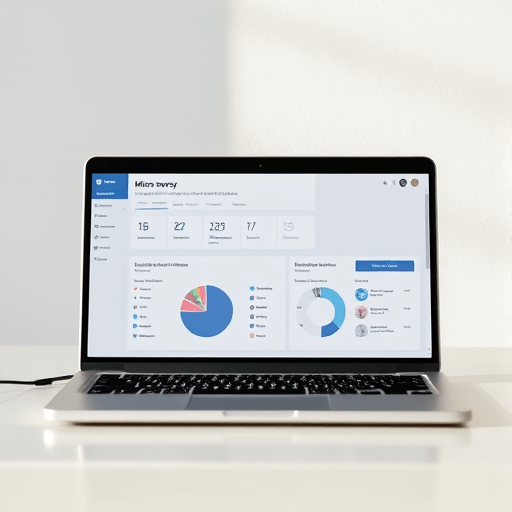
- Automated Dashboards – Use a BI tool (e.g., Tableau or Looker) to create real‑time dashboards that filter by variant, time, and demographic.
- Decision Gates – Set thresholds (e.g., >60% positive responses in Variant B) that trigger feature development or rollback.
- Feedback Loop – After implementing changes, re‑run the poll to confirm that the new version resolves the pain point.
By embedding these steps into your release cycle, you create a culture of data‑driven experimentation that respects the time constraints of niche communities.
Common Pitfalls and How to Avoid Them
Even well‑planned polls can fall short if certain factors are overlooked. Below are frequent mistakes and solutions:
- Over‑Targeting – Targeting too small a group may lead to statistical noise. Mitigate by ensuring at least 200 respondents per variant for robust analysis.
- Ignoring Contextual Signals – Failing to correlate poll results with actual usage data can mislead. Always cross‑reference poll outcomes with feature usage logs.
- Long‑Running Polls – Polls that remain active for months may capture shifting priorities. Keep polls live for no longer than 5 days to maintain relevance.
Internal Link Placeholder
Future‑Ready: Scaling Rapid A/B Polls Beyond Niche Boards
While niche boards provide an ideal testing ground, the principles of rapid A/B polling scale to larger user bases. By segmenting your audience into smaller cohorts—such as beta testers, early adopters, or region‑specific groups—you can replicate the high‑signal environment across the entire product ecosystem. Automation tools like Segment or Mixpanel can help route users to appropriate pop‑ups without manual intervention.
Conclusion
Rapid A/B Polls on Niche Boards unlock a powerful shortcut to validate feature demand within minutes. By deploying concise, context‑driven pop‑ups to a focused community, product teams can capture authentic pain points, iterate quickly, and align features with real user needs. Embracing this lean, data‑centric approach frees time for deeper exploration, ensuring that every feature you ship genuinely solves a problem that matters to the people who matter most.